Form Settings in DotcomPal
Step 1: Open Settings
From the left-hand side vertical menu, click on the Settings icon.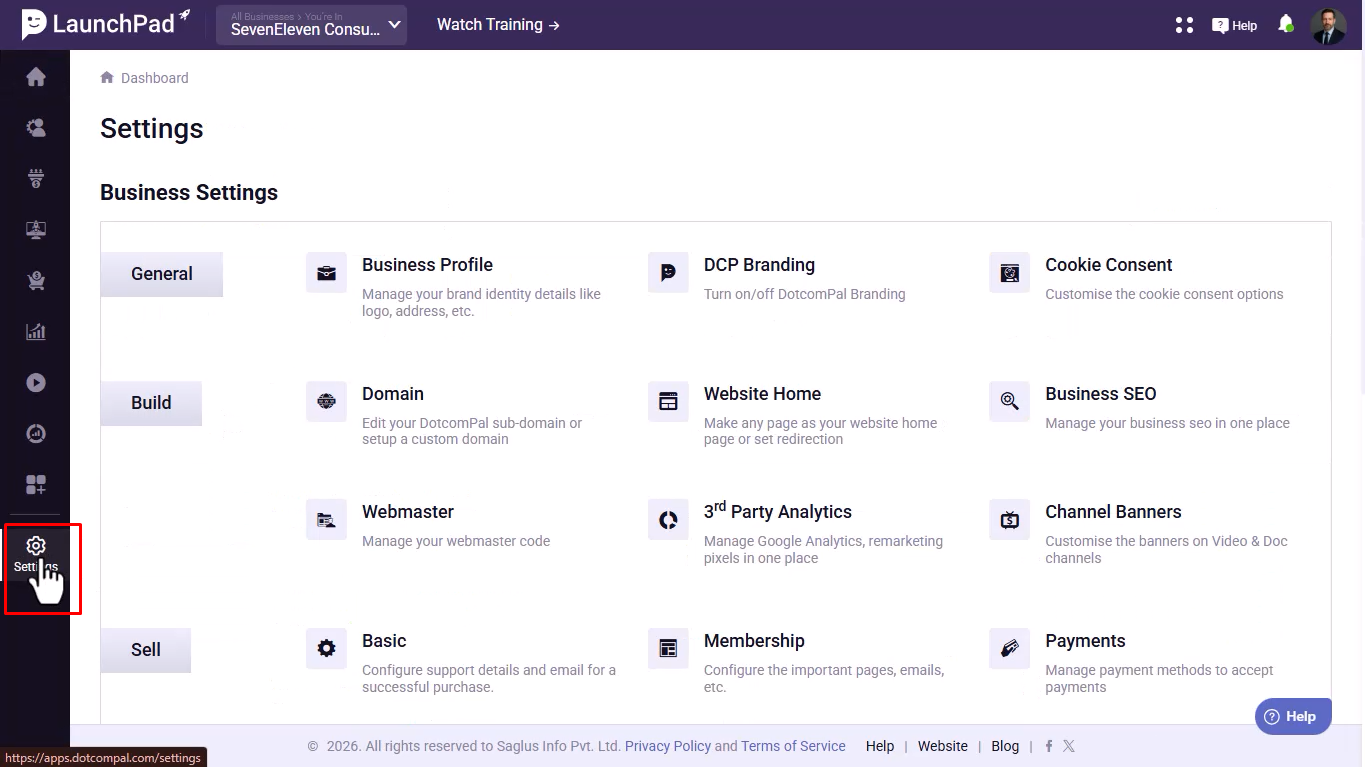
Step 2: Go to Form Settings
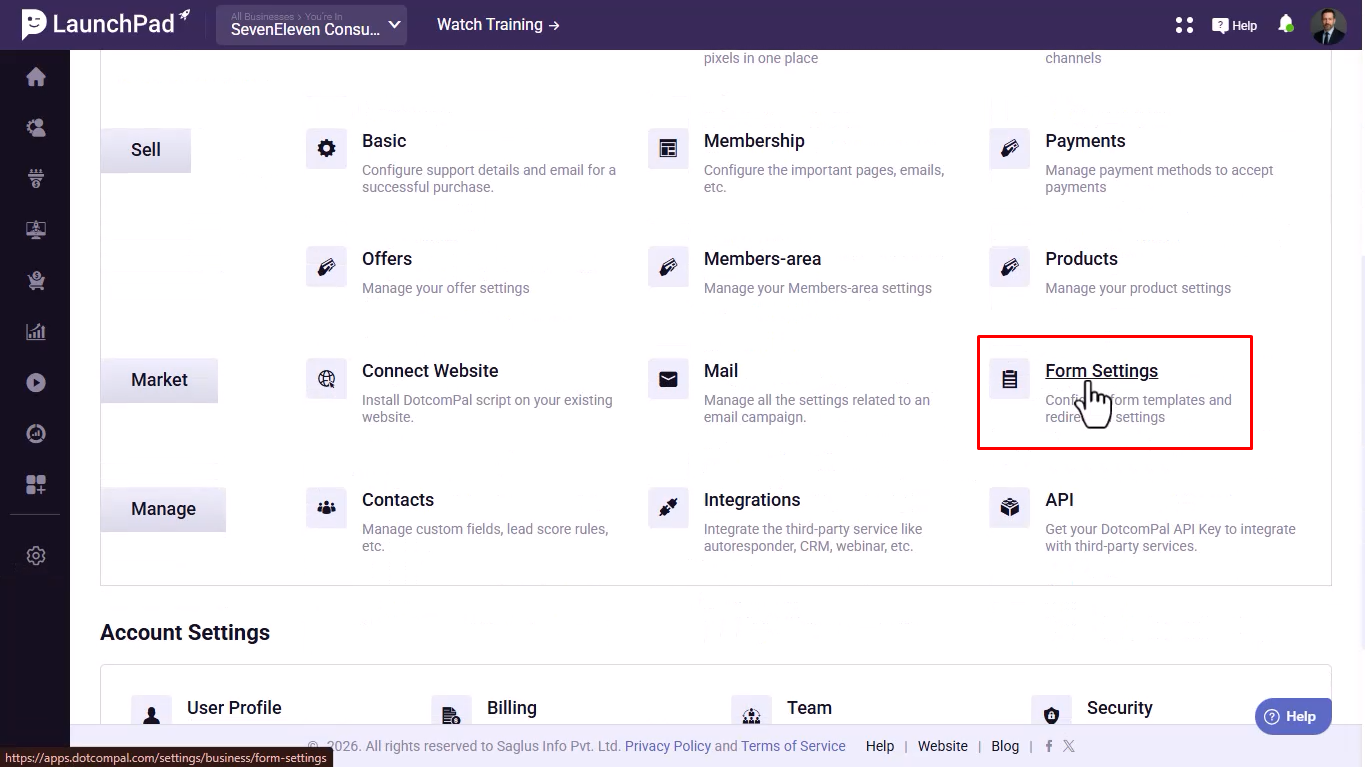
Scroll down and click on Form Settings.
Step 3: Configure Lead Form Settings
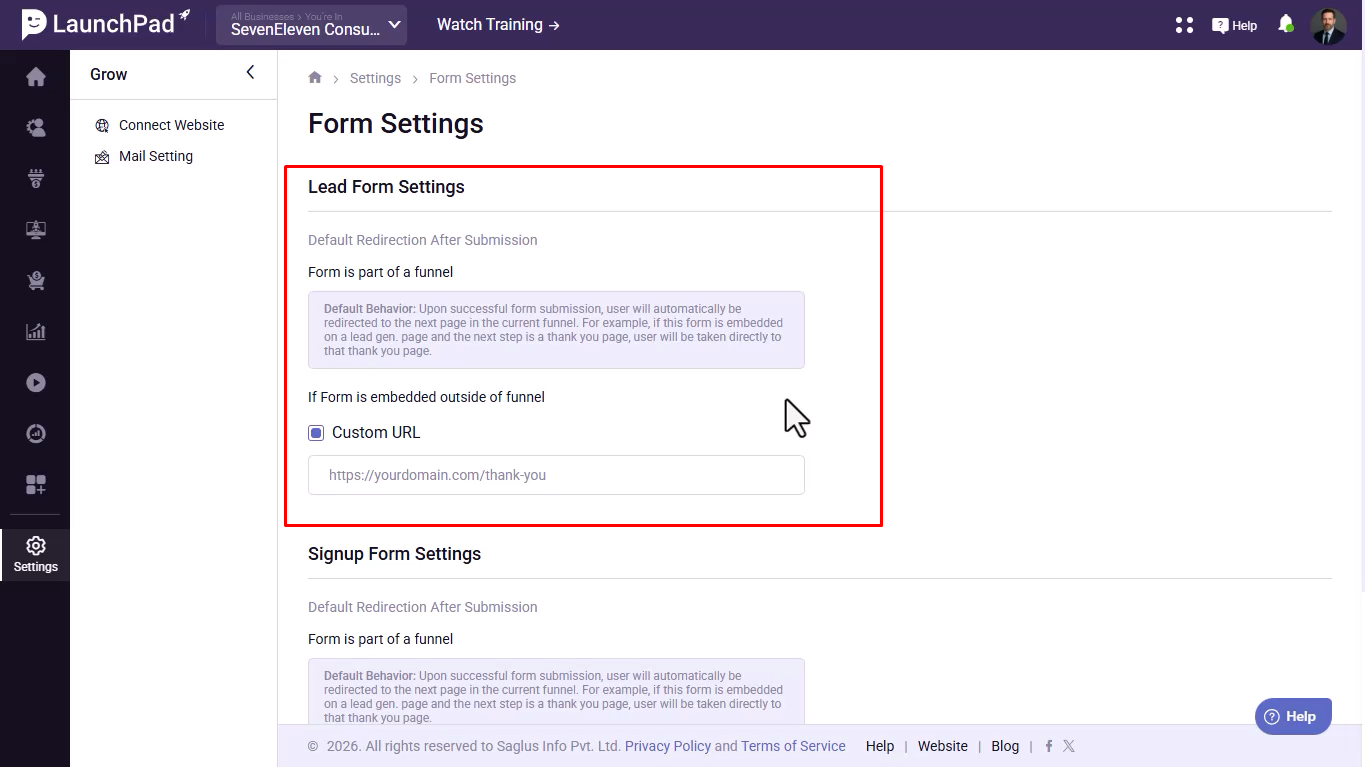
- If the form is used inside a funnel, users will be automatically redirected to the next funnel step after submission.
- If the form is used outside a funnel, you can set a custom redirect URL.
Step 4: Configure Signup Form Settings
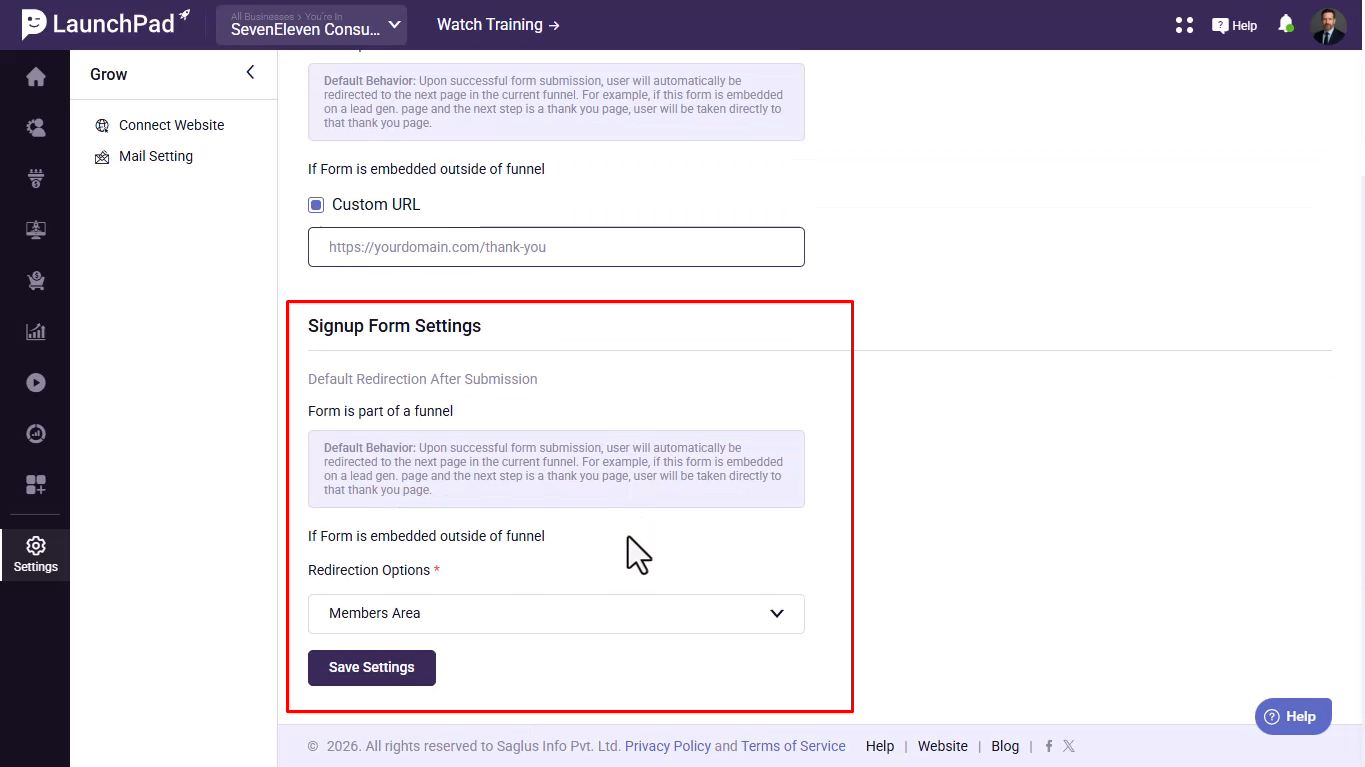
- Inside a funnel, users are redirected to the next funnel step.
- Outside a funnel, choose where users go after submission:
- Members Area
- Custom URL
Step 5: Set Custom URL (Optional)
Click on the Members Area dropdown, select Custom URL, and paste your desired link.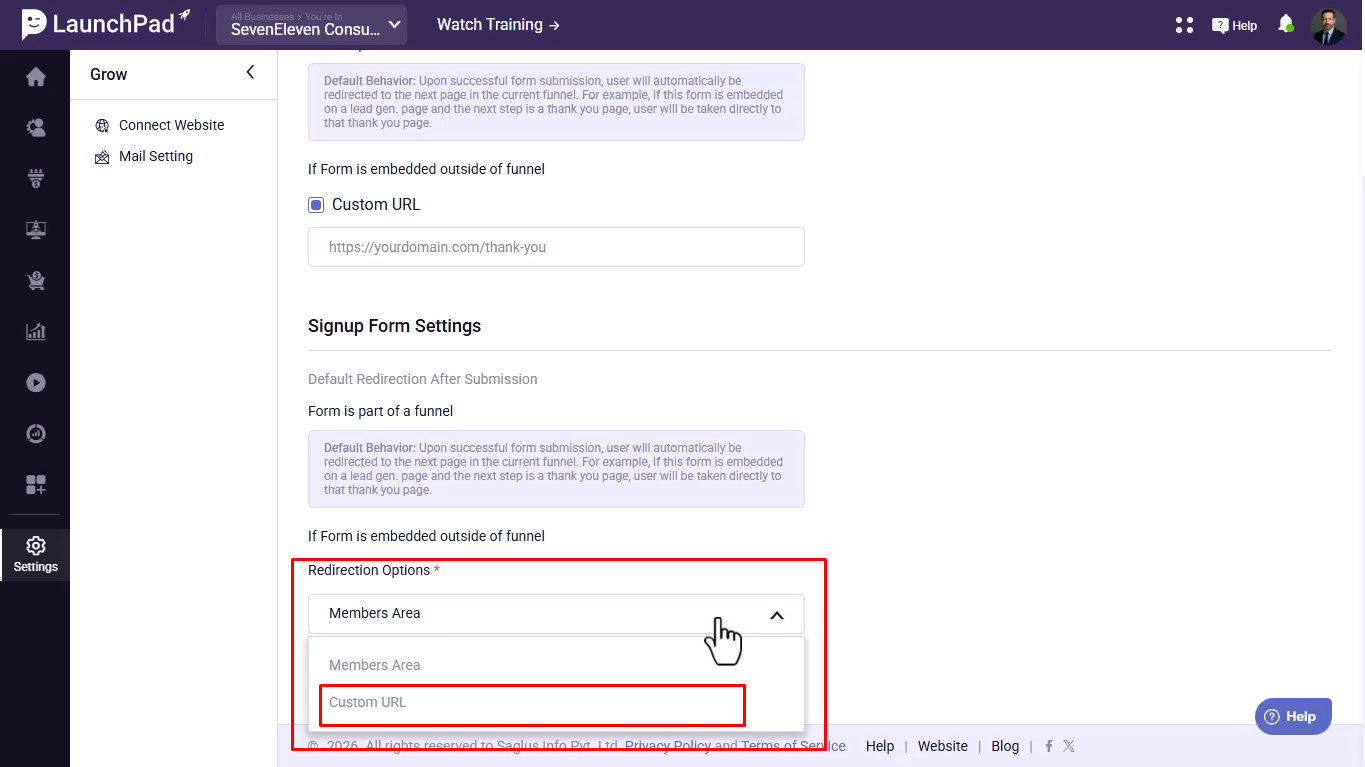
Step 6: Save Settings
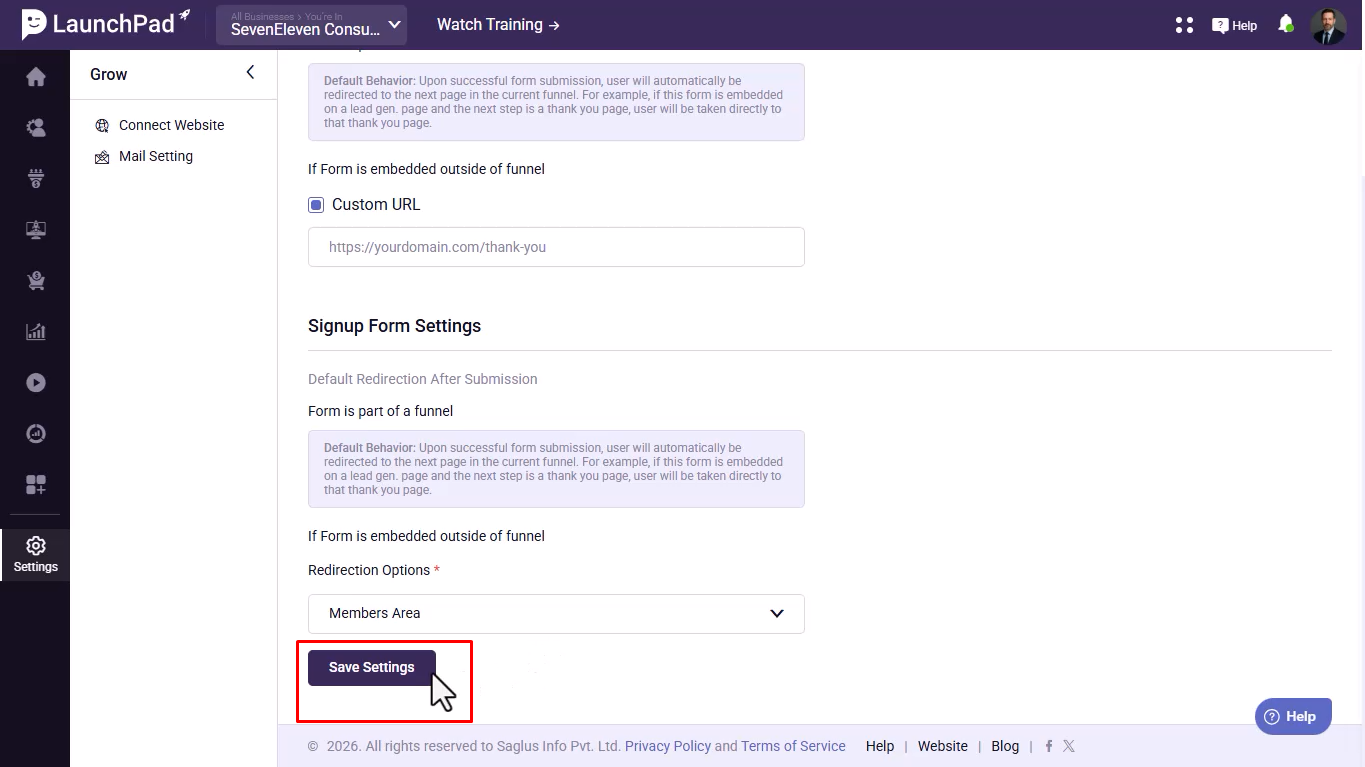
Click on Save Settings to apply your changes.
Was this article helpful?
That’s Great!
Thank you for your feedback
Sorry! We couldn't be helpful
Thank you for your feedback
Feedback sent
We appreciate your effort and will try to fix the article