How to Customize Members Area Settings in DotcomPal
Step 1: Open Settings
Click the Settings icon from the left vertical menu.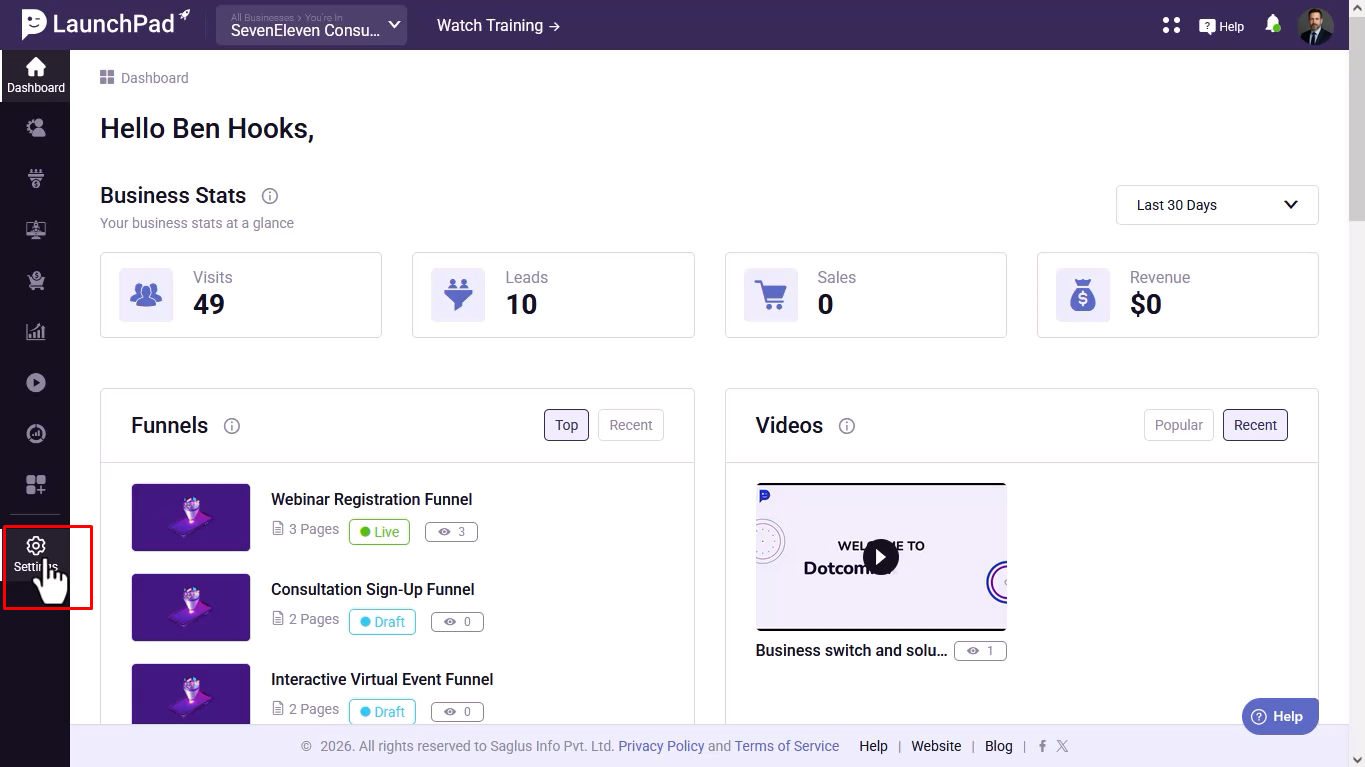
Step 2: Access Members Area Settings
Scroll down and select the Members Area option.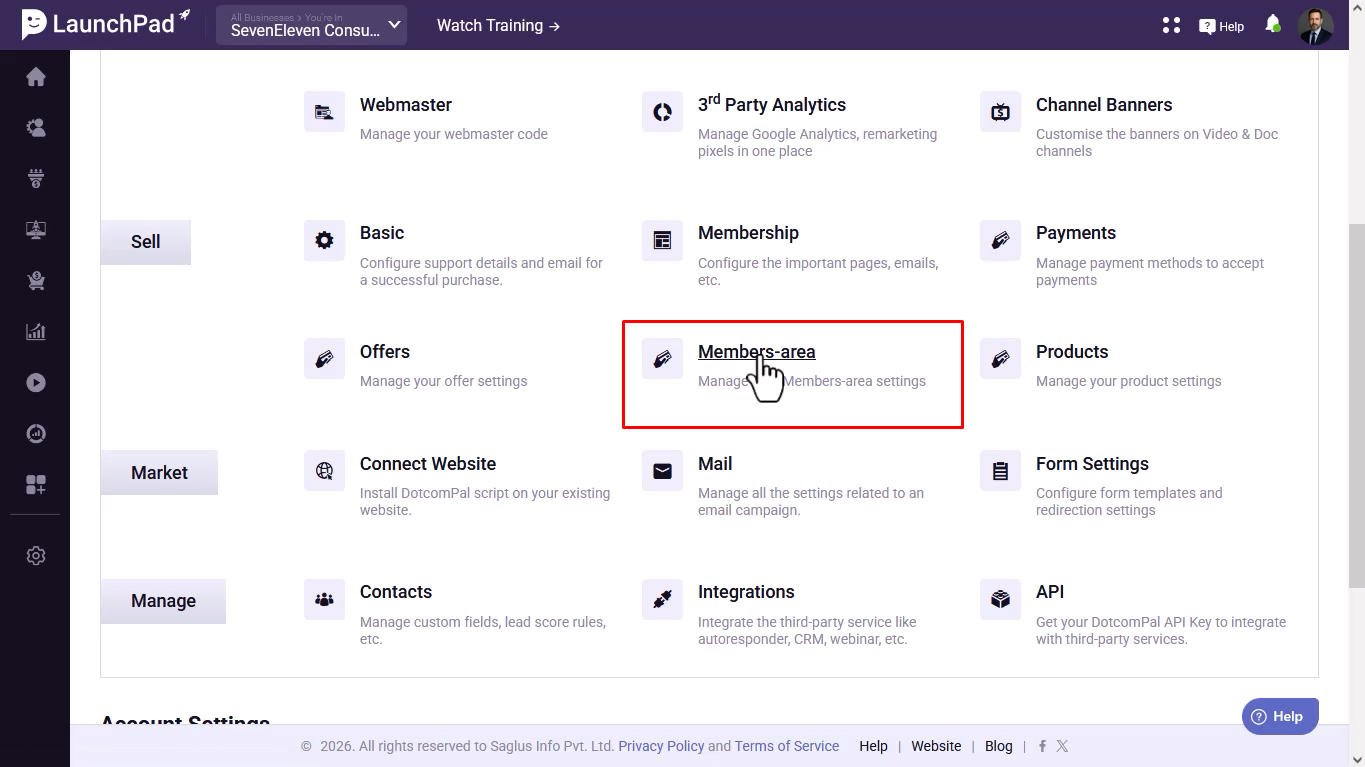
Step 3: Customize Branding
Locate the Primary Color setting and choose a color that matches your brand.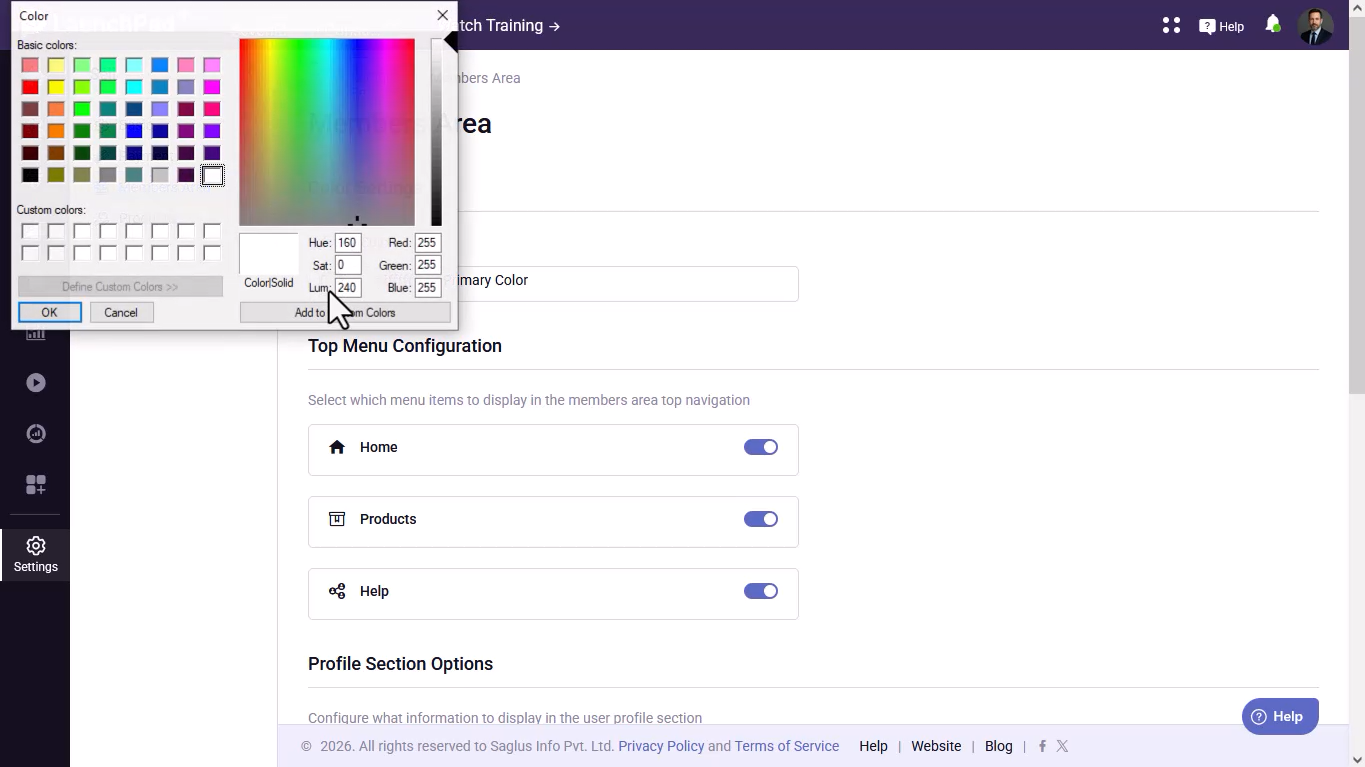
Step 4: Configure the Top Menu
Manage the visibility of top navigation menu items using the available toggle buttons.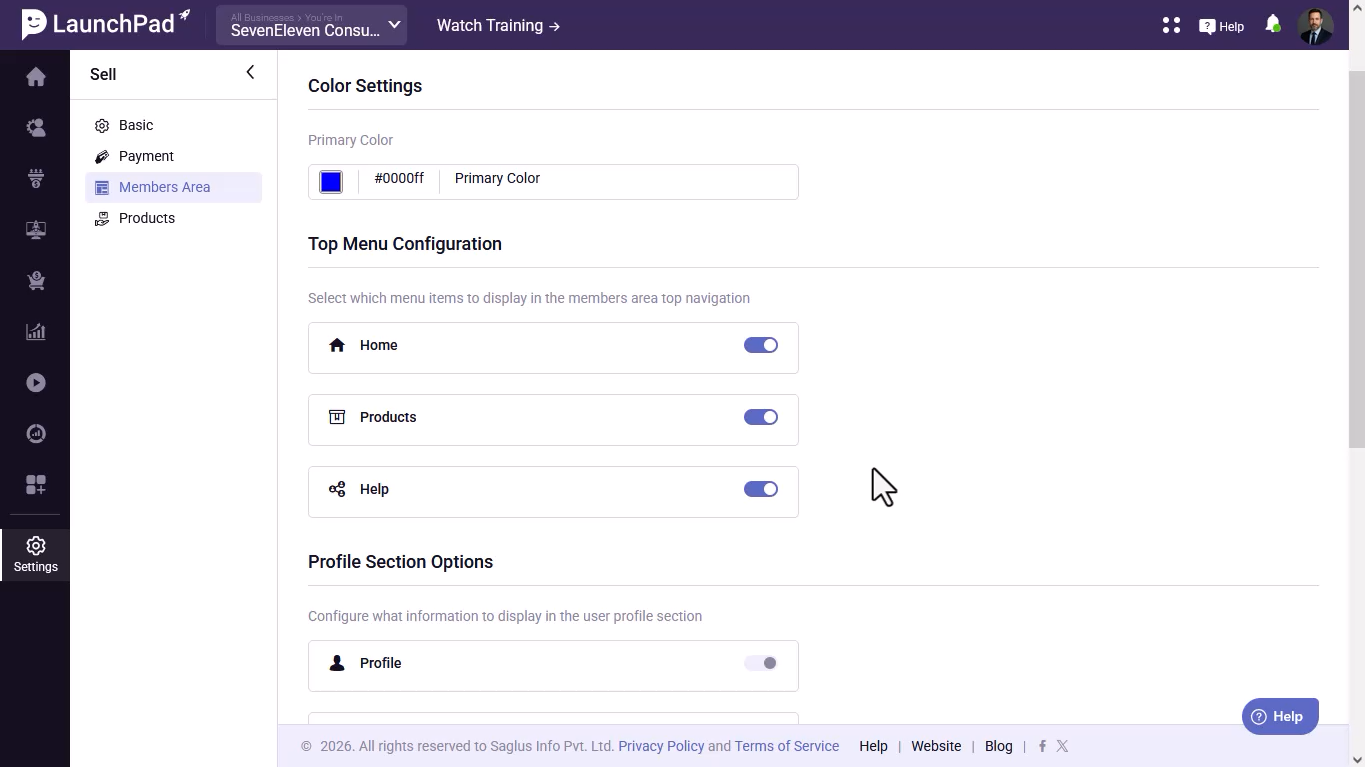
Step 5: Enable or Disable Home
Use the toggle button to show or hide the Home menu item.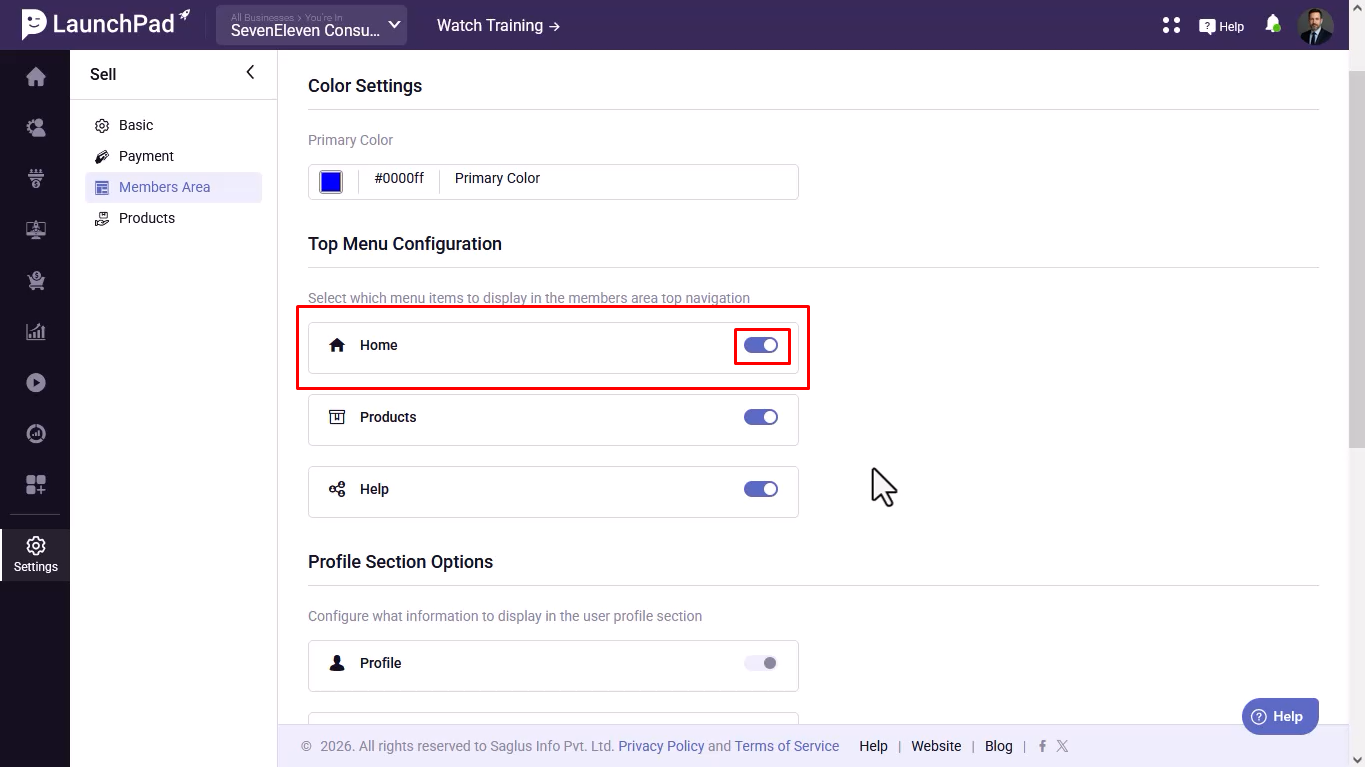
Step 6: Enable or Disable Products
Use the toggle button to show or hide the Products menu item.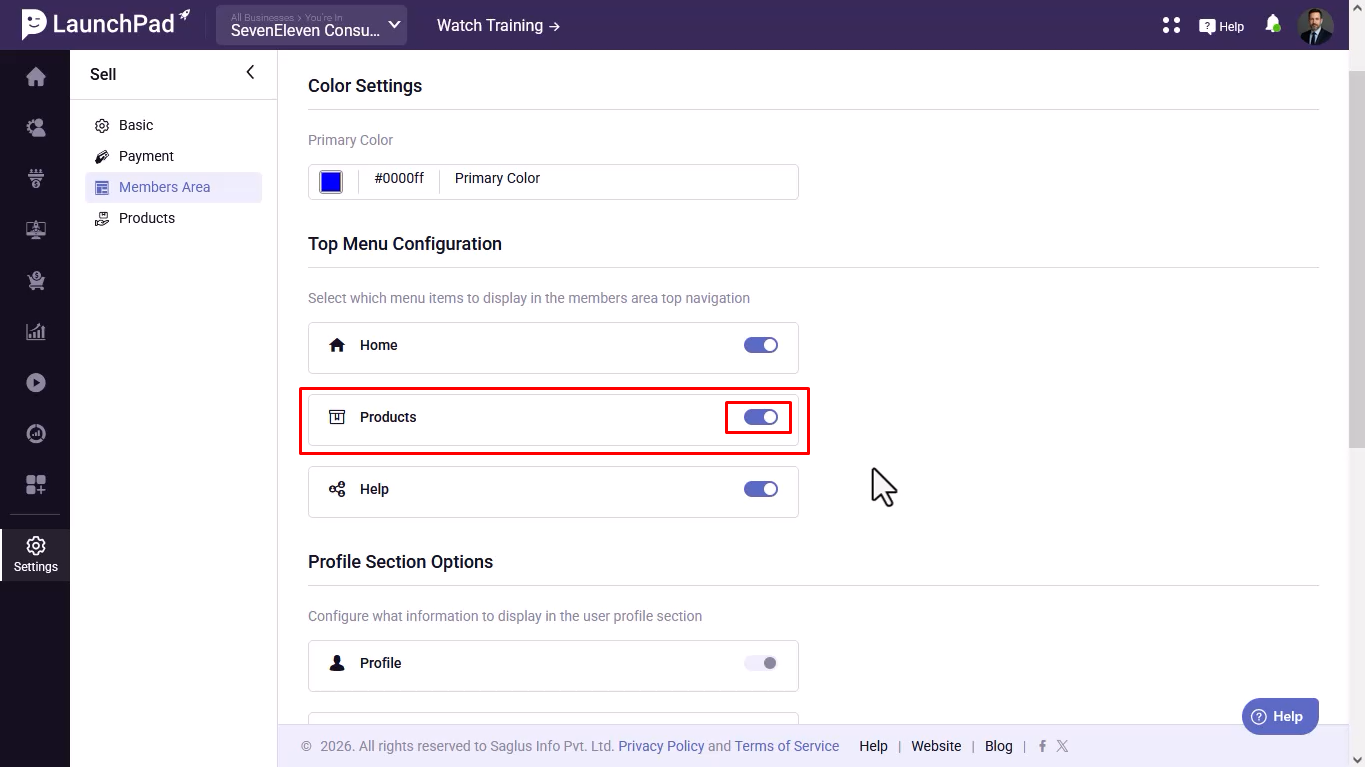
Step 7: Enable or Disable Help
Use the toggle button to show or hide the Help menu item.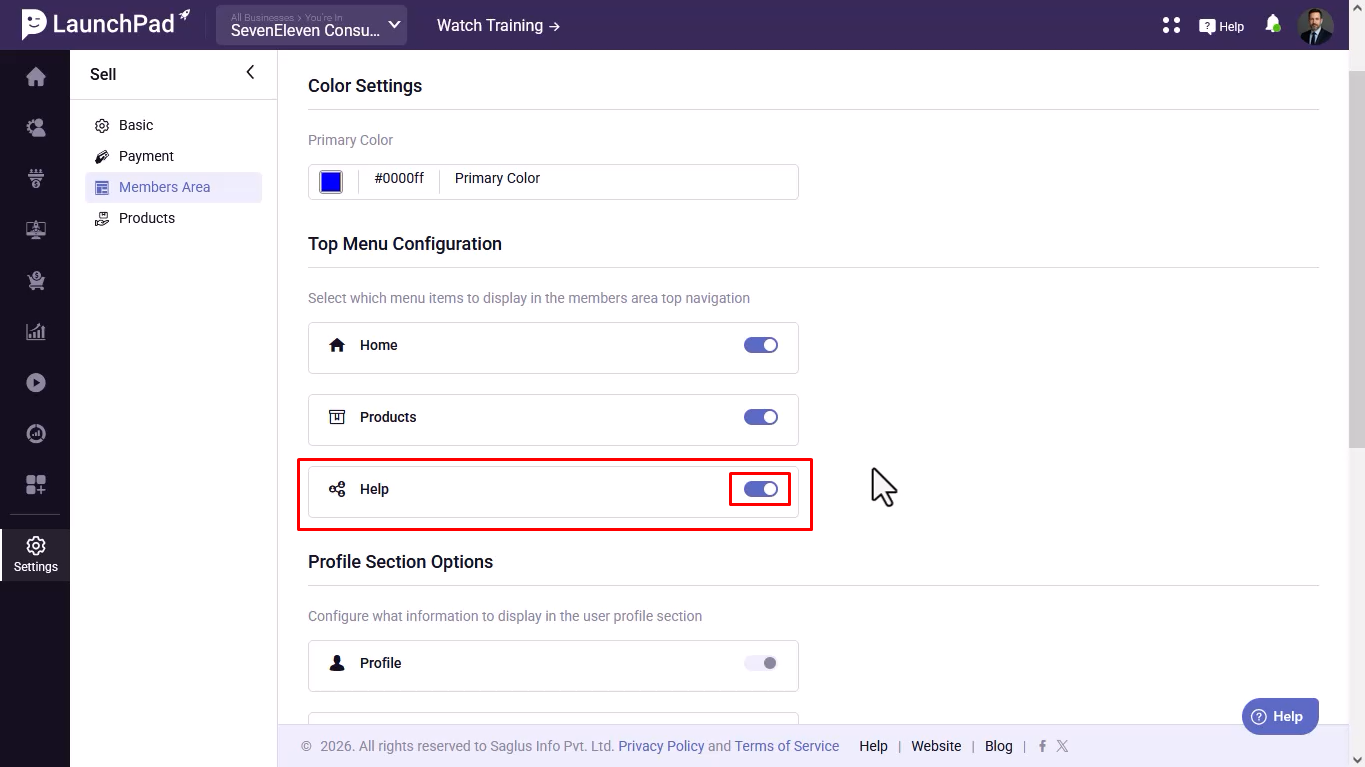
Step 8: Configure Profile Section Options
Navigate to the Profile Section settings.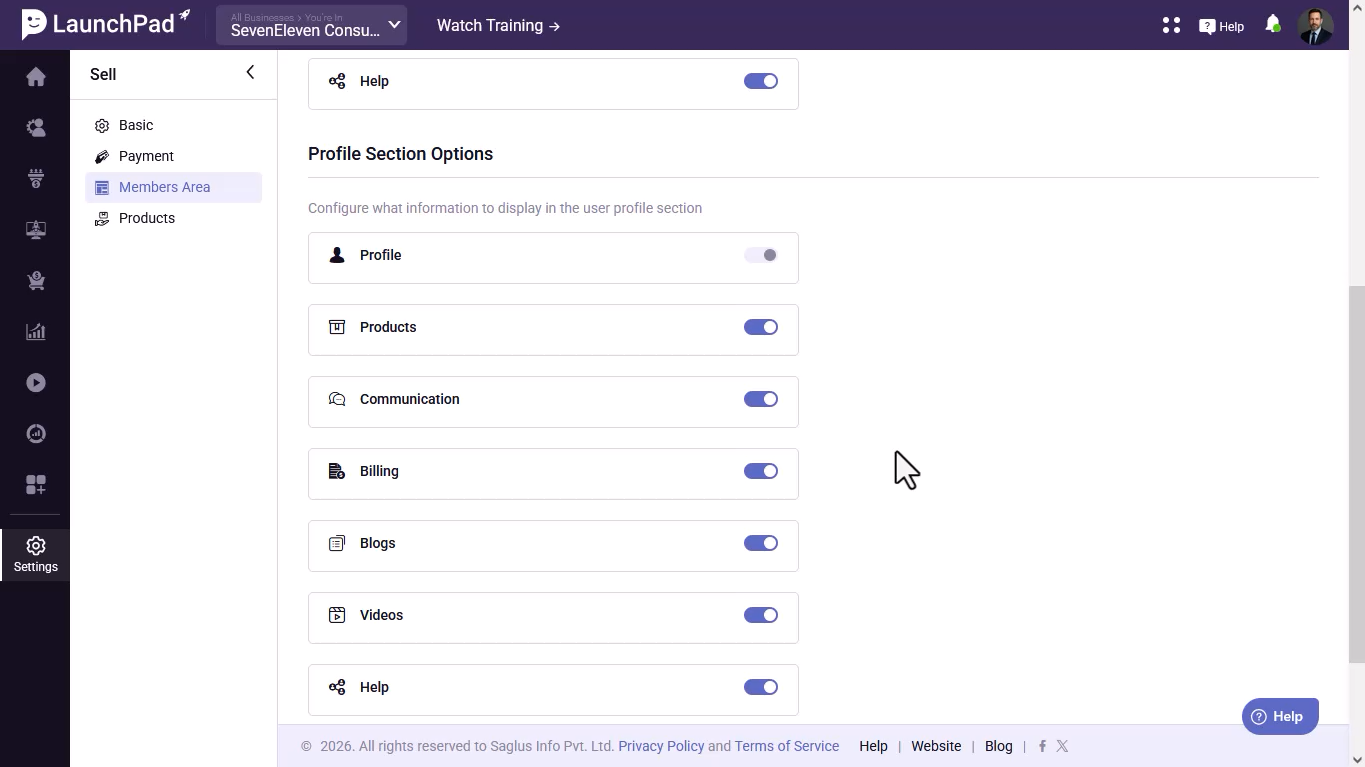
Step 9: Manage Profile Features
Profile | Products | Communication | Billing | Blogs | Videos | Help | Logout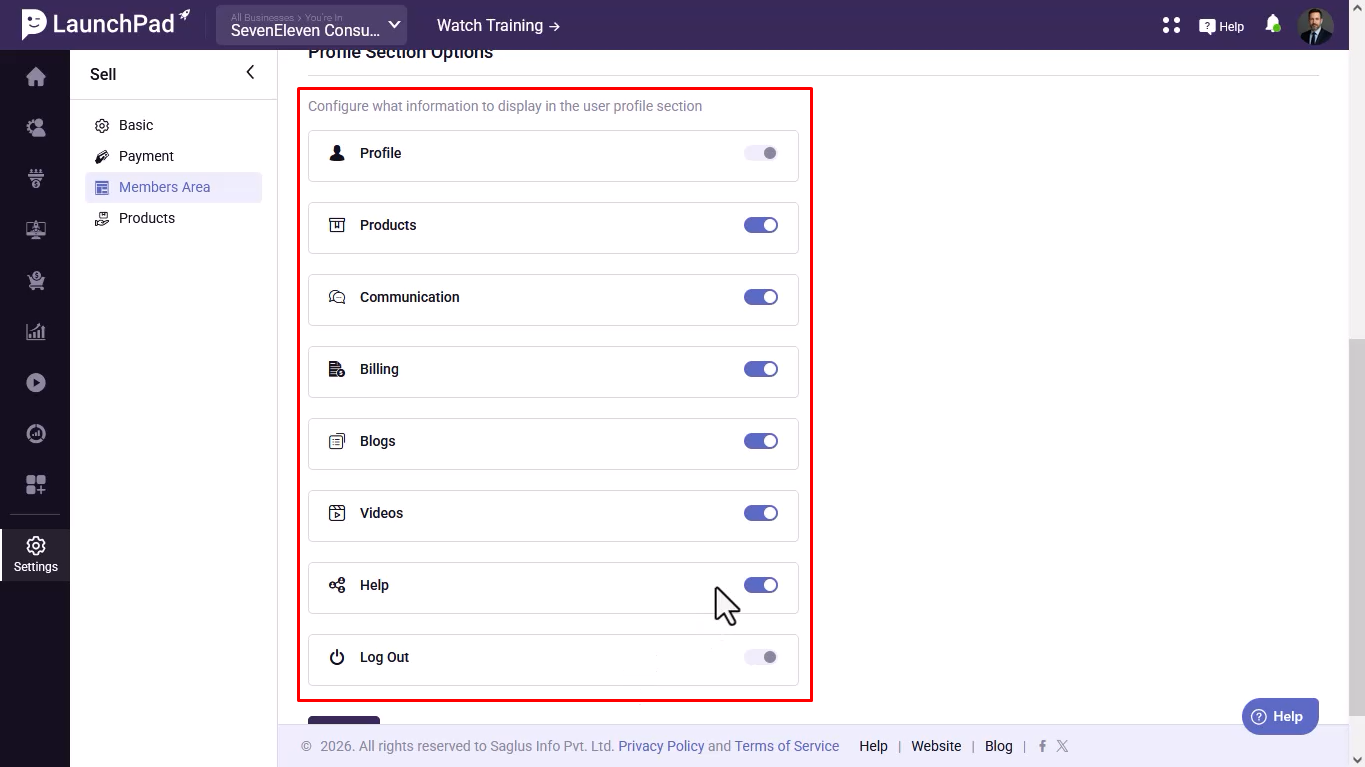
Step 10: Save Your Changes
Click the Save button to apply and store all your members area settings.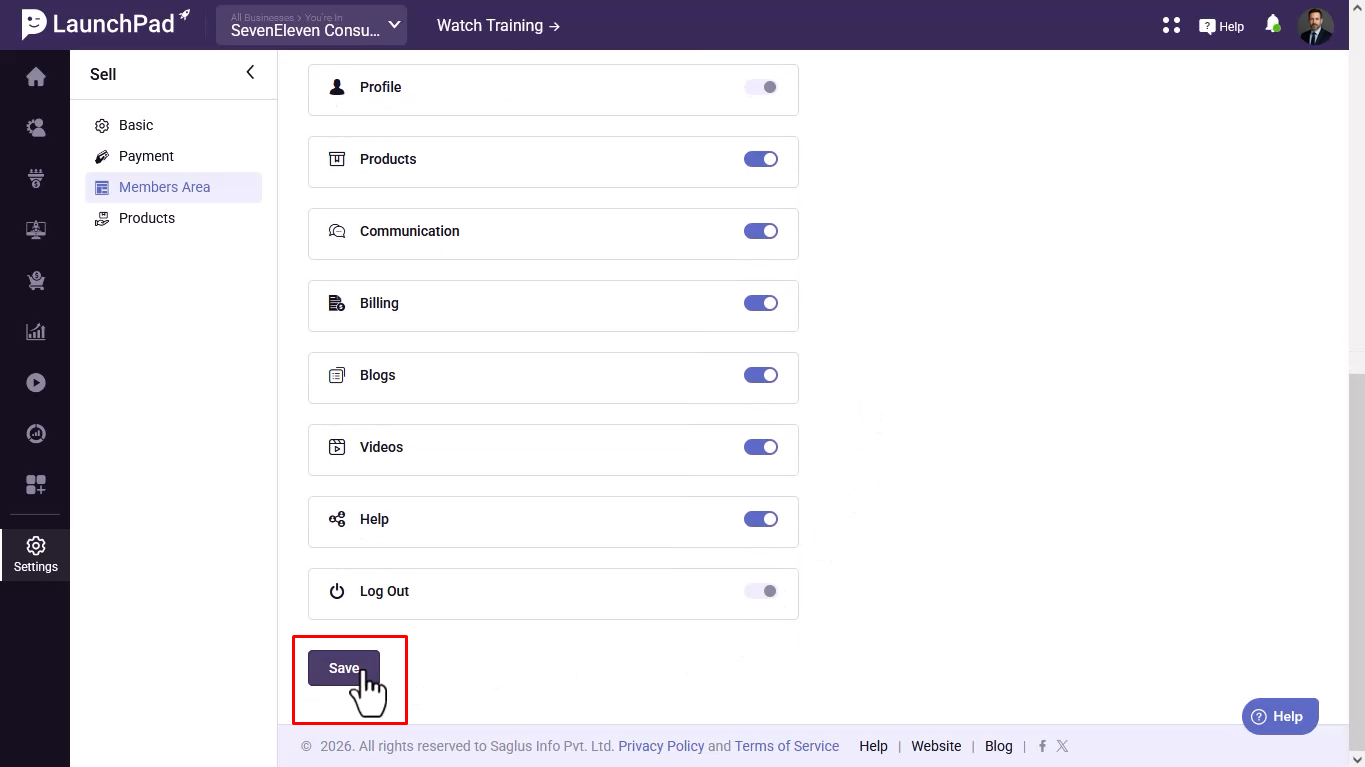
Was this article helpful?
That’s Great!
Thank you for your feedback
Sorry! We couldn't be helpful
Thank you for your feedback
Feedback sent
We appreciate your effort and will try to fix the article