Important Steps to Add a New Page to an Existing Funnel in DotcomPal
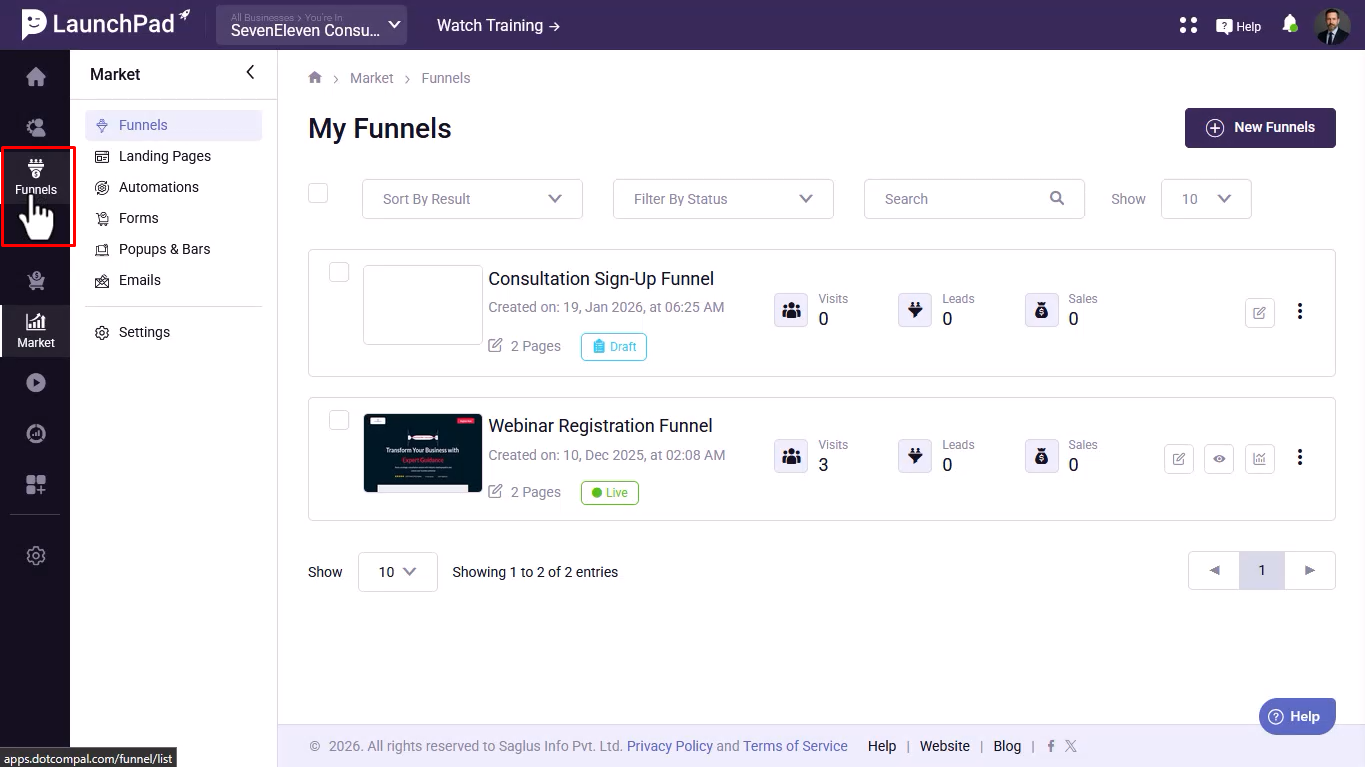
Step 1- Go to your Funnels Dashboard.
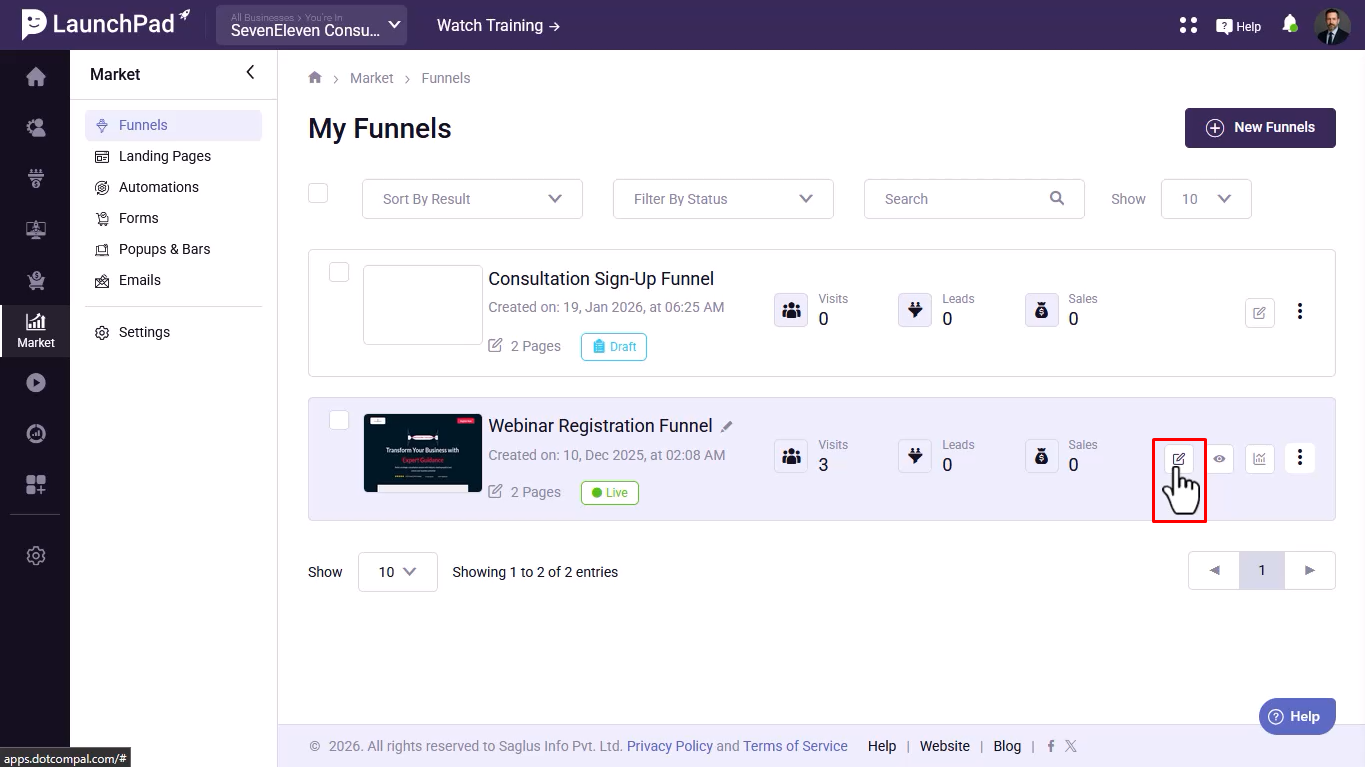
Step 2- Click on the “Edit Funnel” option for the funnel you want to update.
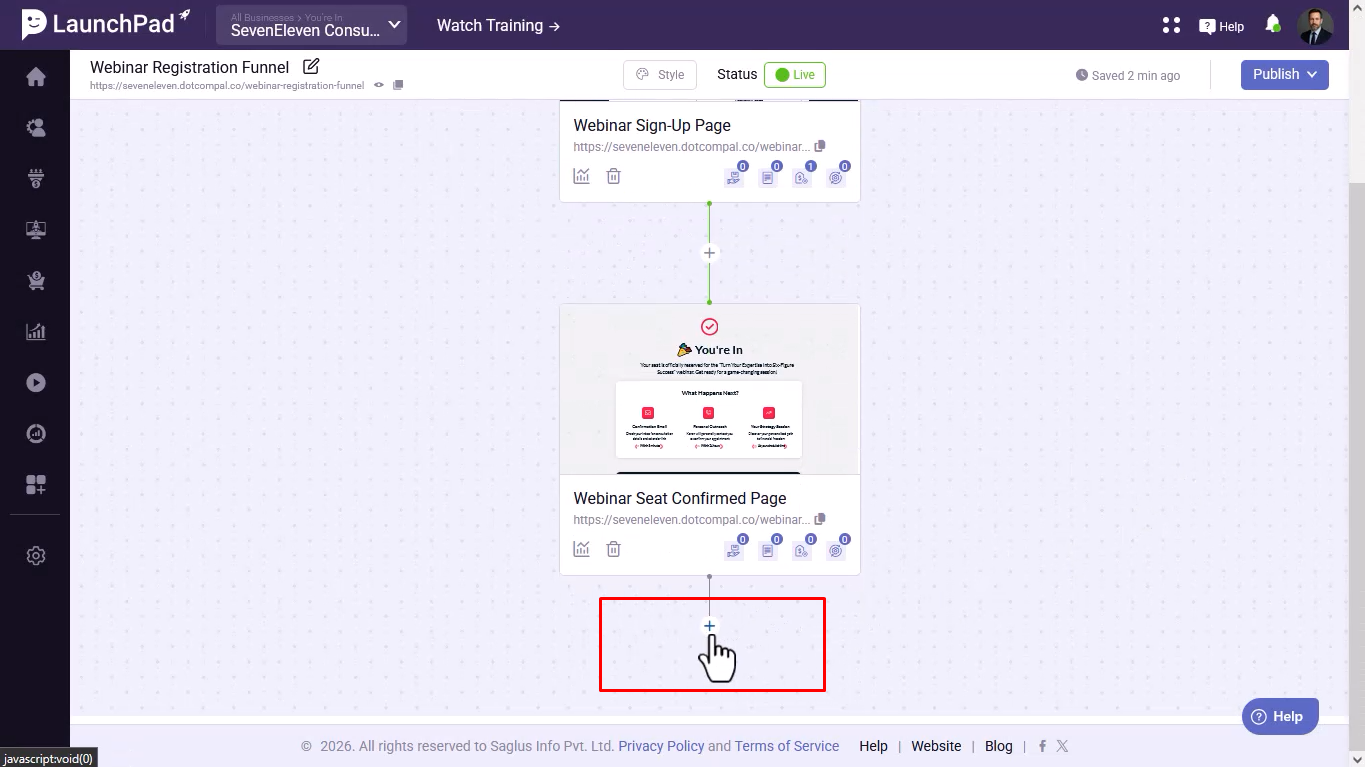
Step 3- Below the last page of the funnel, click on the “+” (Plus) button.
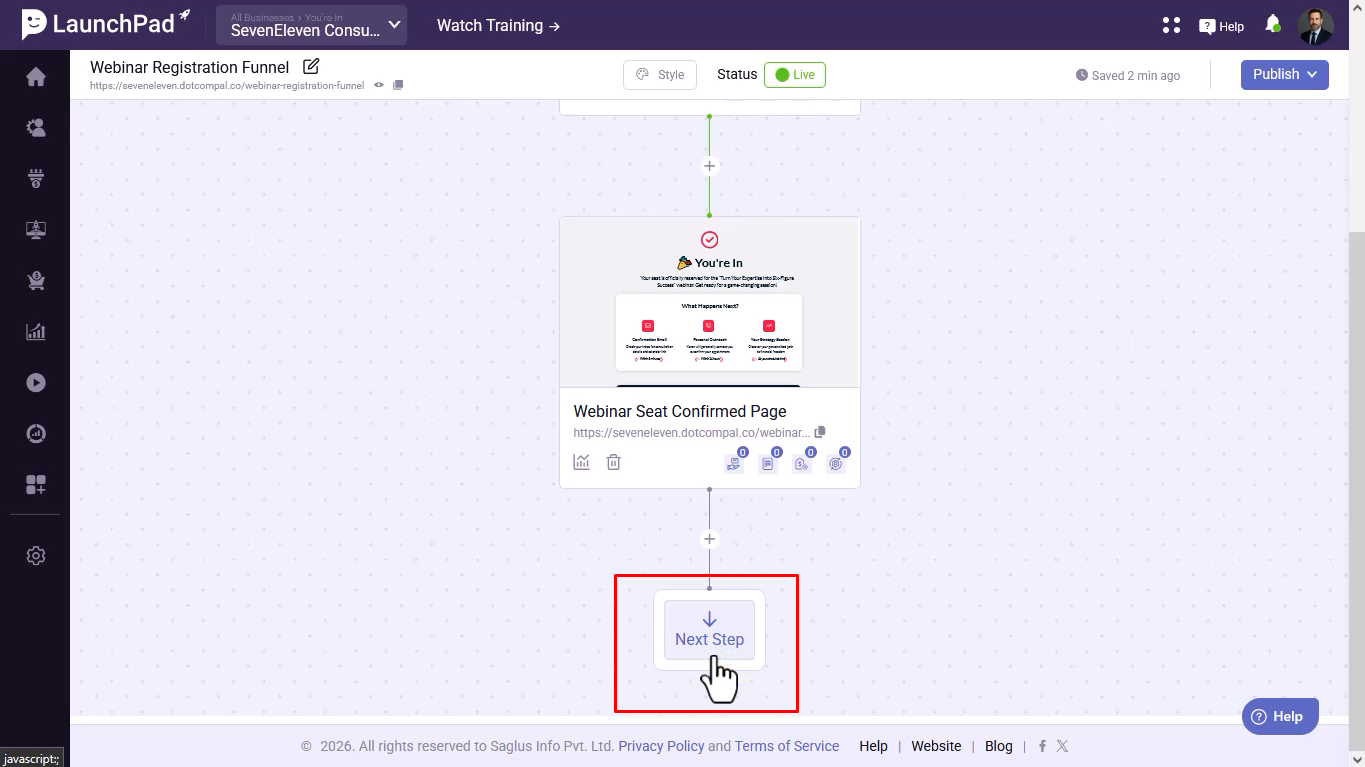
Step 4- Click on “Next Step” to open the Funnel Page Templates section.
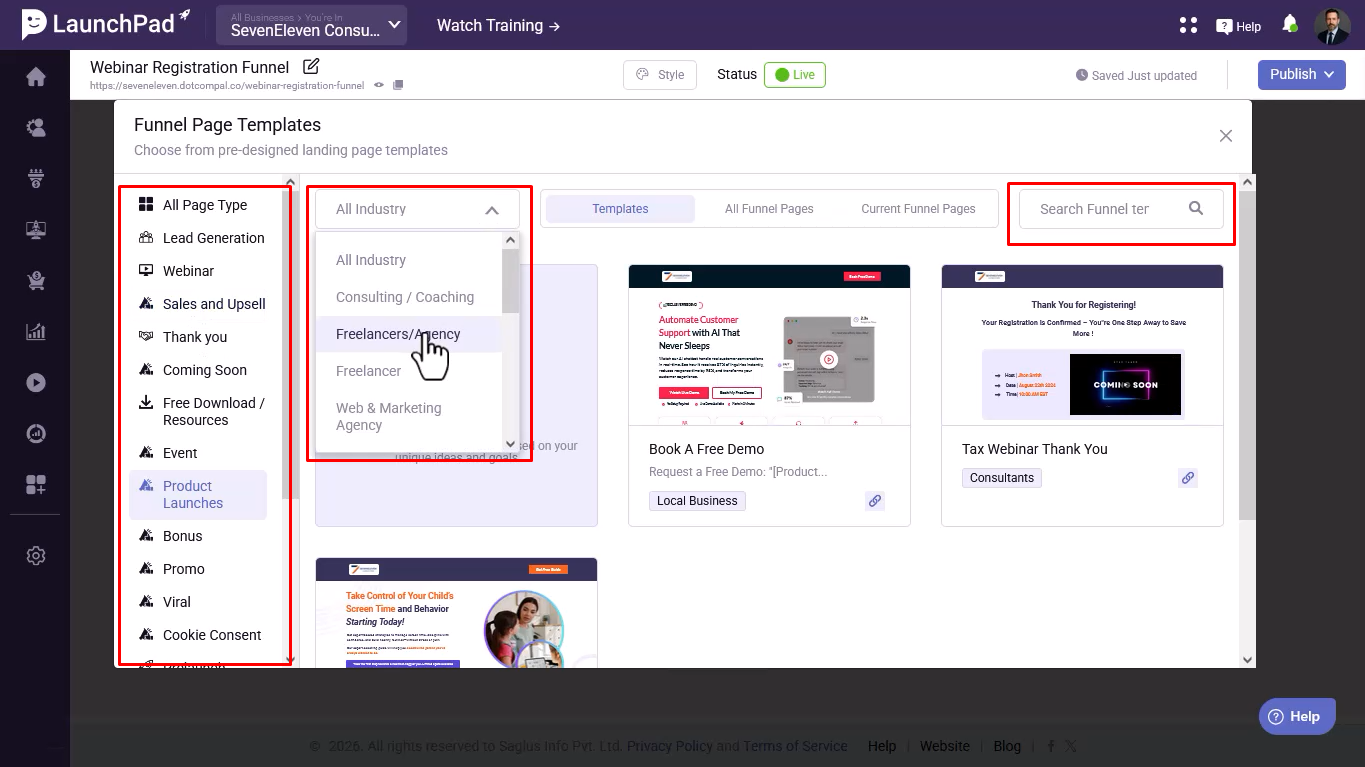
Step 5 - Choose a Template
- Browse templates by niche.
- Filter templates by industry using the drop-down menu.
- Use the search box to quickly find specific templates.
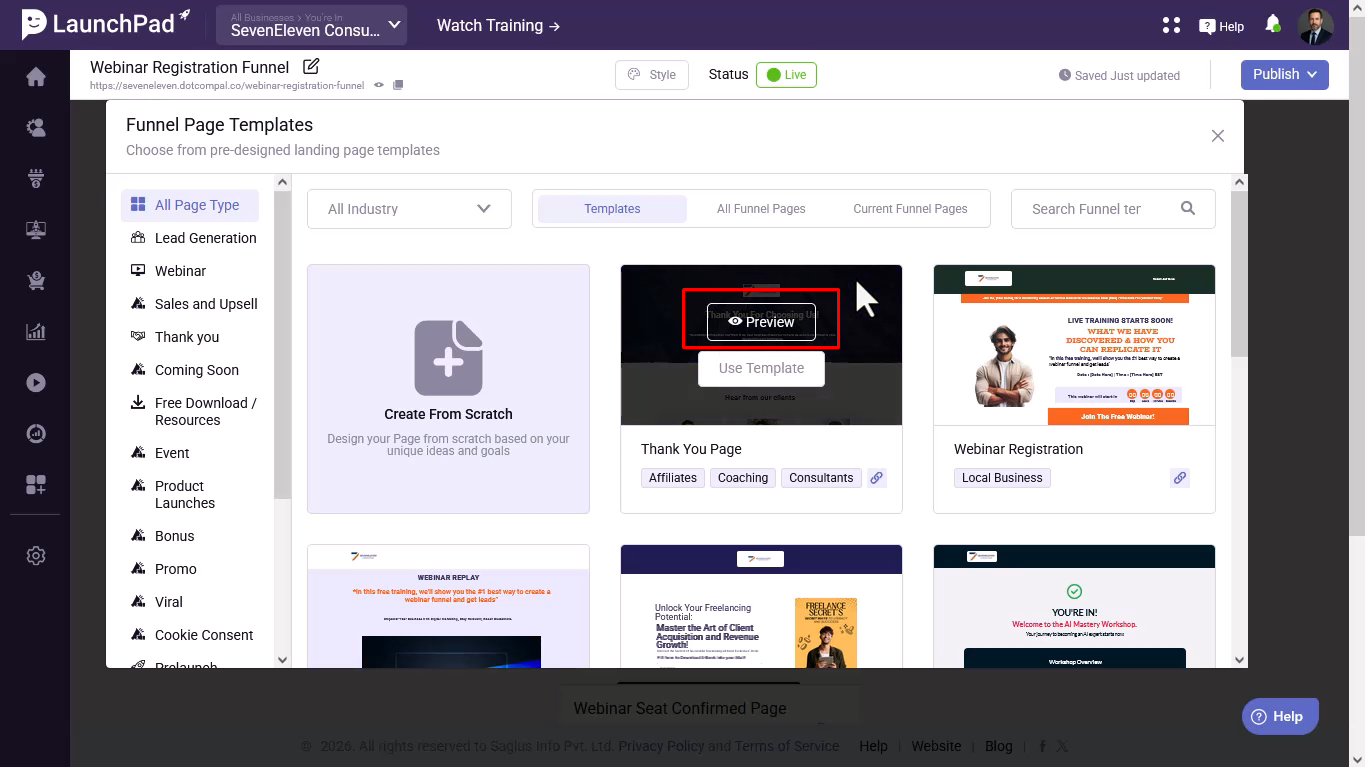
Step 6- Preview the template by clicking on the “Preview” button.
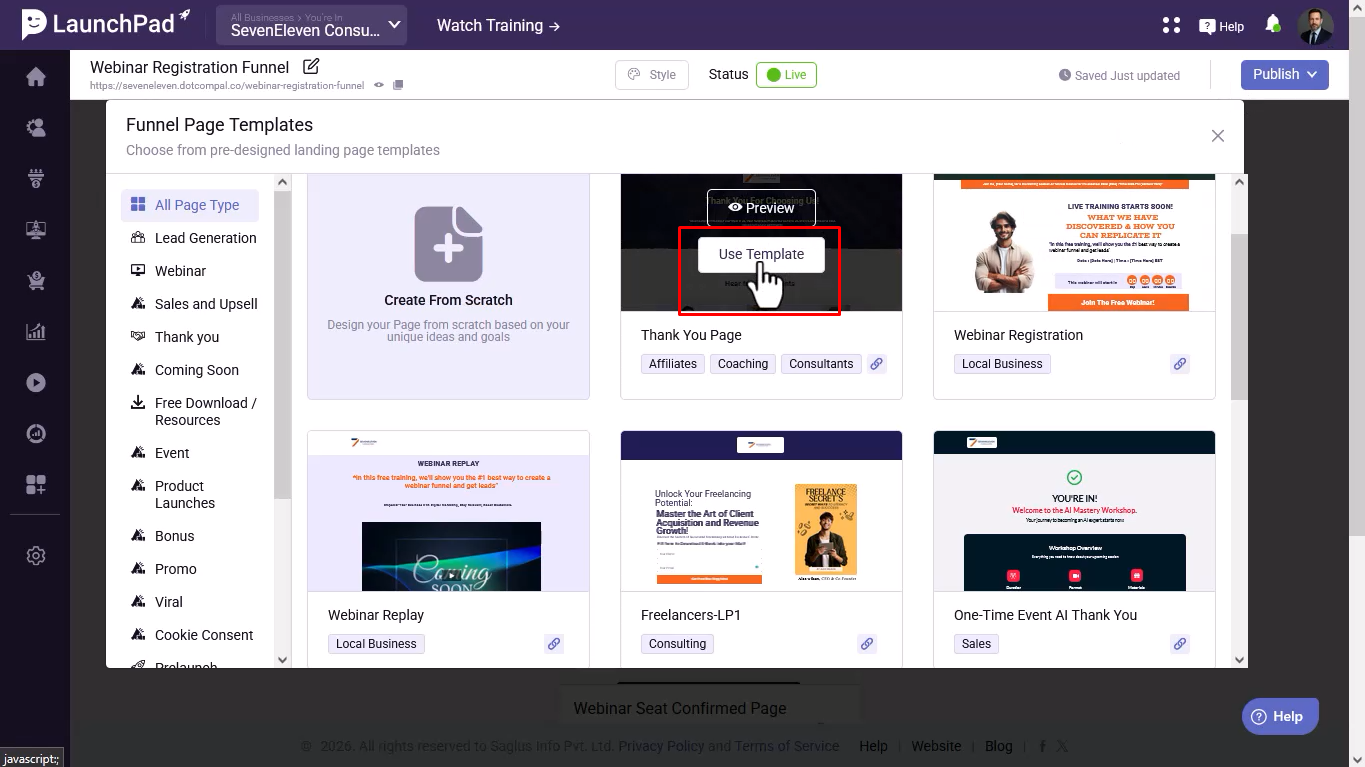
Step 7- Once satisfied, click on “Use Template”.
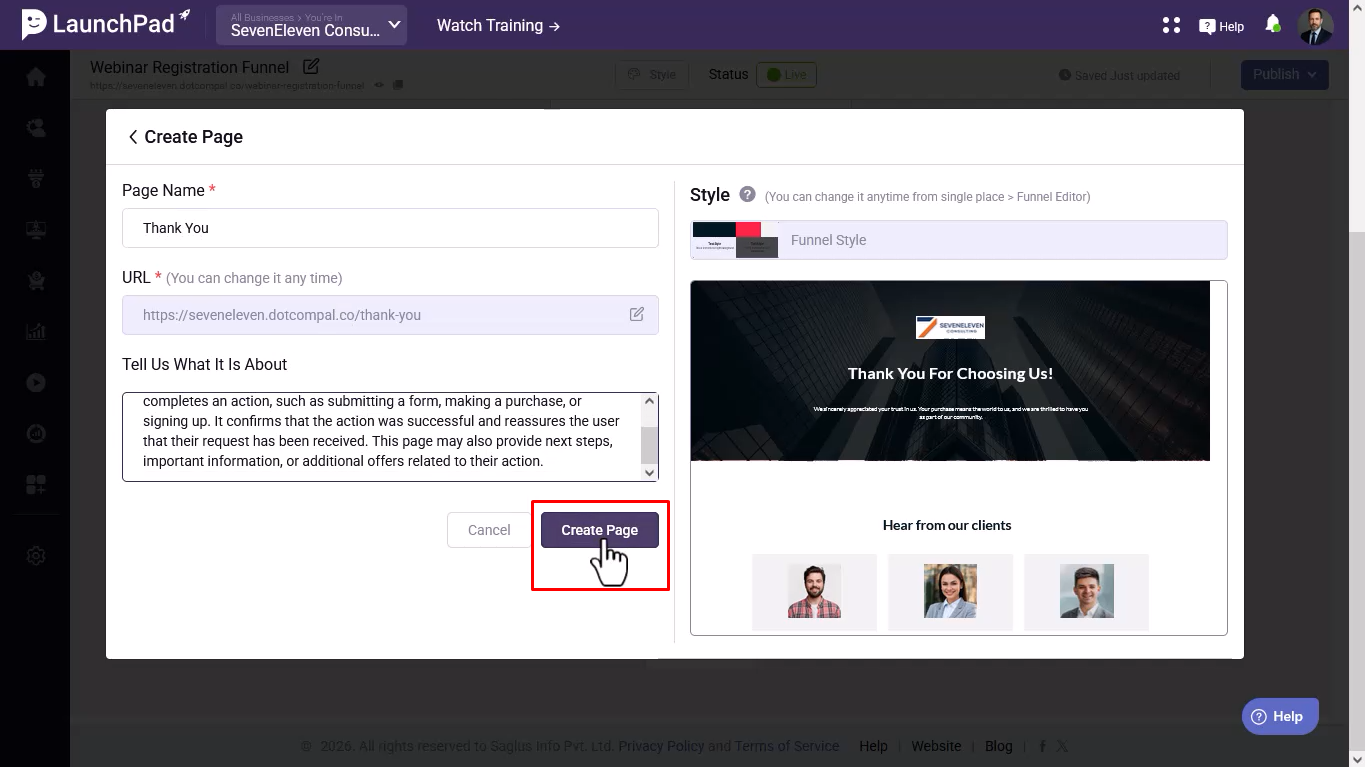
Step 8 - Add Page Details
- Enter the Page Name.
- Add a Short Description.
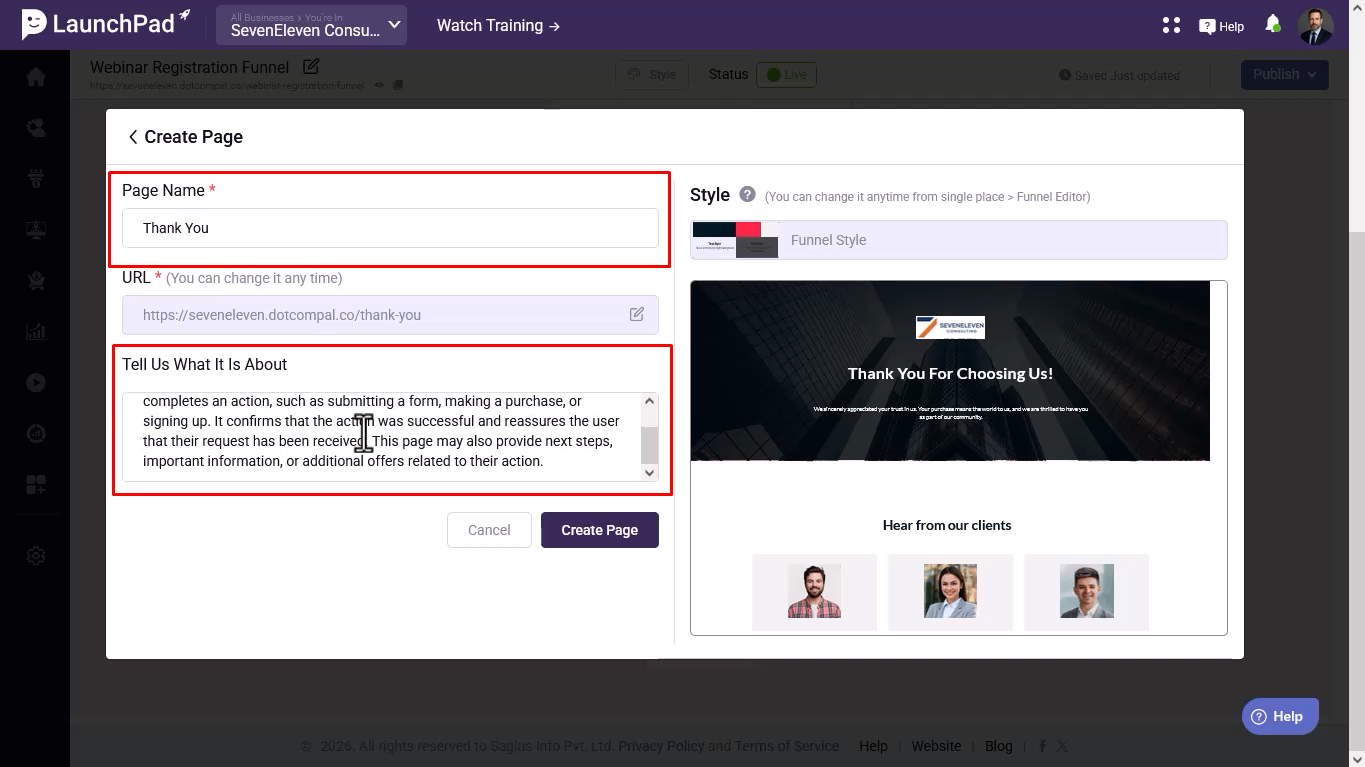
Step 9- Click on “Create Page”.
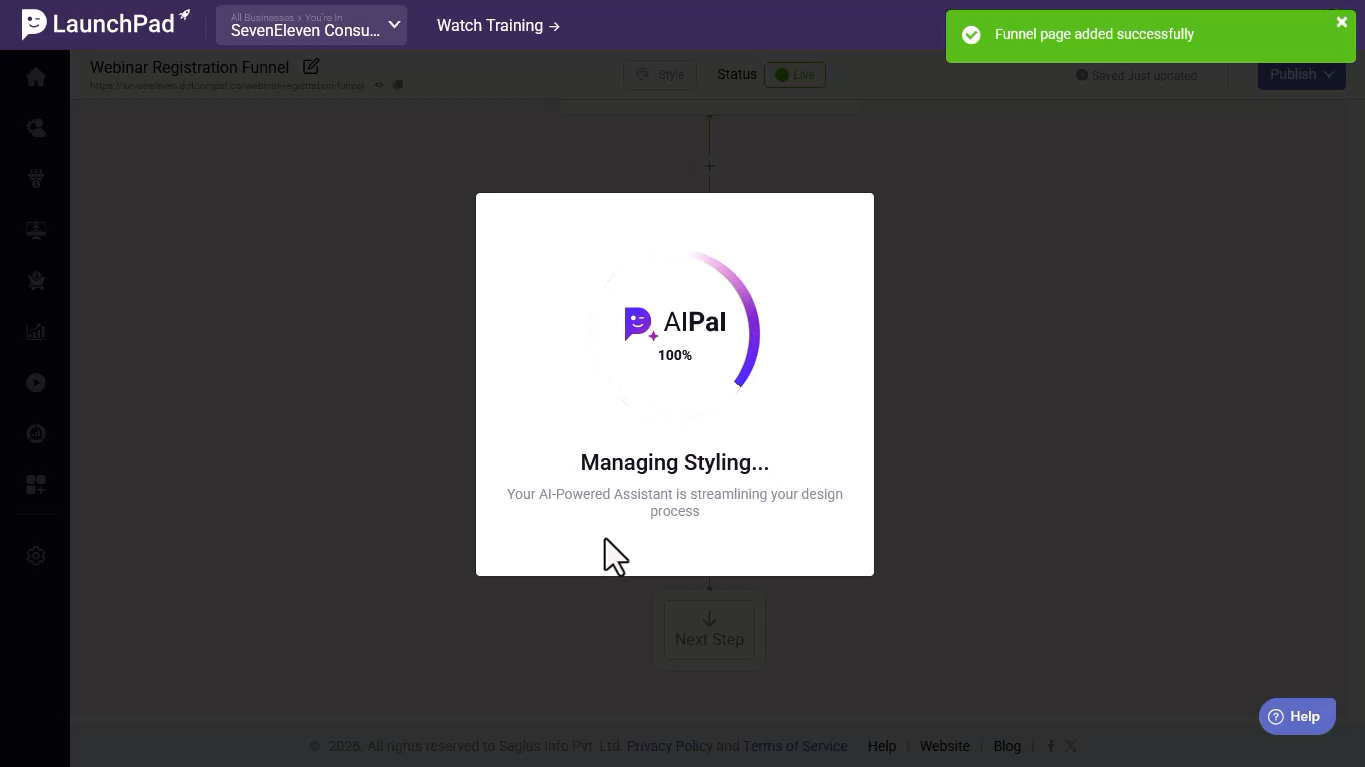
Step 10 - AI Pal Assistance
- AI Pal will automatically style the page.
- It will also generate content based on your inputs.
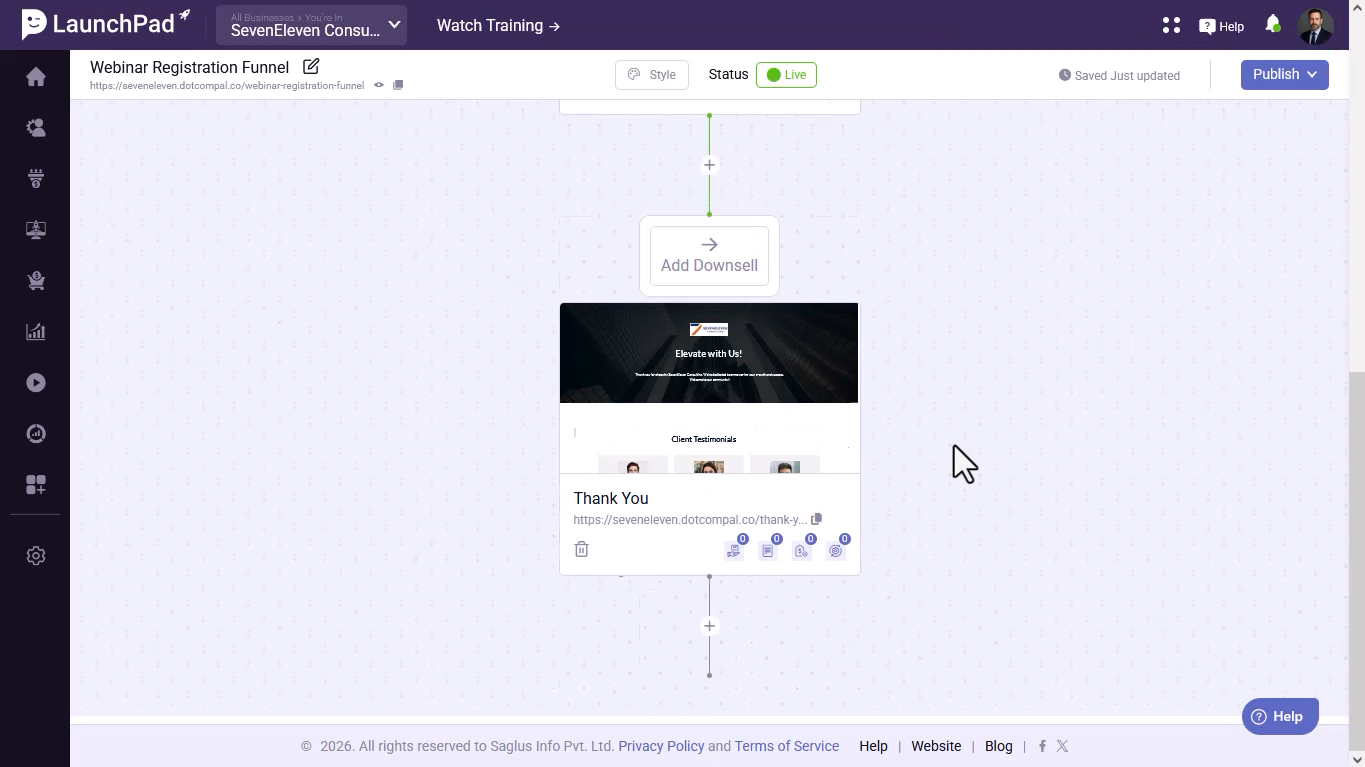
Step 11- You will be redirected to the Funnel Layout Organizer.
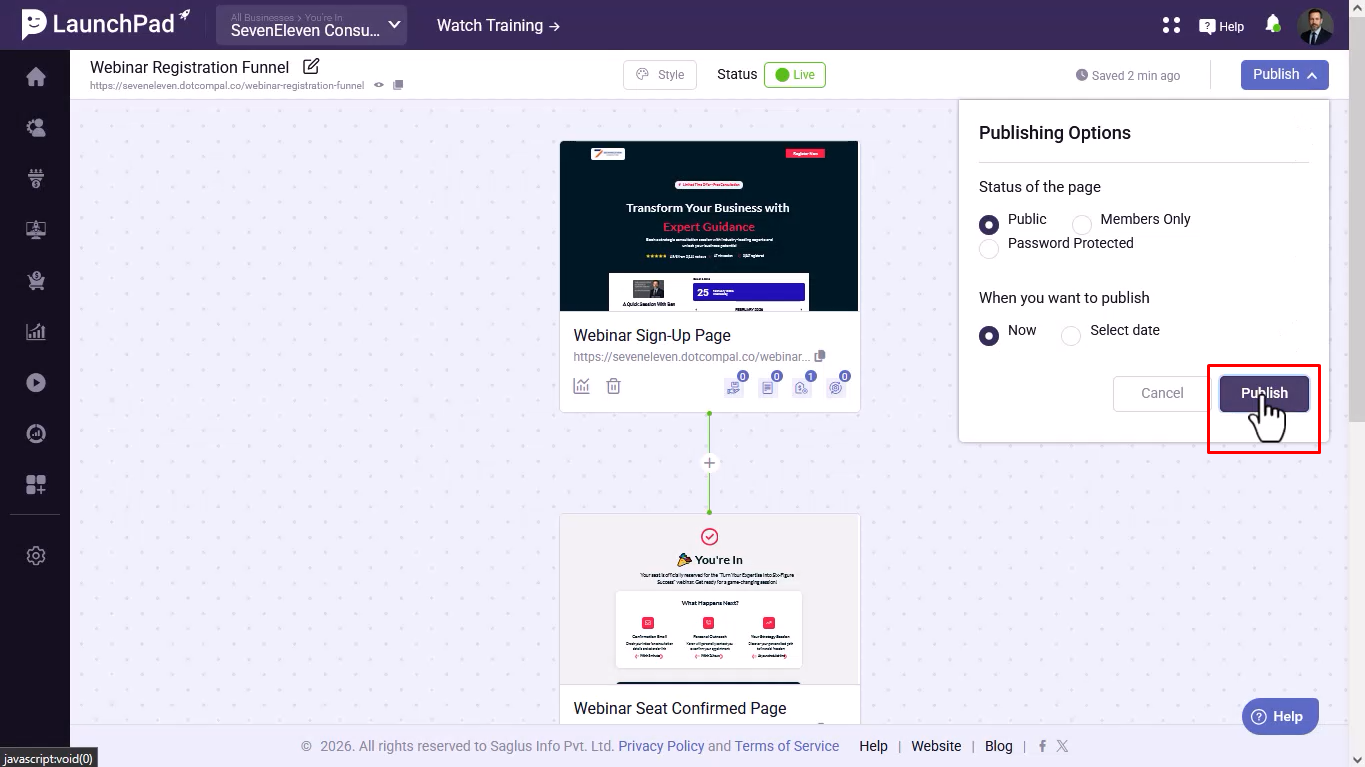
Step 12- Once everything is ready, click on “Publish”.
Was this article helpful?
That’s Great!
Thank you for your feedback
Sorry! We couldn't be helpful
Thank you for your feedback
Feedback sent
We appreciate your effort and will try to fix the article