Create Your First Funnel in DotcomPal
Step 1: Create a New Funnel
From the left-hand side menu, click on Funnels.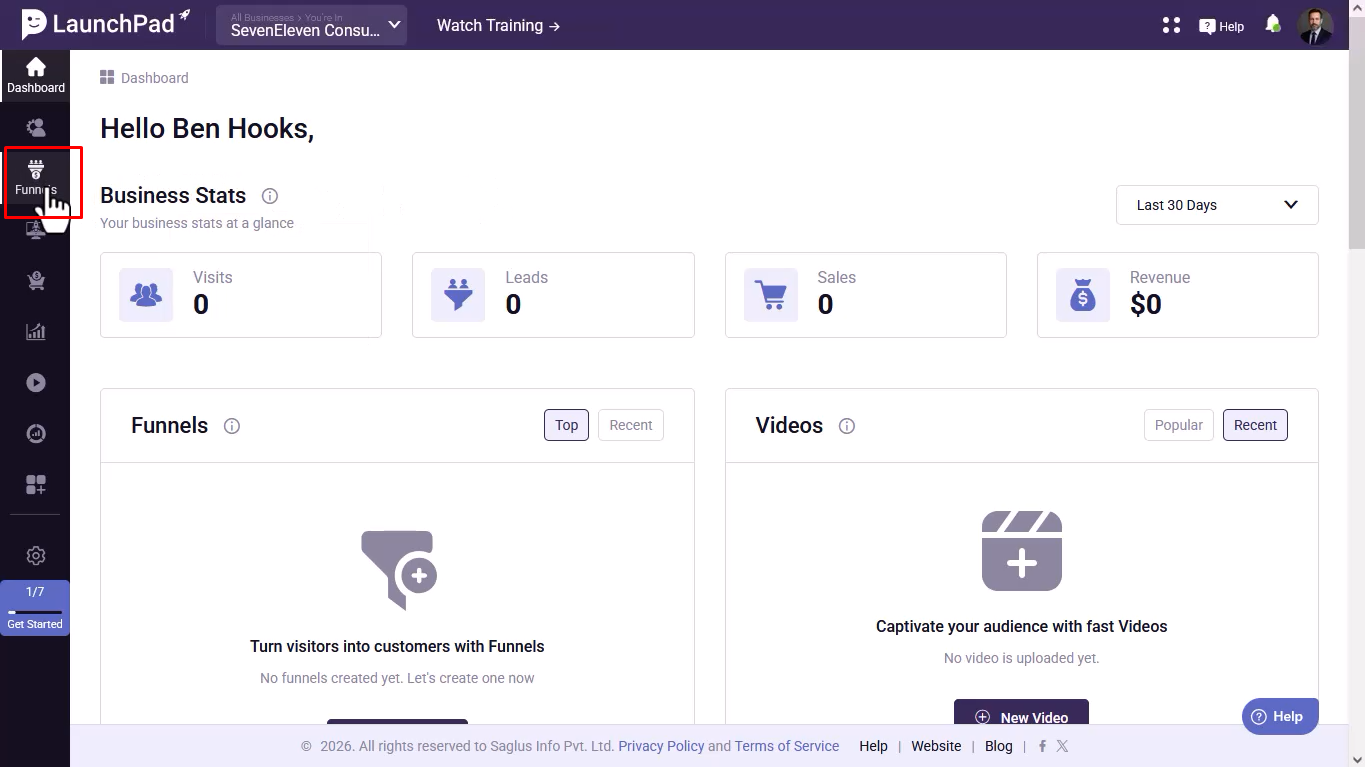
Step 2: Open Funnel Dashboard
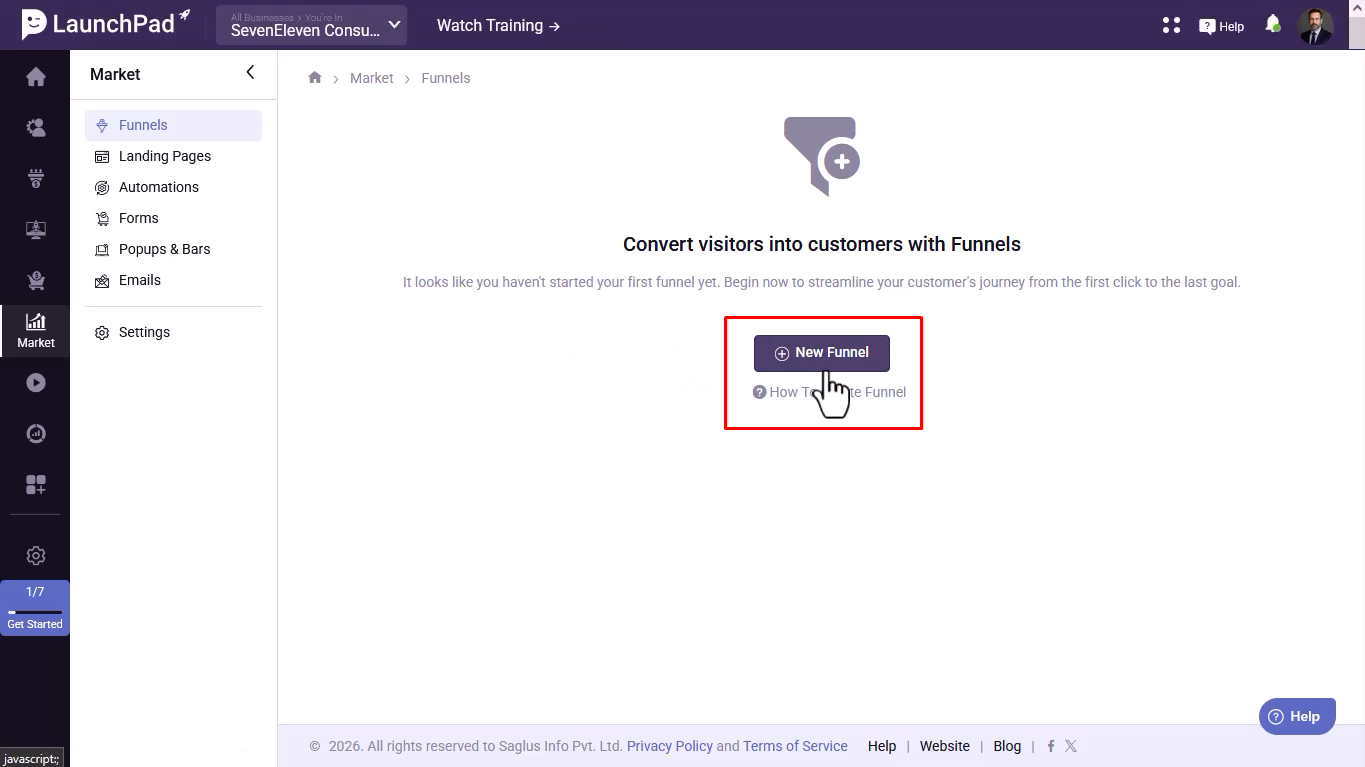
You will be redirected to the Funnels dashboard. Click on the New Funnel button.
Step 3: Choose Funnel Strategy
Select a funnel strategy based on your goal. (Optional) Choose an industry.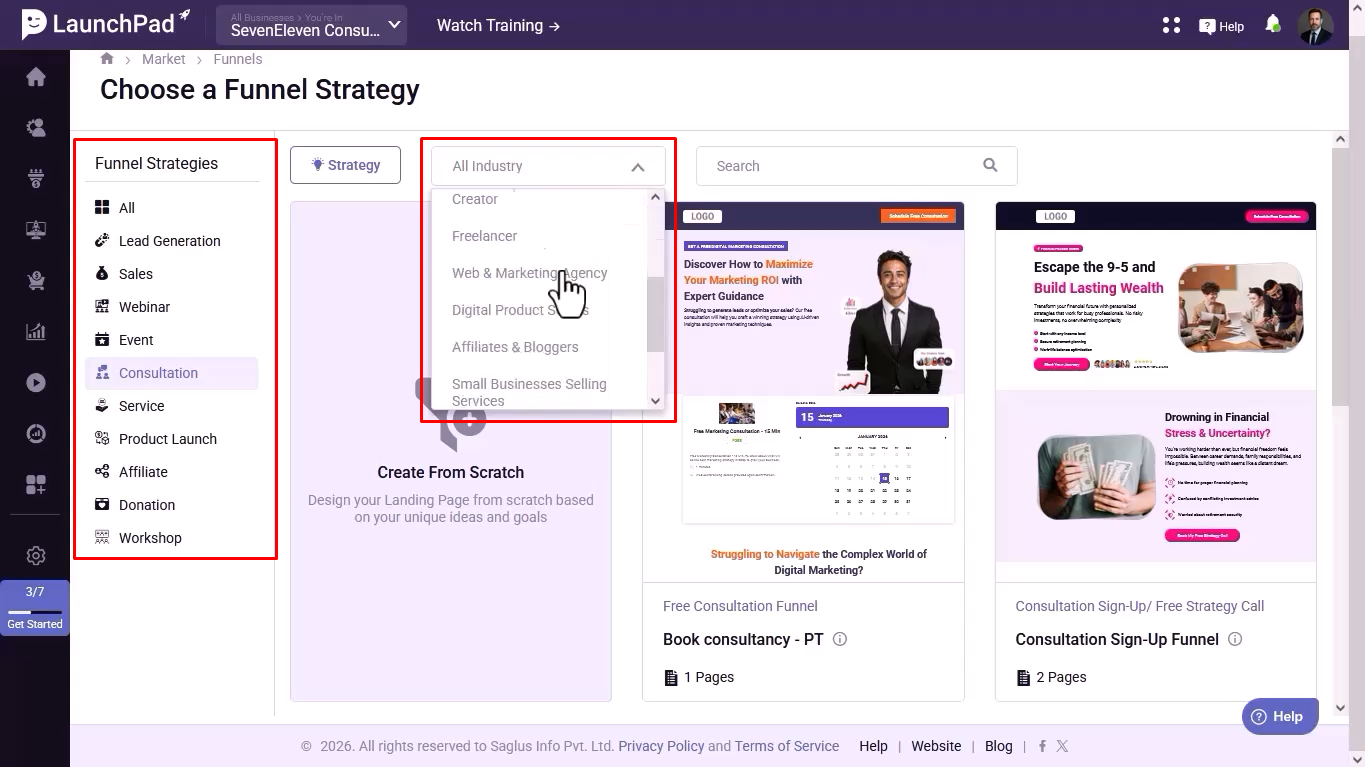
Step 4: Select a Template
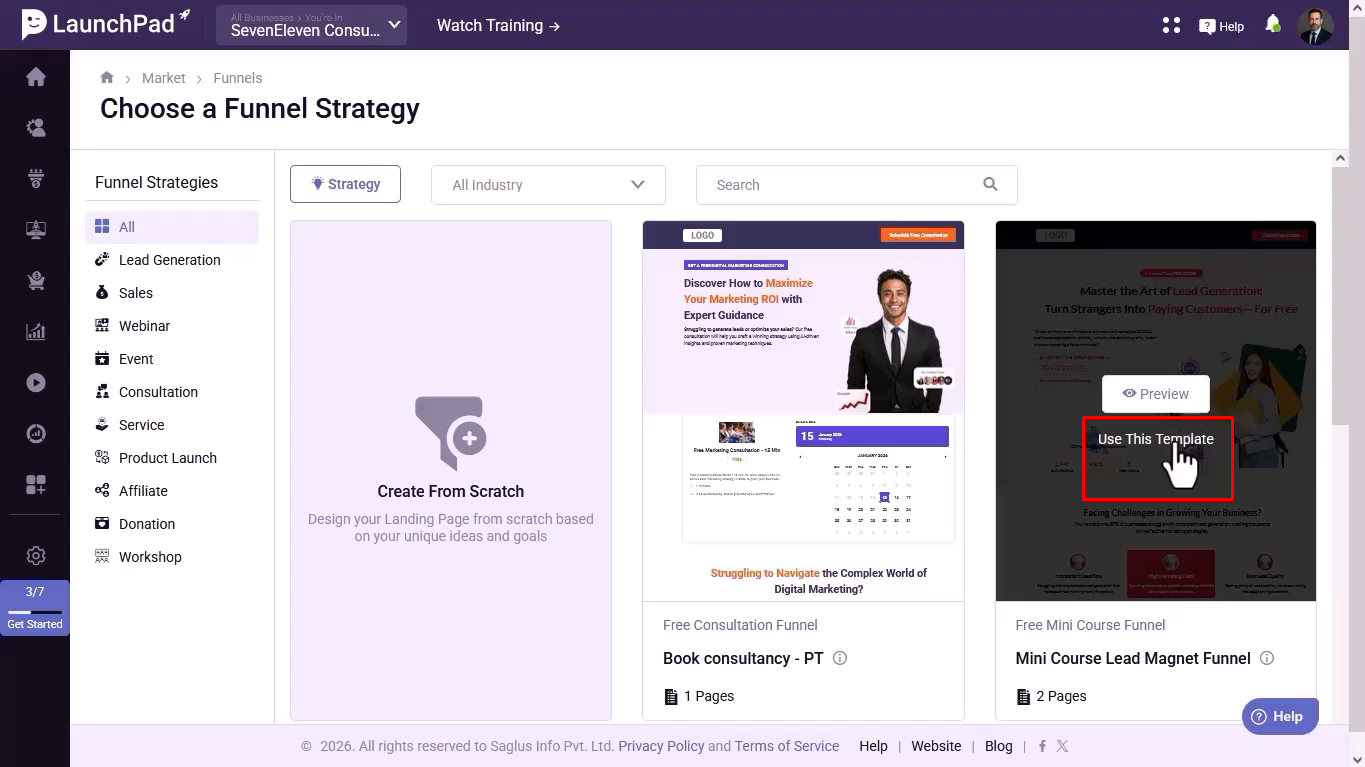
Browse templates, preview them, and click Use This Template. Or choose to start from scratch.
Step 5: Name Your Funnel
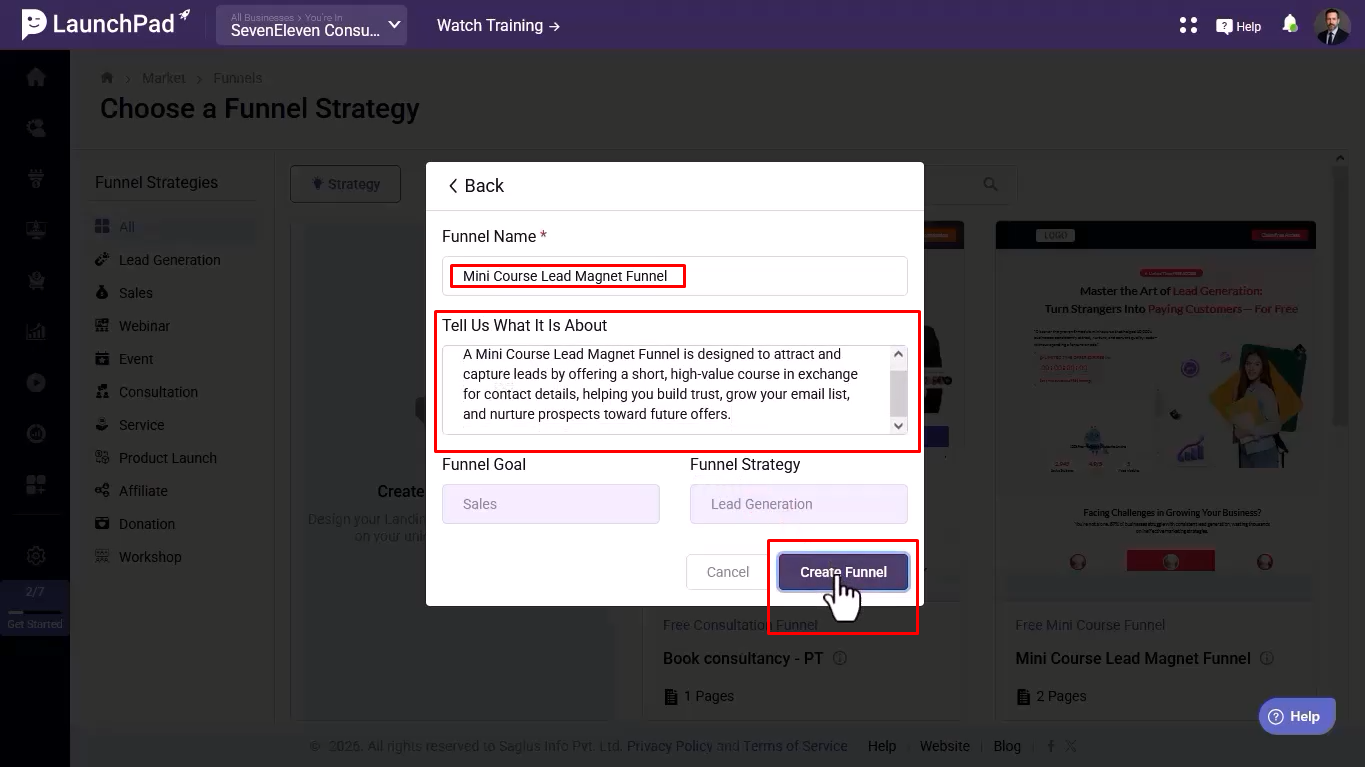
Enter your funnel name and short description. Click on Create Funnel.
Step 6: Configure Funnel Elements
Add or edit products, connect forms, attach offers, and set up automations. (Optional) Click + icon to add a downsell.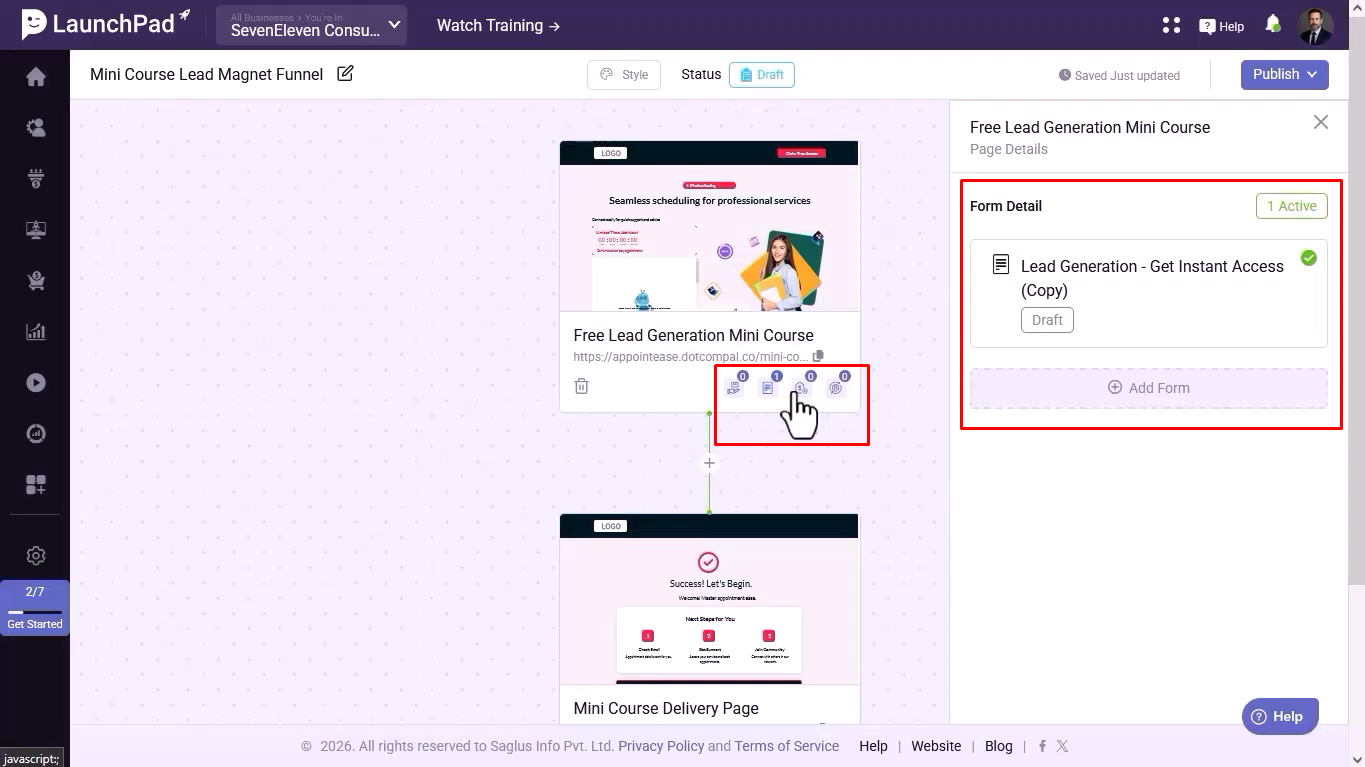
Step 7: Publish Required Items First
Publish all forms and products before publishing the funnel.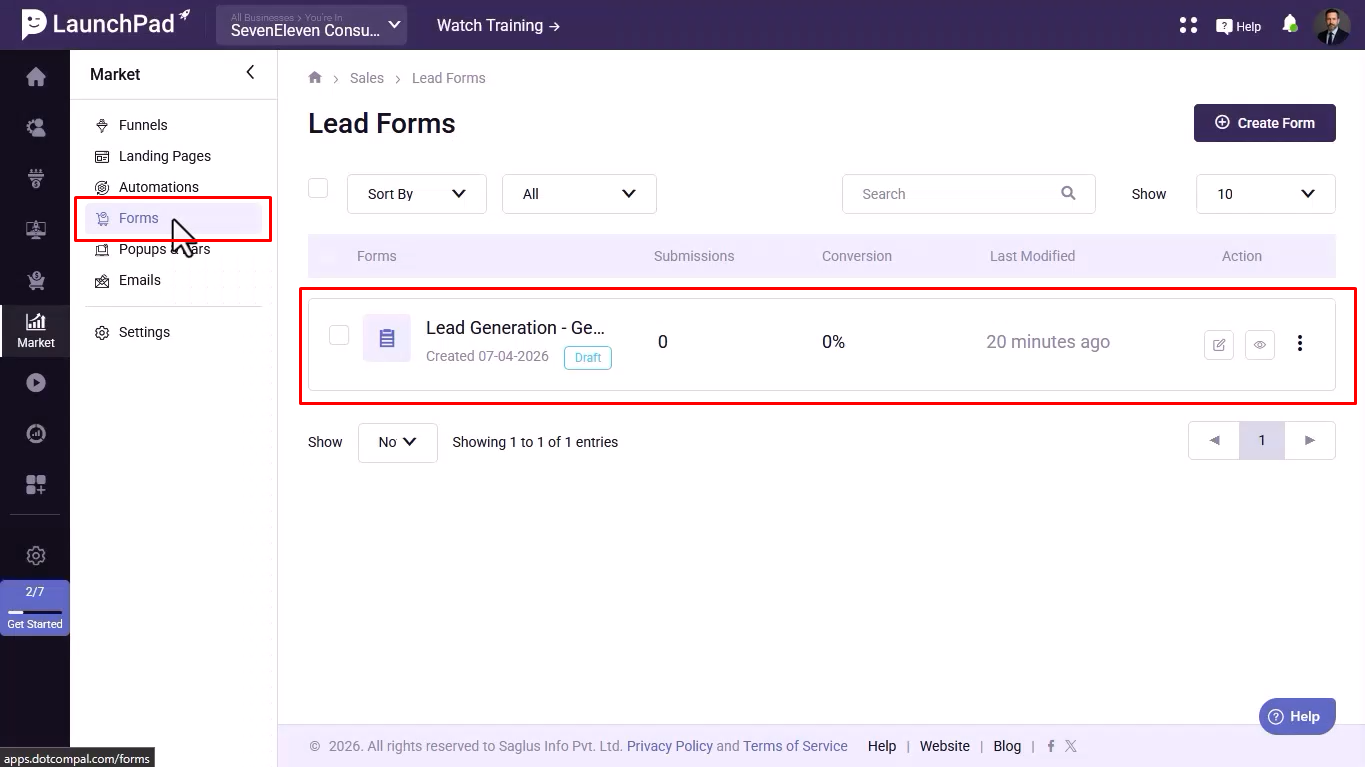
Step 8: Edit Funnel Page
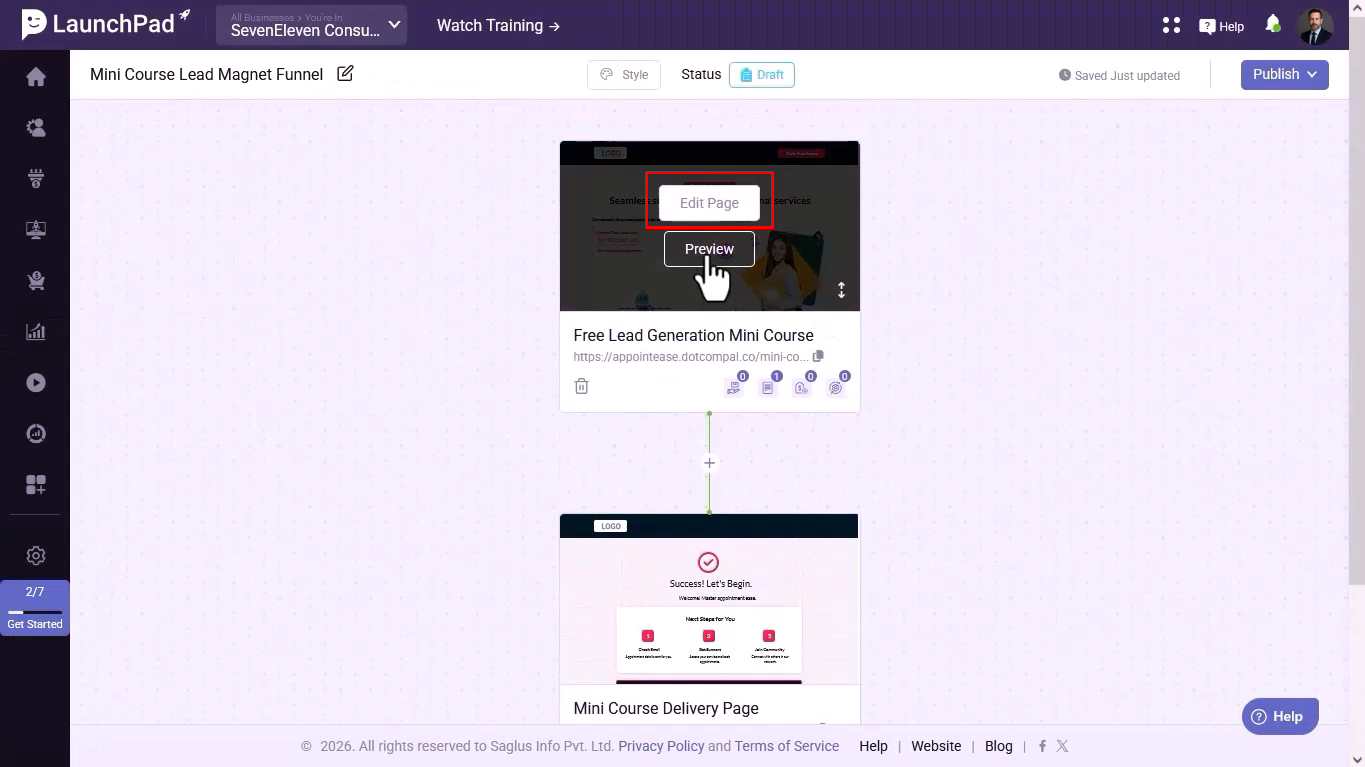
Click on Edit Page to open the editor.
Step 9: Customize Your Page
Drag and drop elements like headlines, images, buttons, forms, videos, etc. Use pre-built sections and AI to edit content.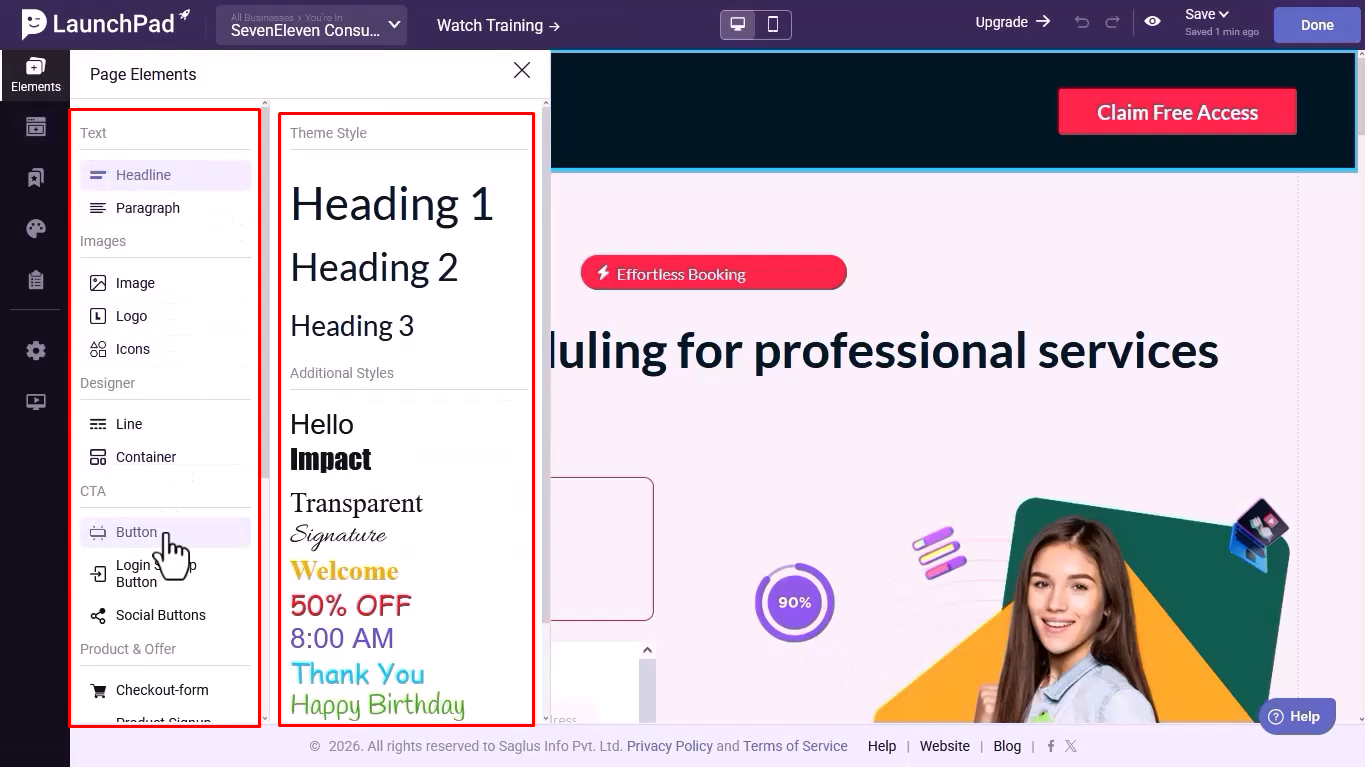
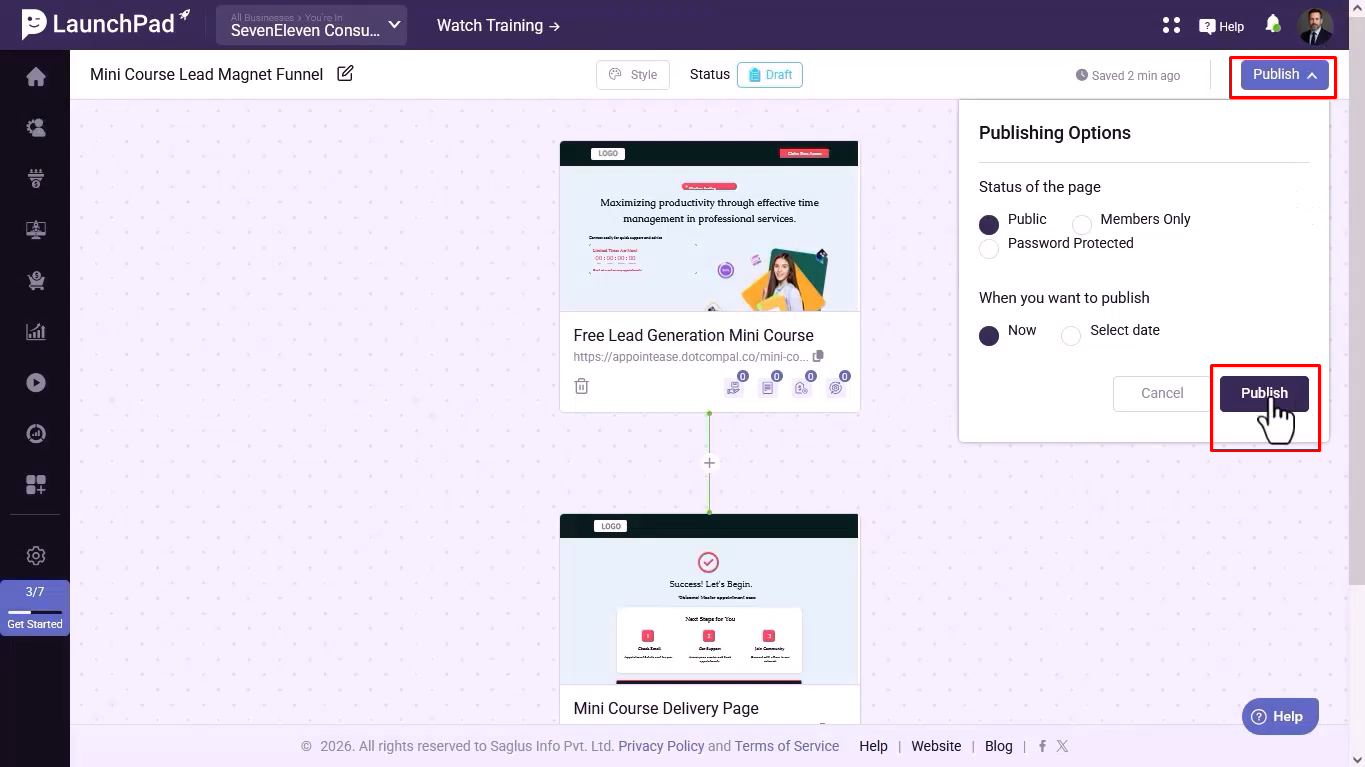
Step 11: Publish Your Funnel
Click on Publish to make your funnel live.
Was this article helpful?
That’s Great!
Thank you for your feedback
Sorry! We couldn't be helpful
Thank you for your feedback
Feedback sent
We appreciate your effort and will try to fix the article