Creating a Custom Field in DotcomPal
- Go to Settings.
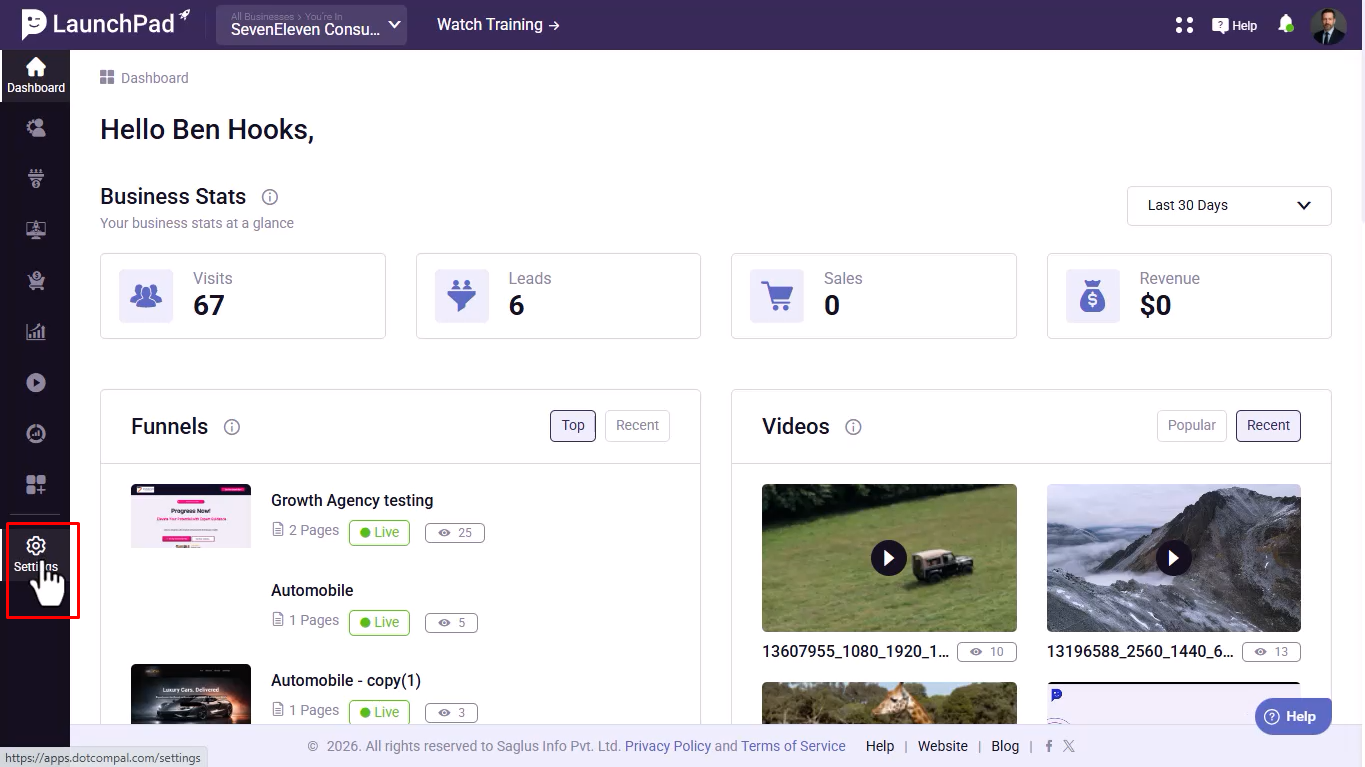
- Under the Manage section, click Contacts.
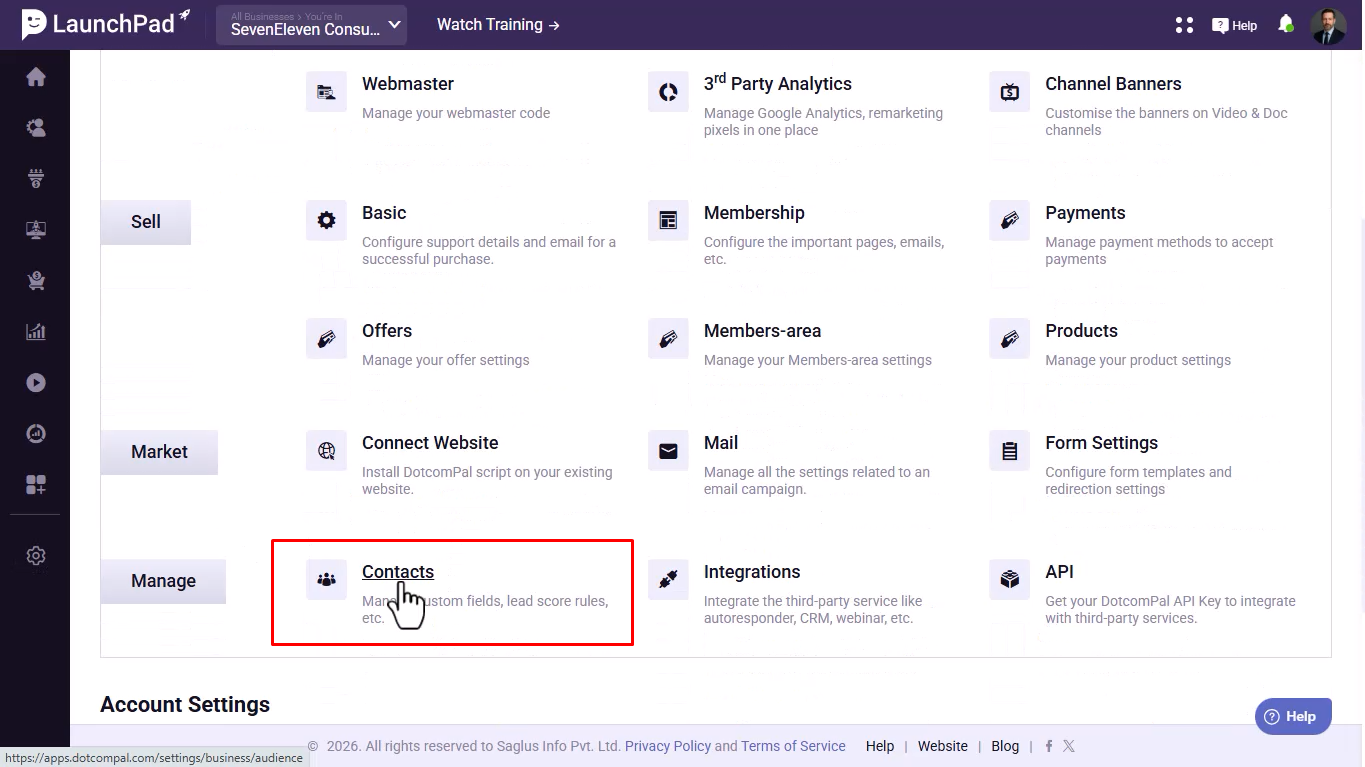
- Click New Custom Field.
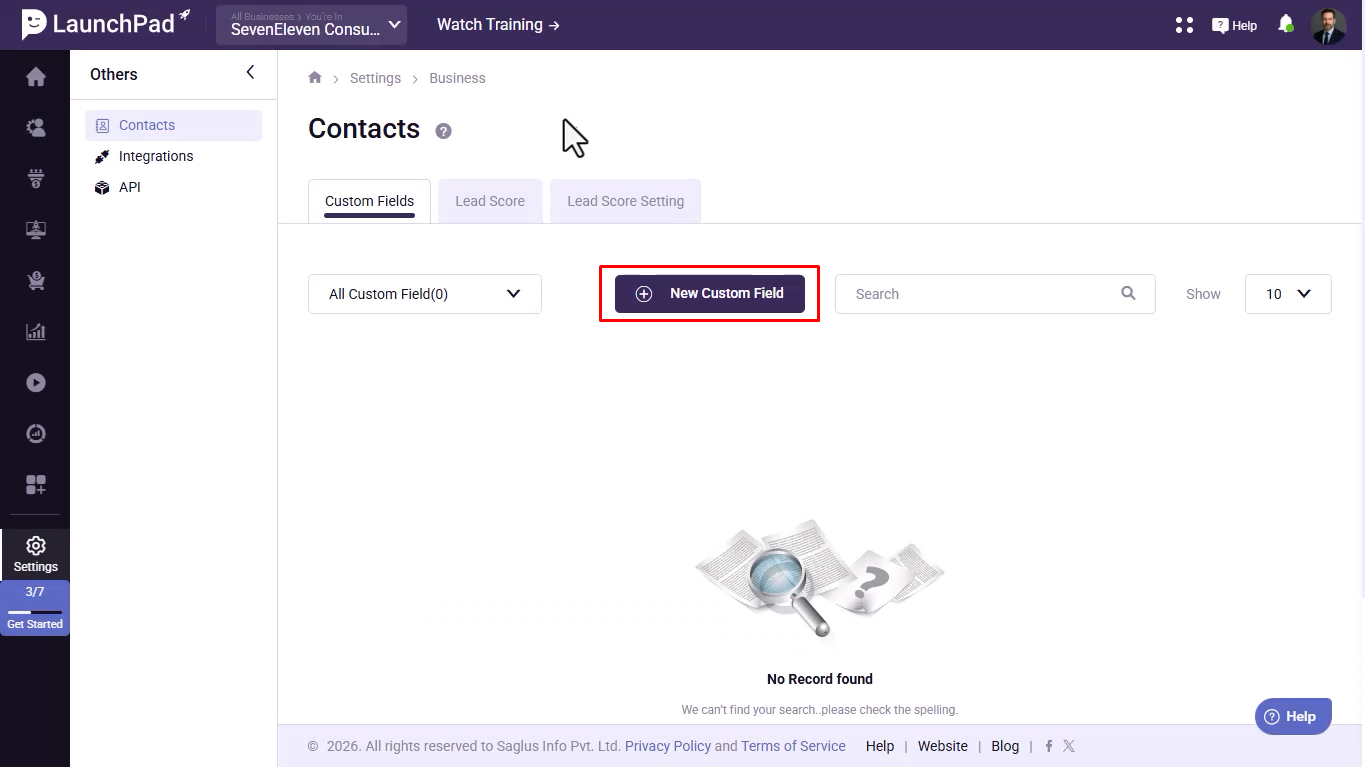
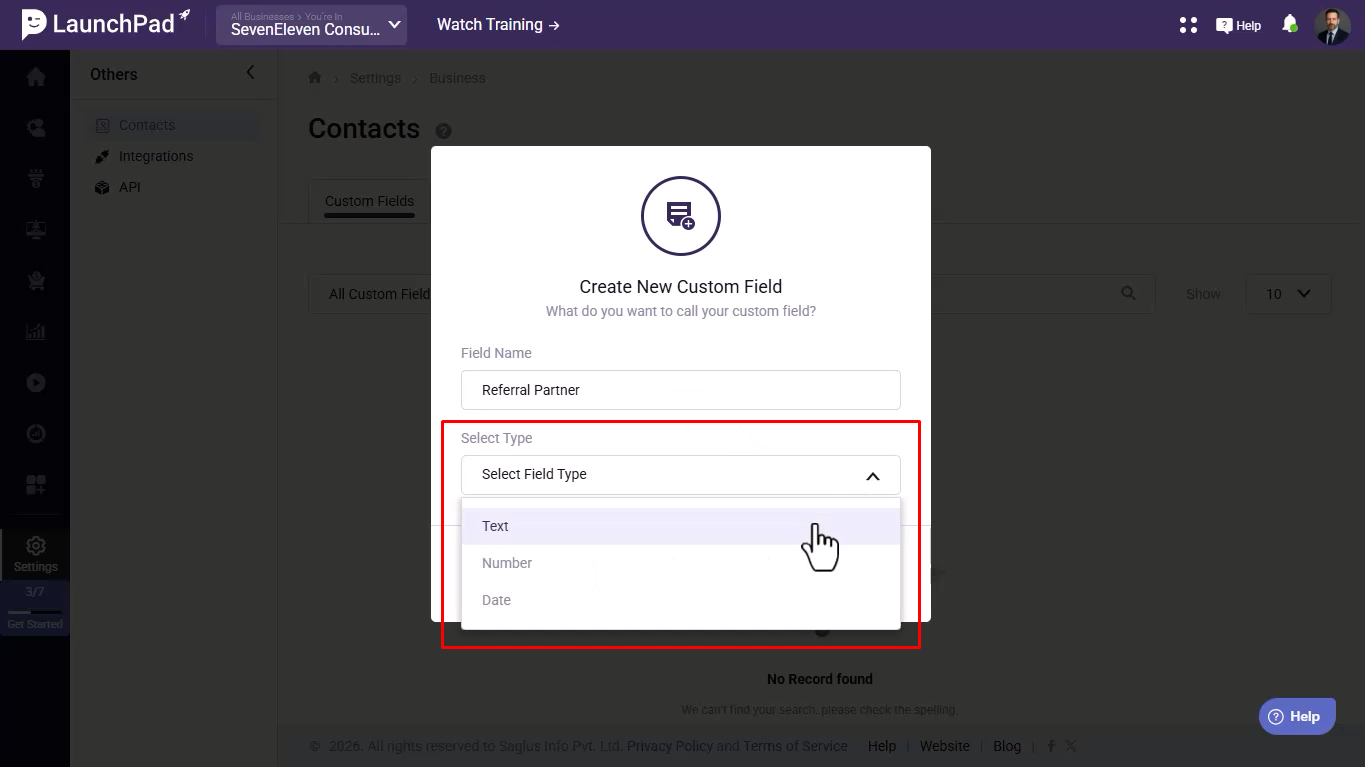
- Enter a Custom Field Name.
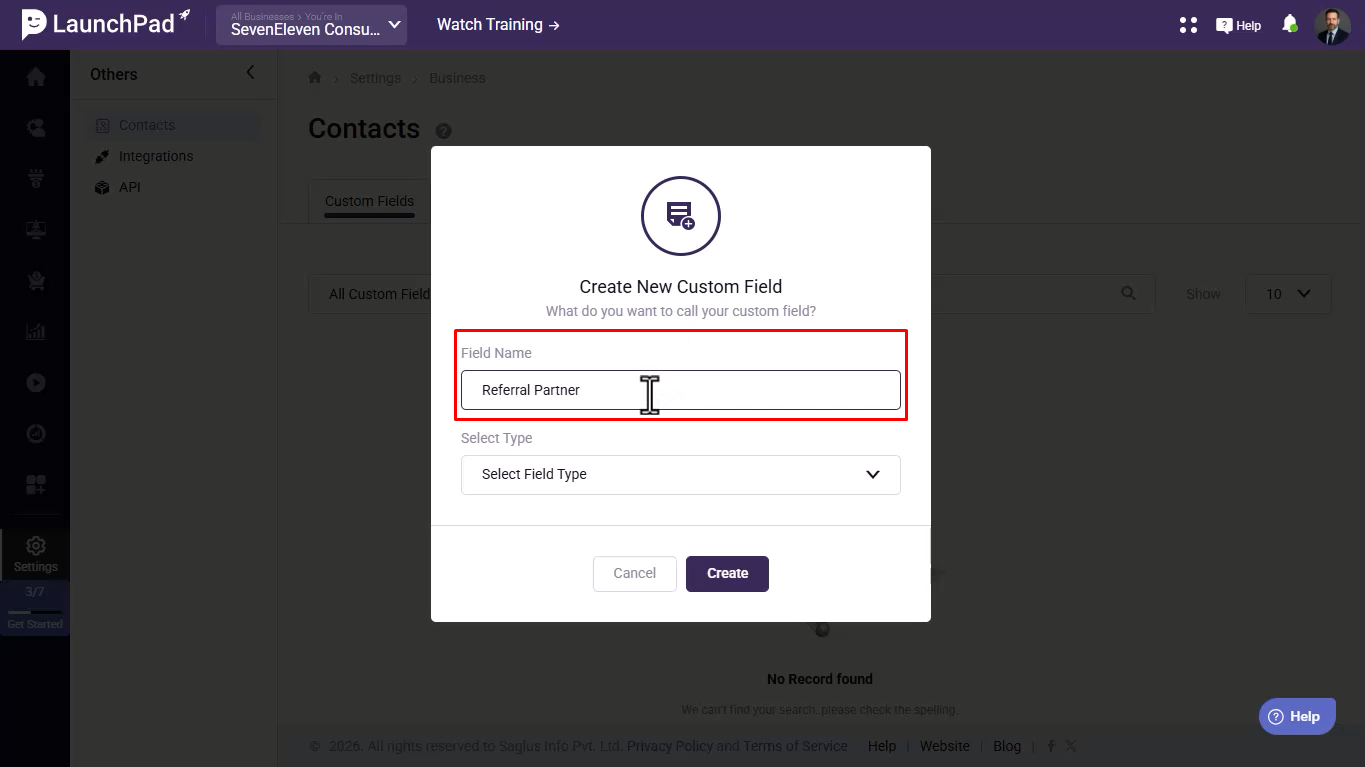
- Select the desired Field Type.
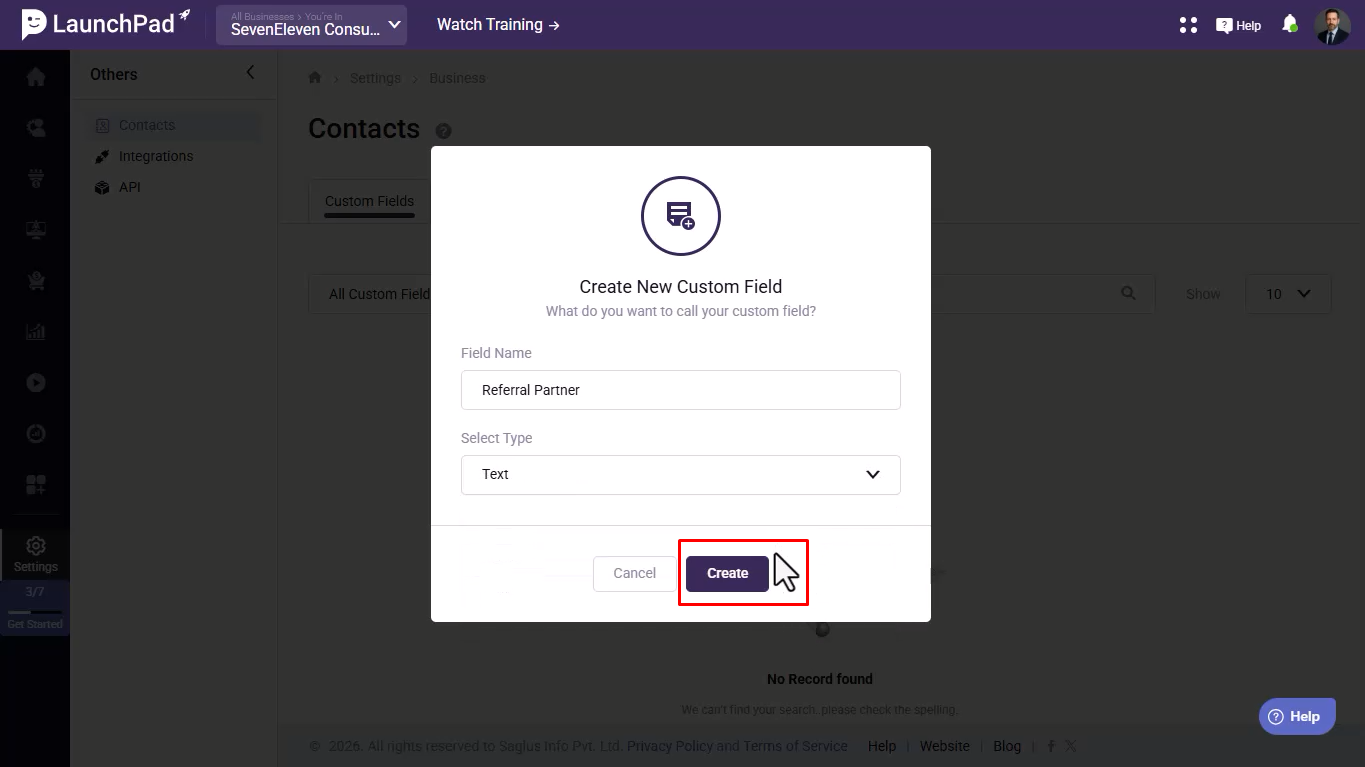
- Click Create.
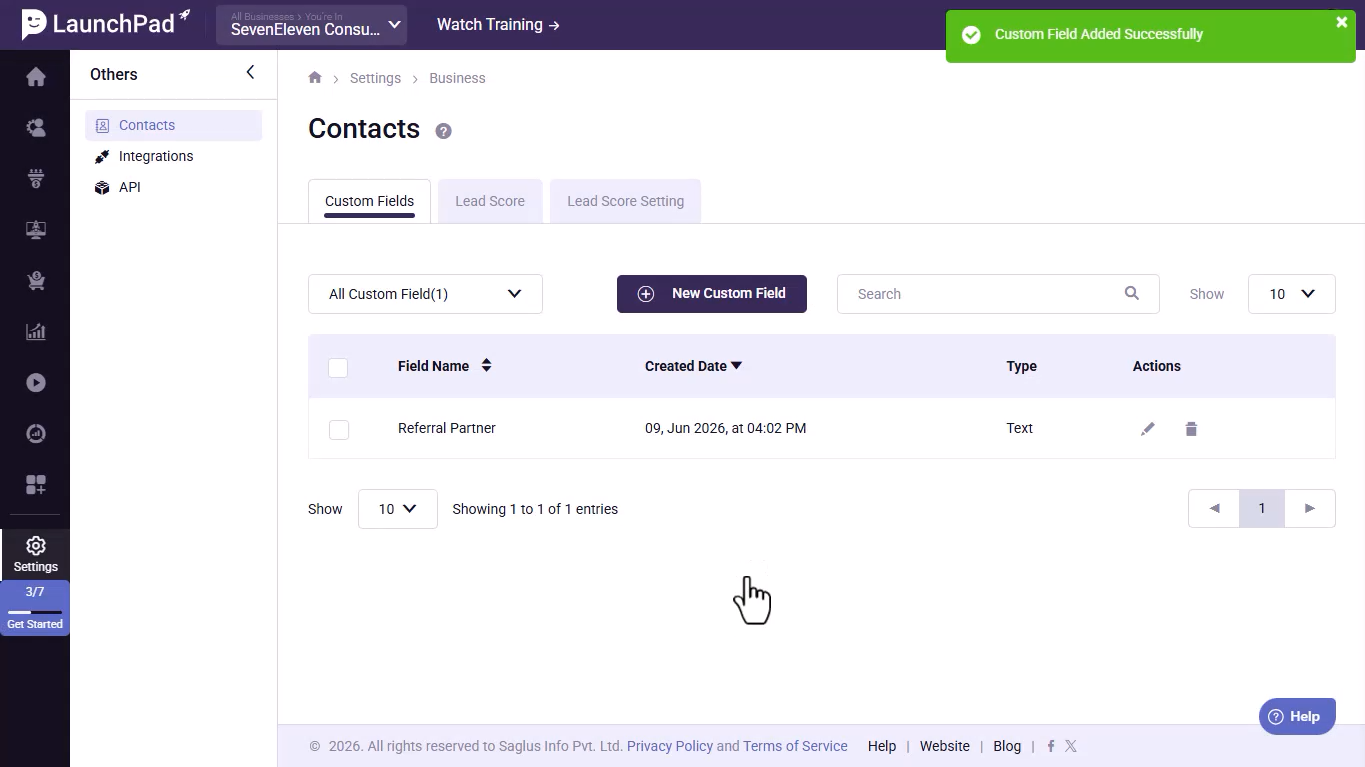
- Verify that the custom field has been created successfully.
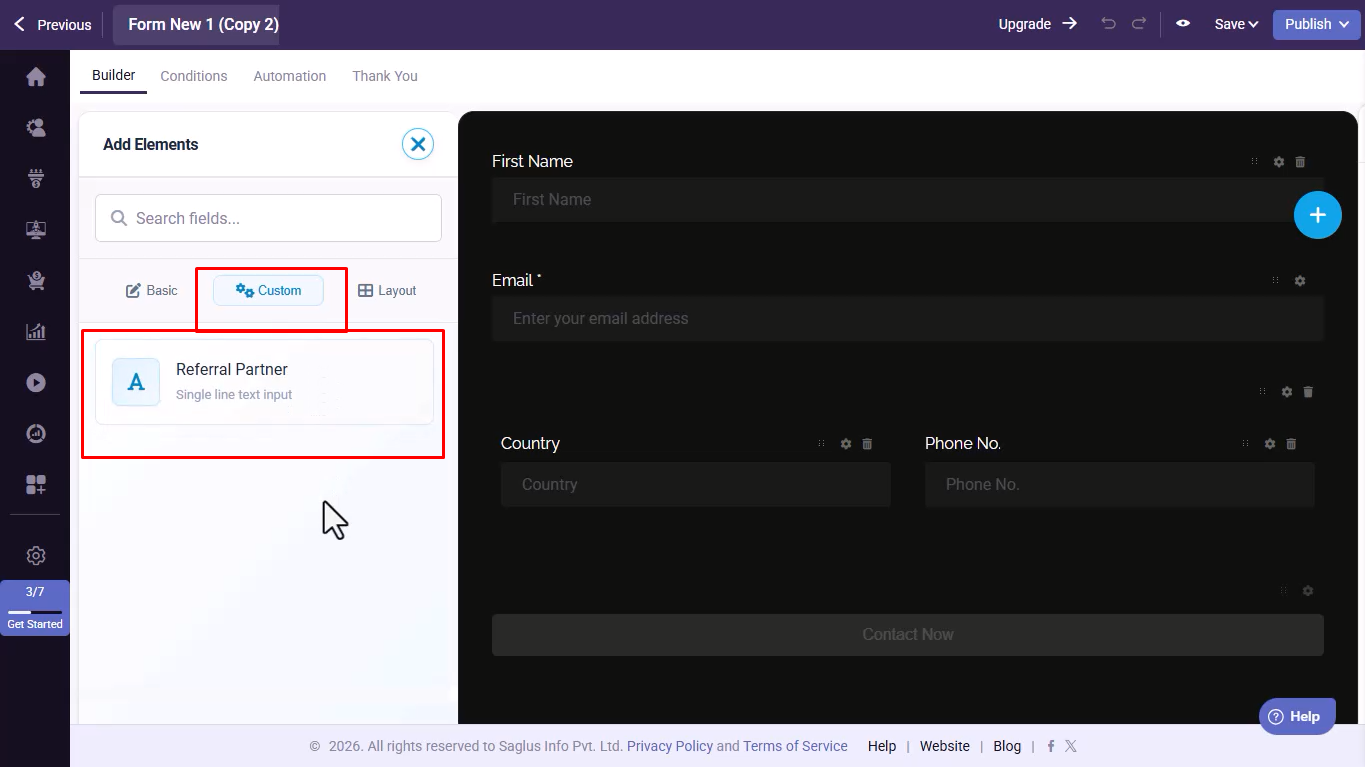
- Check the Forms Module → Custom Fields section to confirm the field is available for use in forms.
Was this article helpful?
That’s Great!
Thank you for your feedback
Sorry! We couldn't be helpful
Thank you for your feedback
Feedback sent
We appreciate your effort and will try to fix the article