Steps for Creating a Booking Product & Offer in DotcomPal
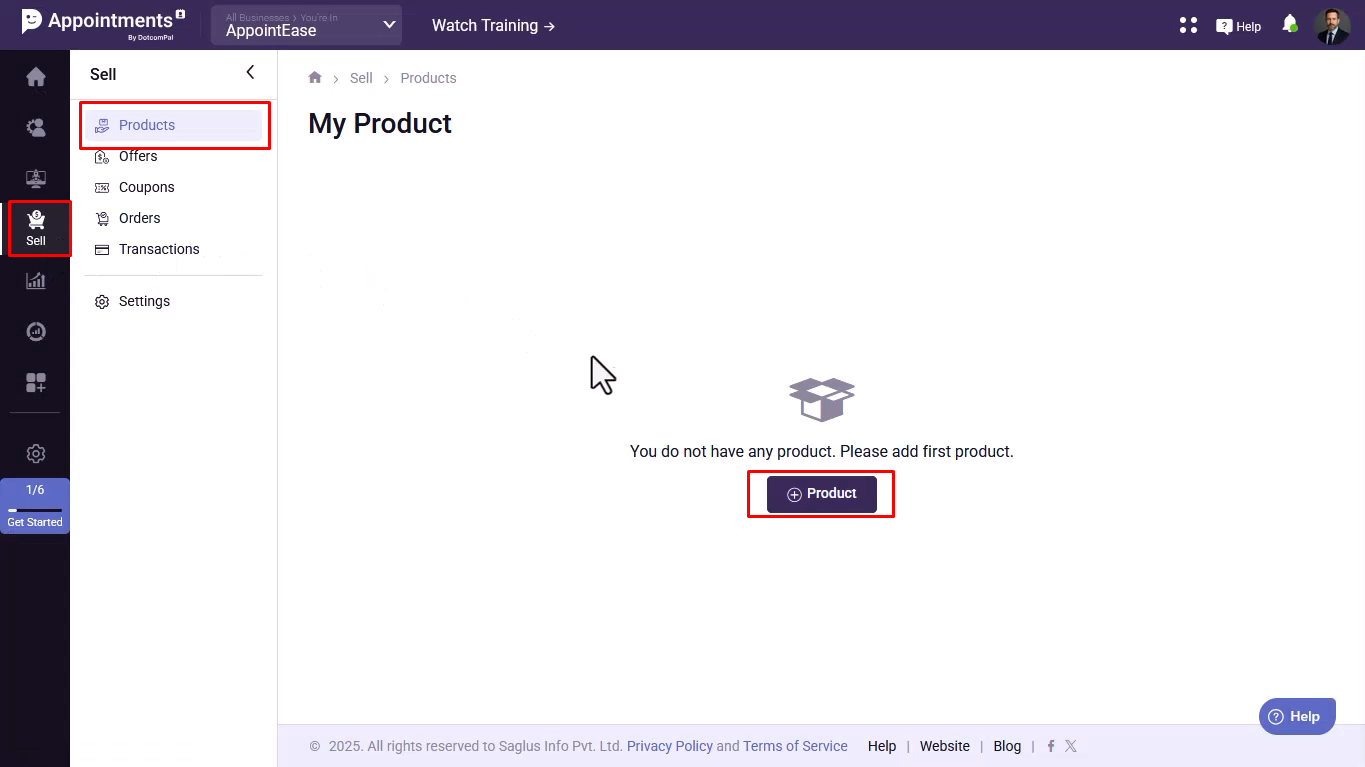
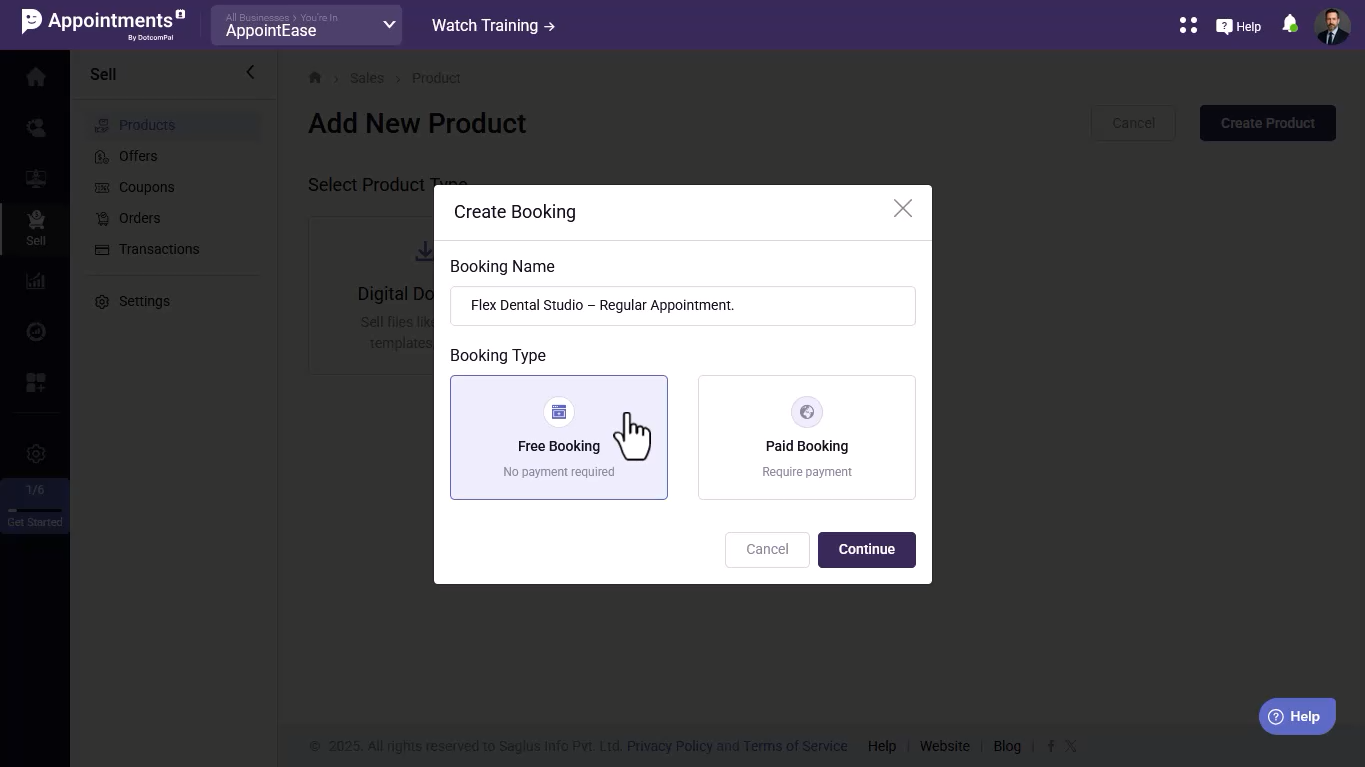
- Create a new booking by going to Sell → Add Product → Bookings, name it, choose the booking type, and continue.
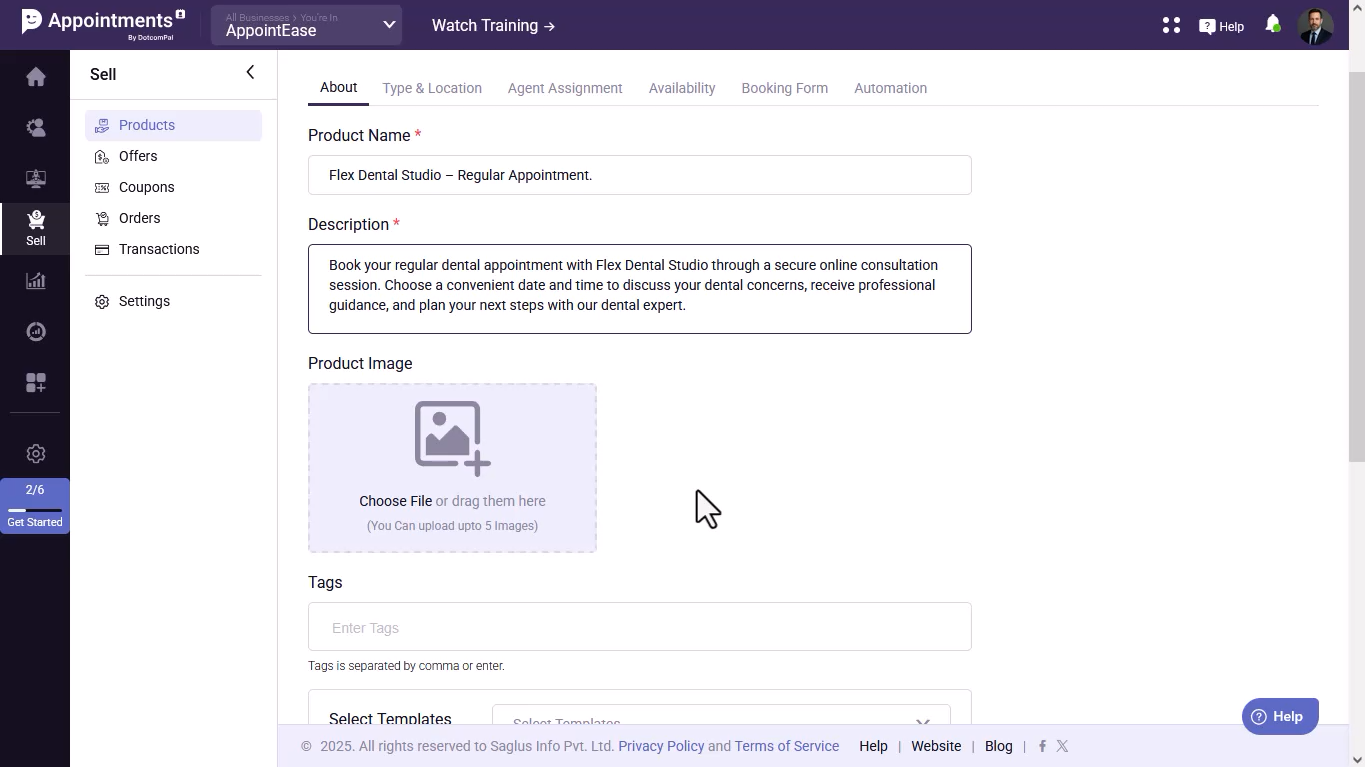
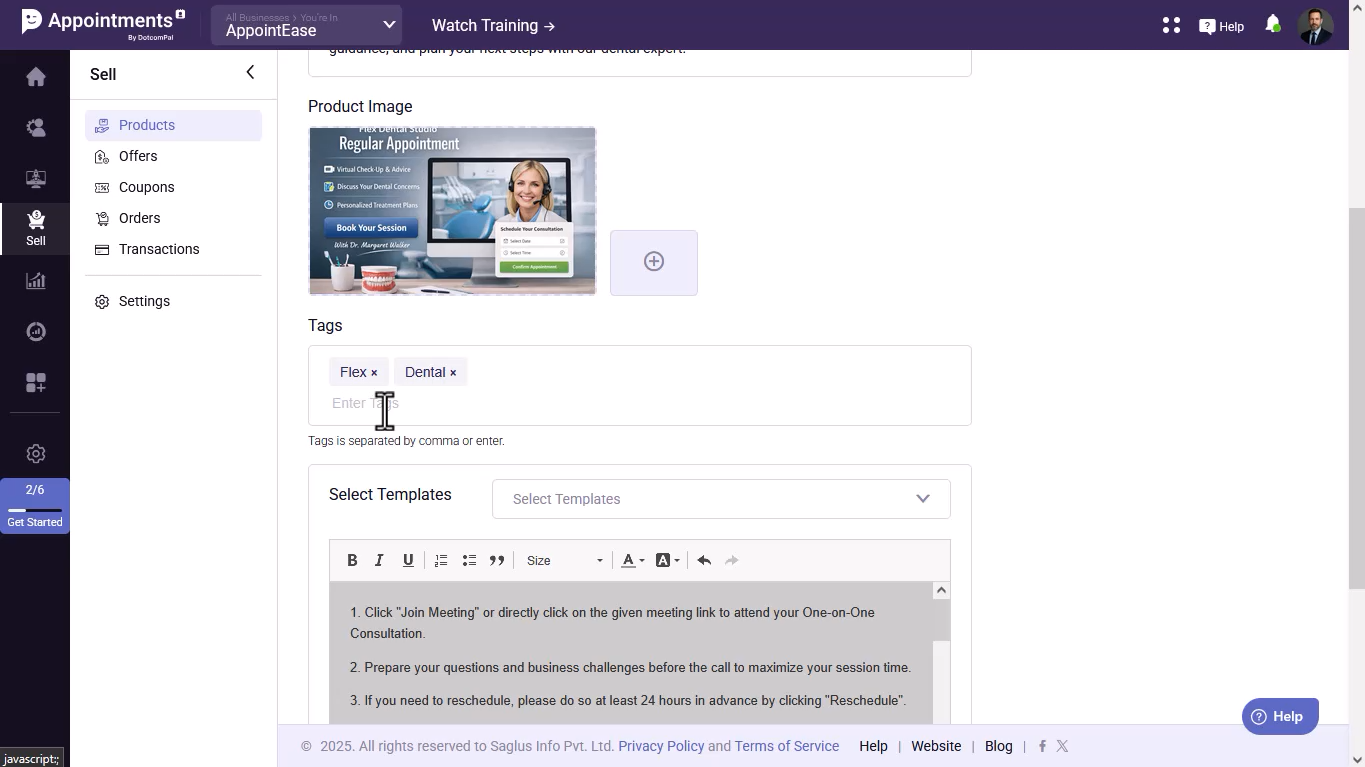
- Add a short description, image, tags, and meeting instructions, then save and proceed.
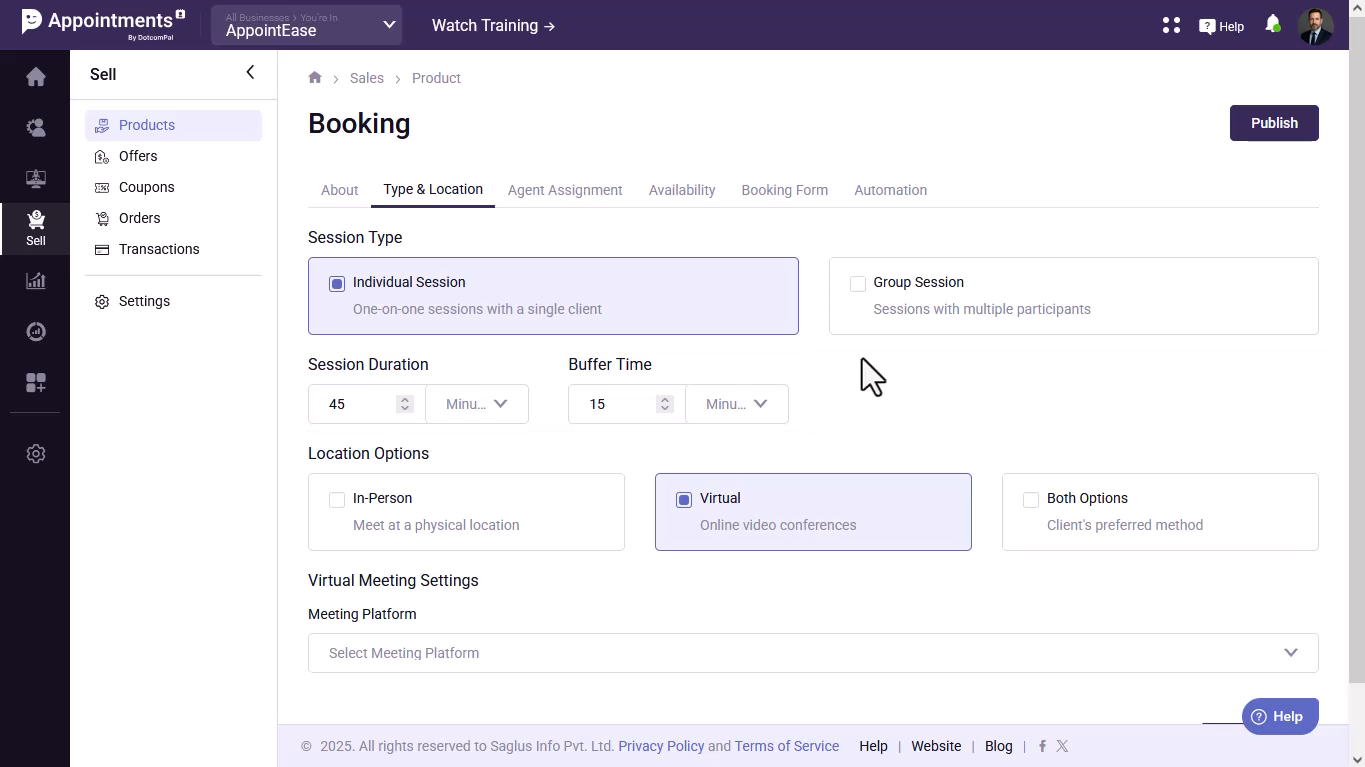
- Select the session type, set meeting duration and buffer time, choose the meeting location, and connect your meeting platform.
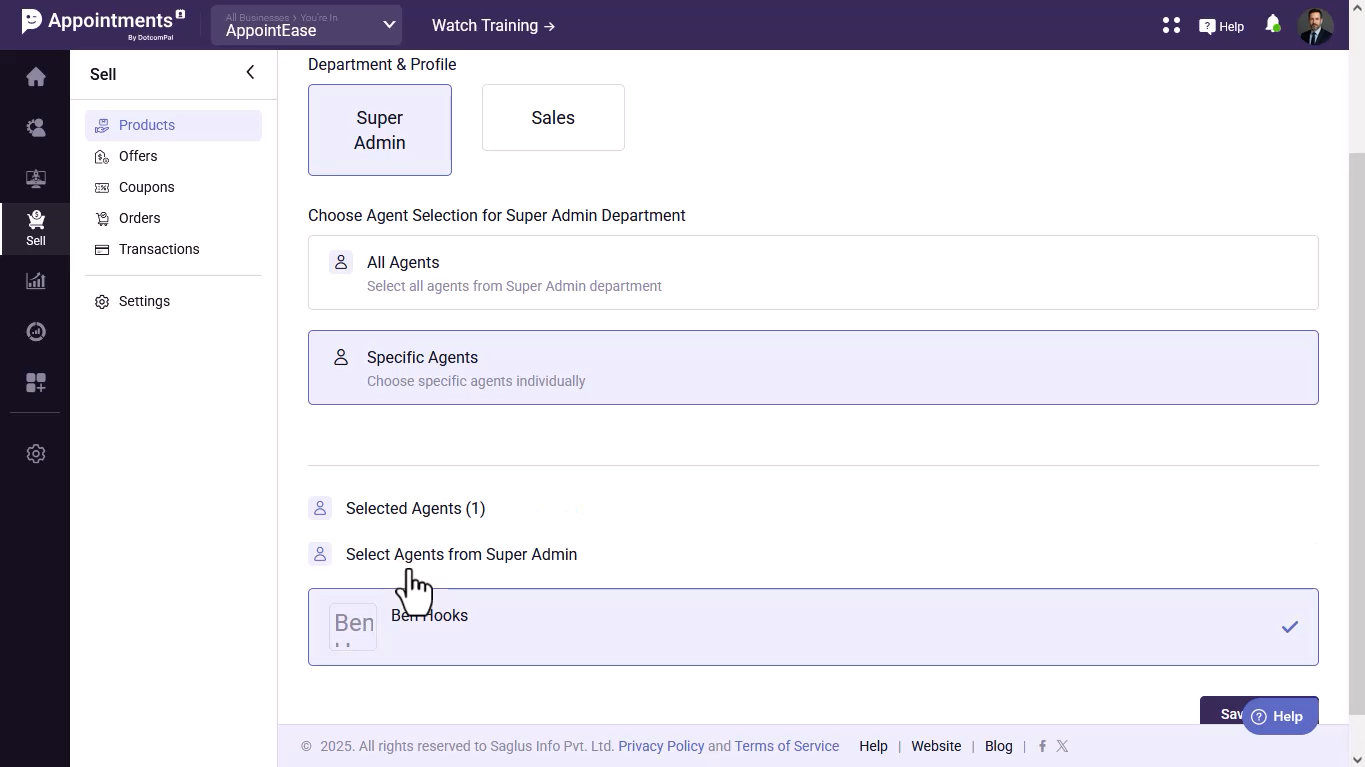
- Assign the department and agent(s) who will handle the bookings.
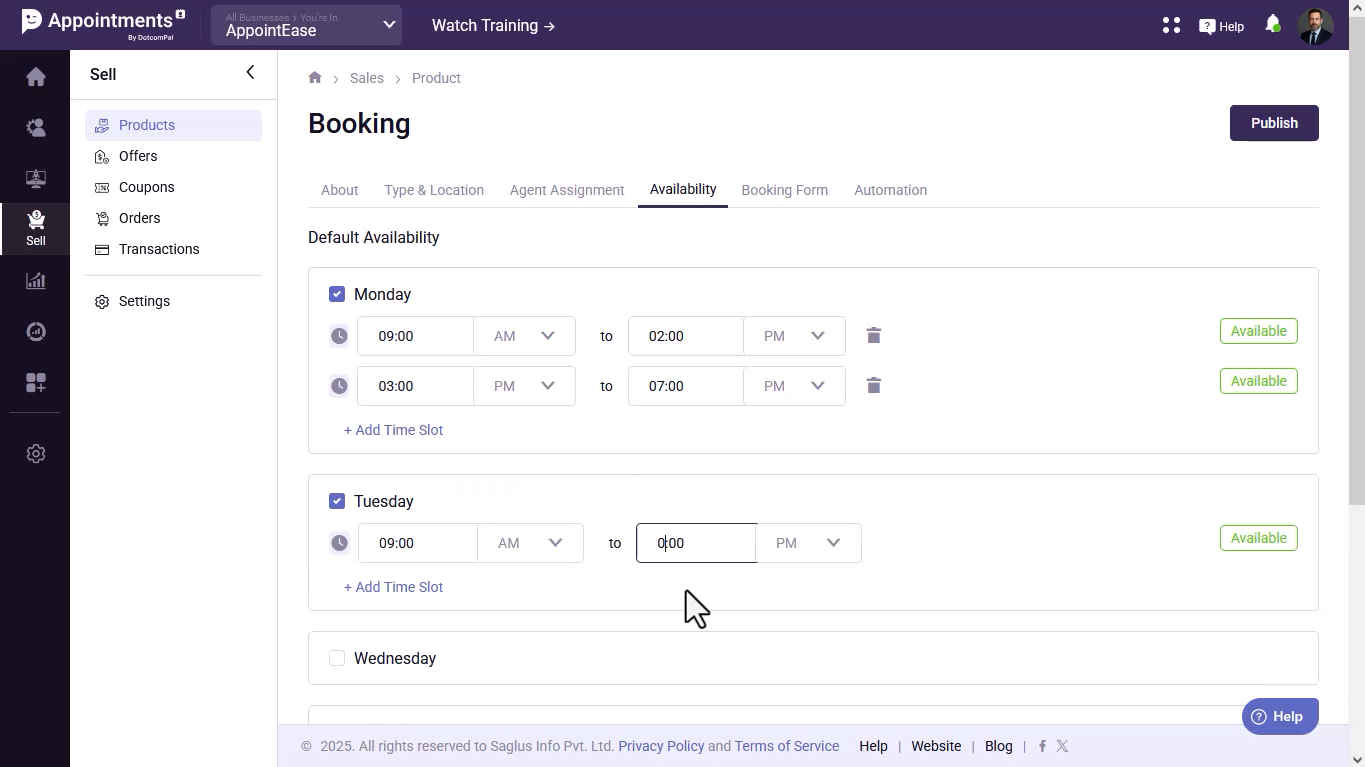
- Set your availability, working hours, and breaks, then save.
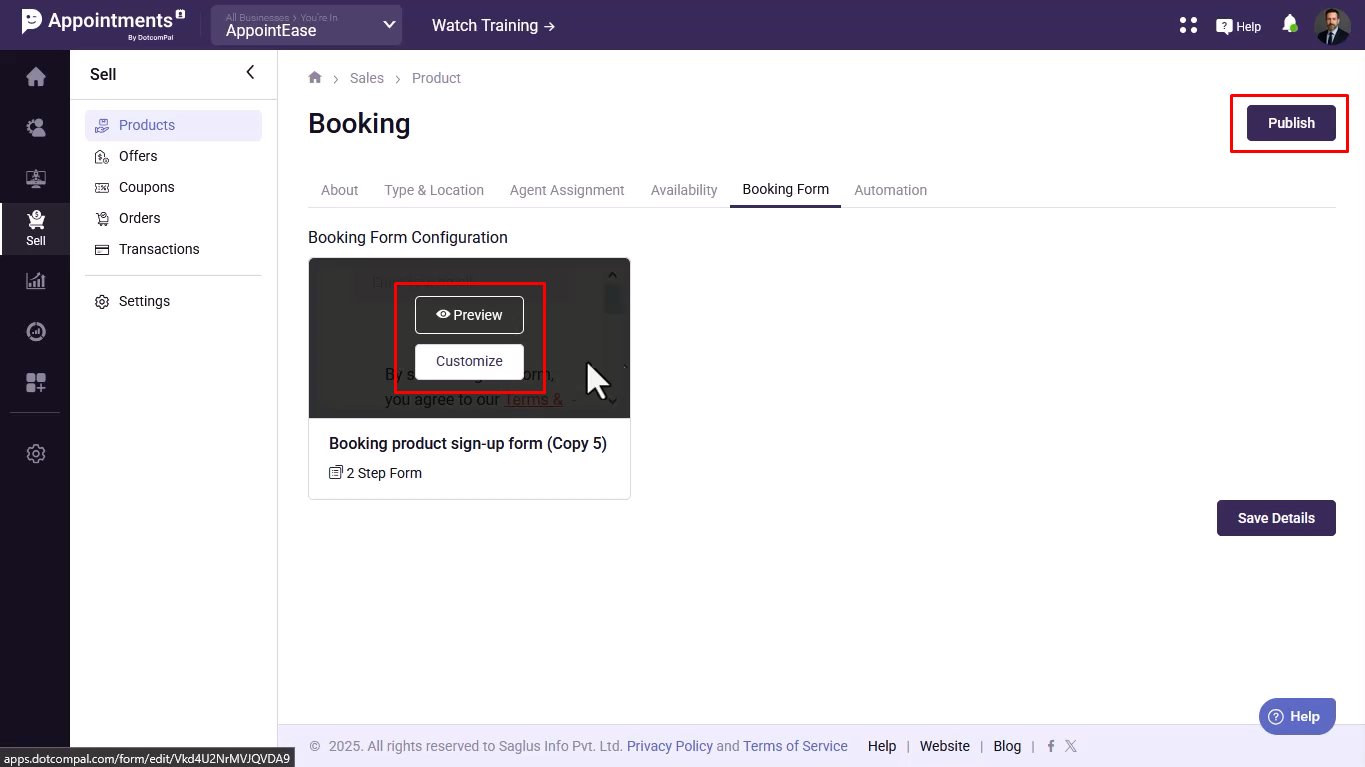
- Preview and customize the booking form, then publish the booking product.
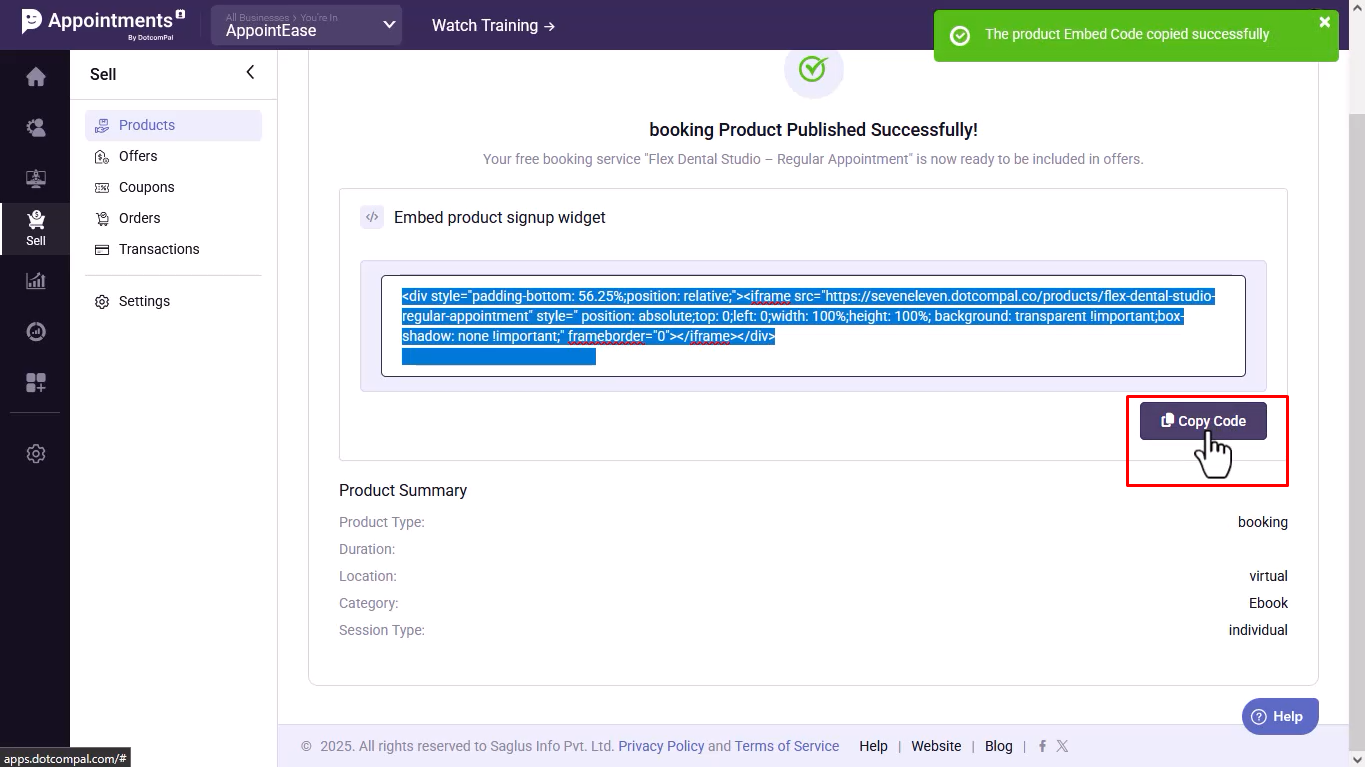
- Copy the booking embed code if you want to place it on a website or page.
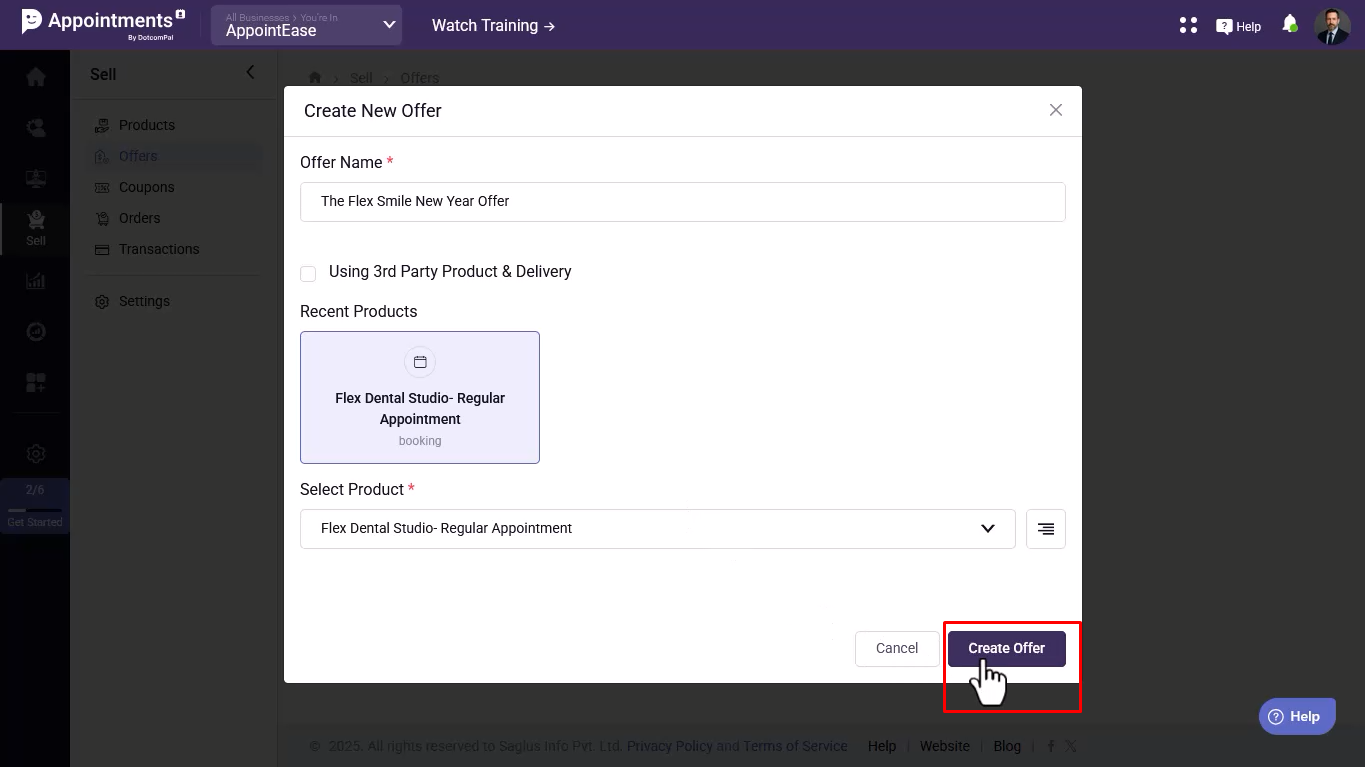
- For paid bookings, create an offer, add pricing, and connect your payment gateway.

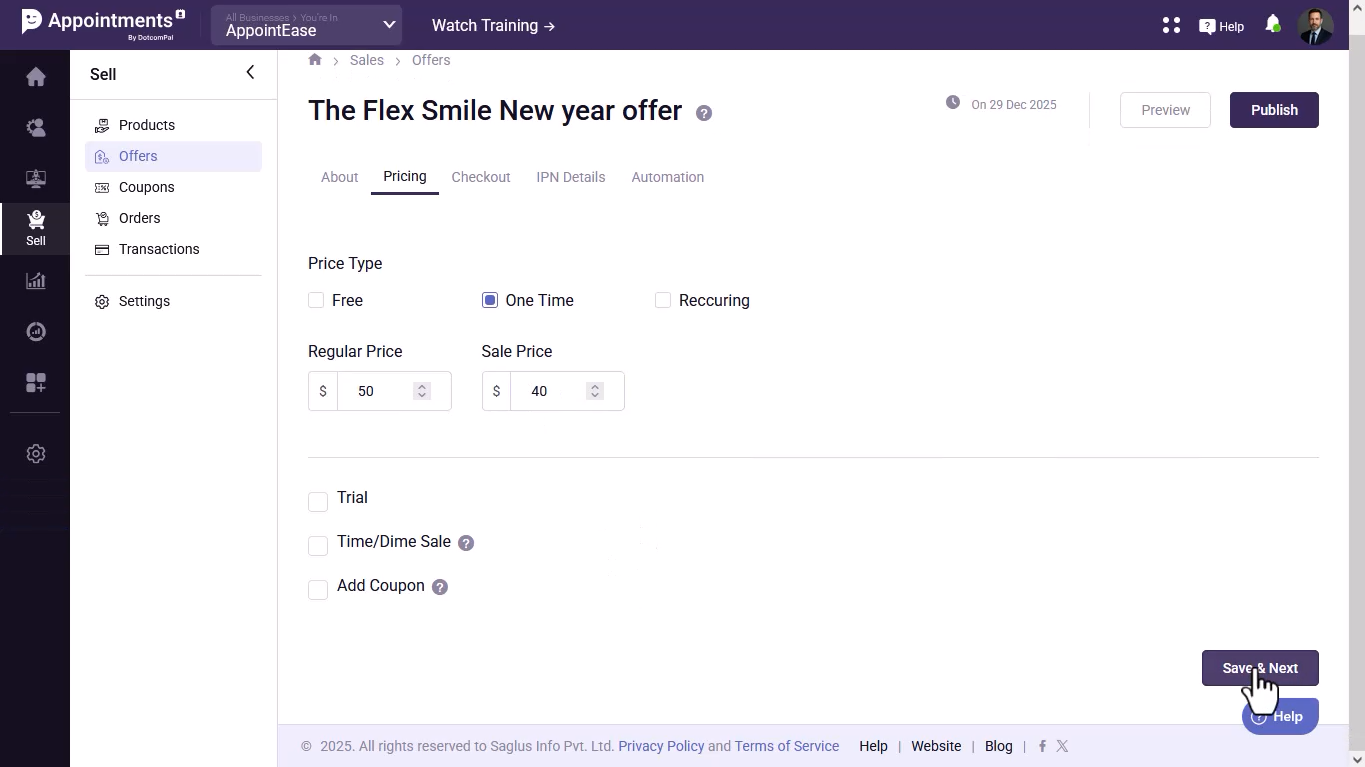
- Publish the offer and copy the checkout link or embed URL.

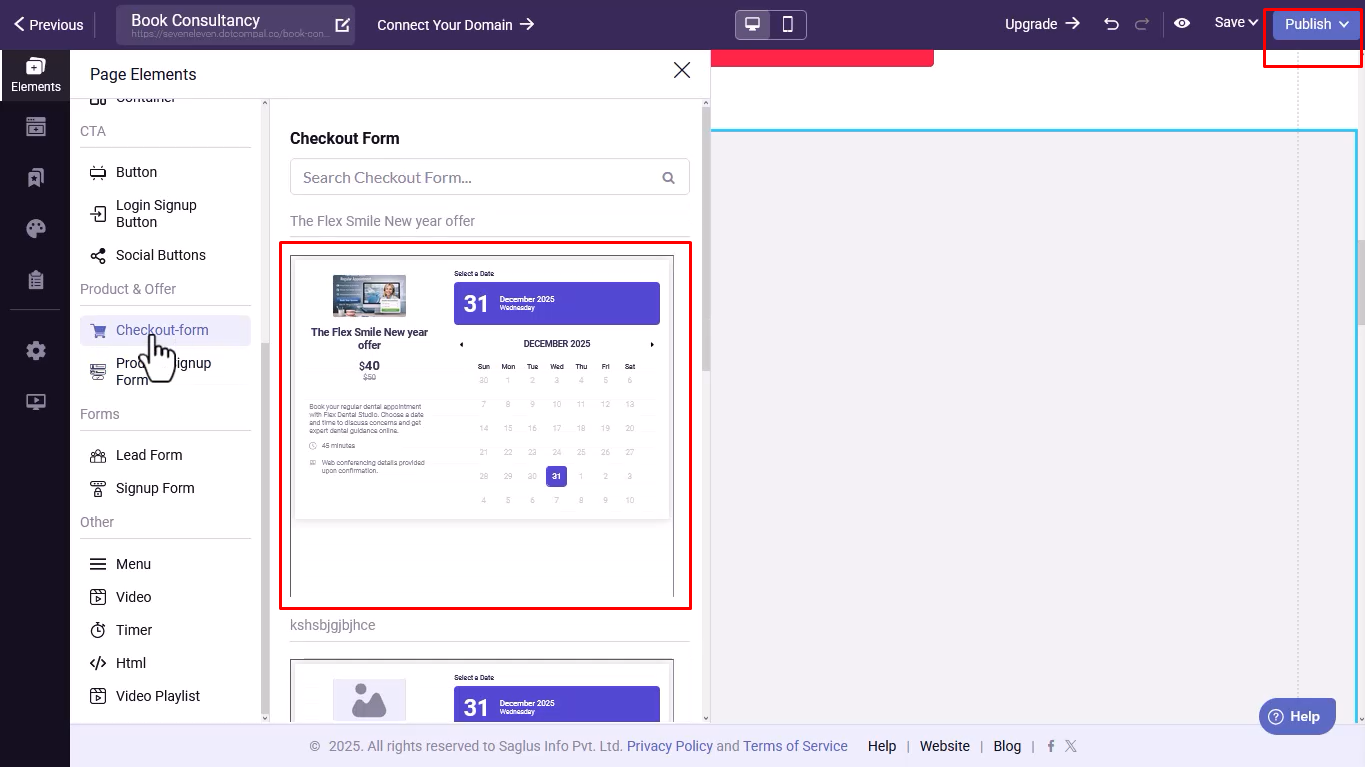
- Add the checkout form to your sales funnel, publish it, and start accepting bookings.
Was this article helpful?
That’s Great!
Thank you for your feedback
Sorry! We couldn't be helpful
Thank you for your feedback
Feedback sent
We appreciate your effort and will try to fix the article