How to Switch Between Businesses and Solutions in DotcomPal
Step 1: Access the Dashboard
Log in to your DotcomPal account and access the dashboard.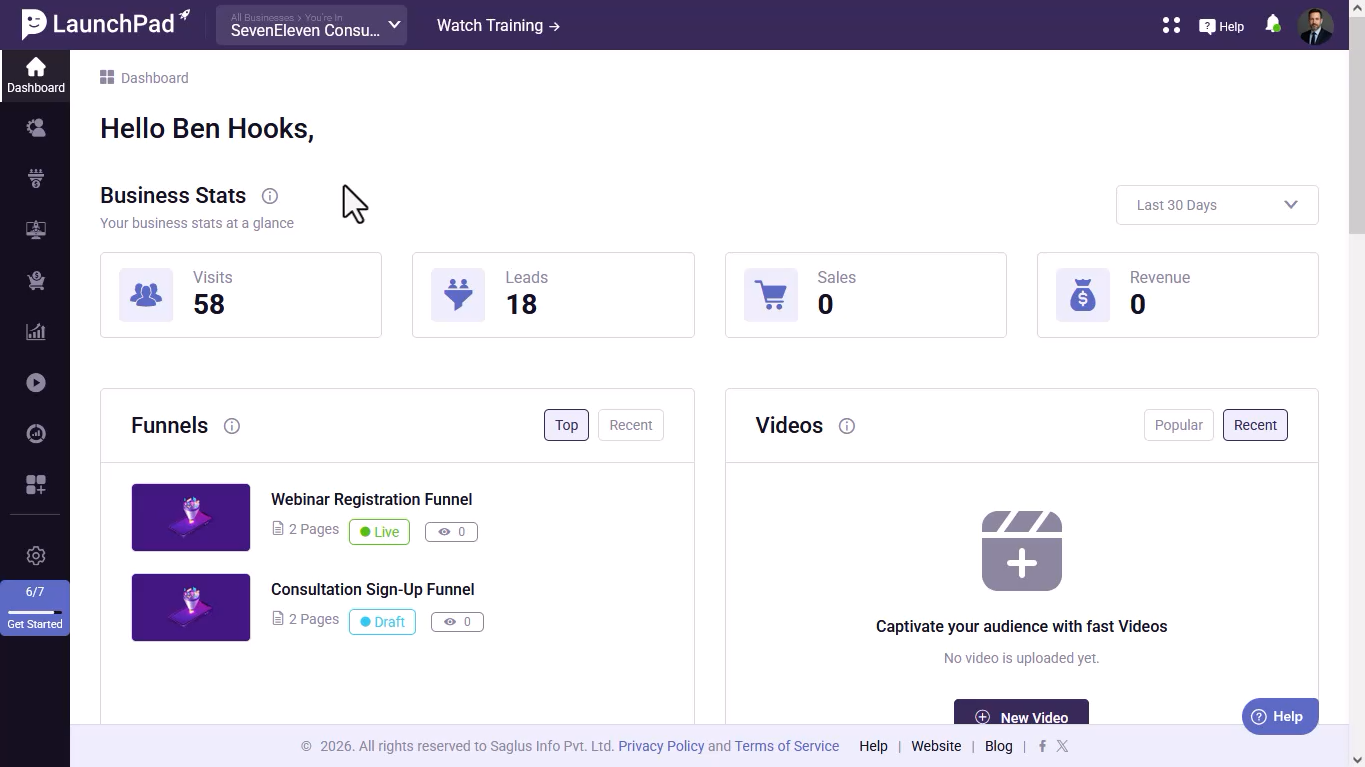
Step 2: Locate the Solution and Business Name
Find the solution name and logo on the left side of the dashboard header, along with your current business name.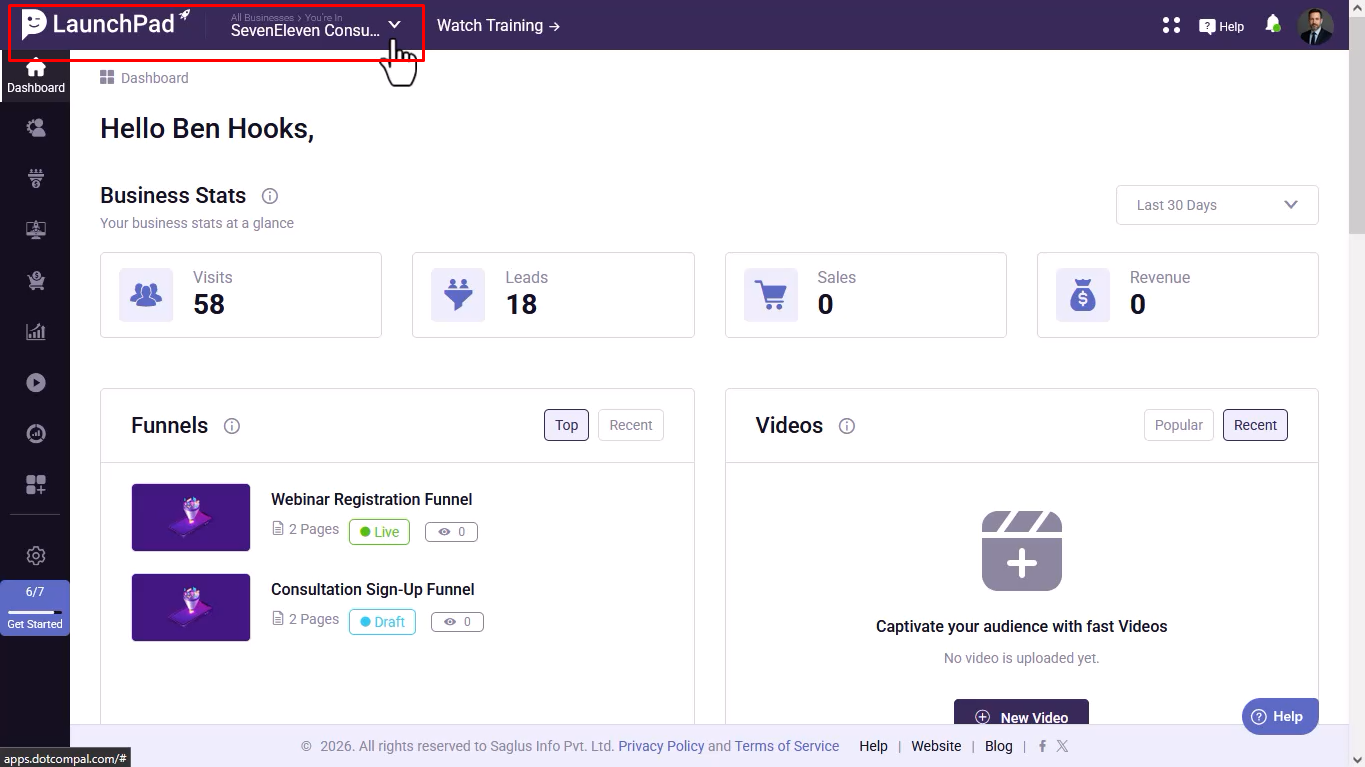
Step 3: Switch Between Businesses
Click the dropdown next to your business name to view all available businesses.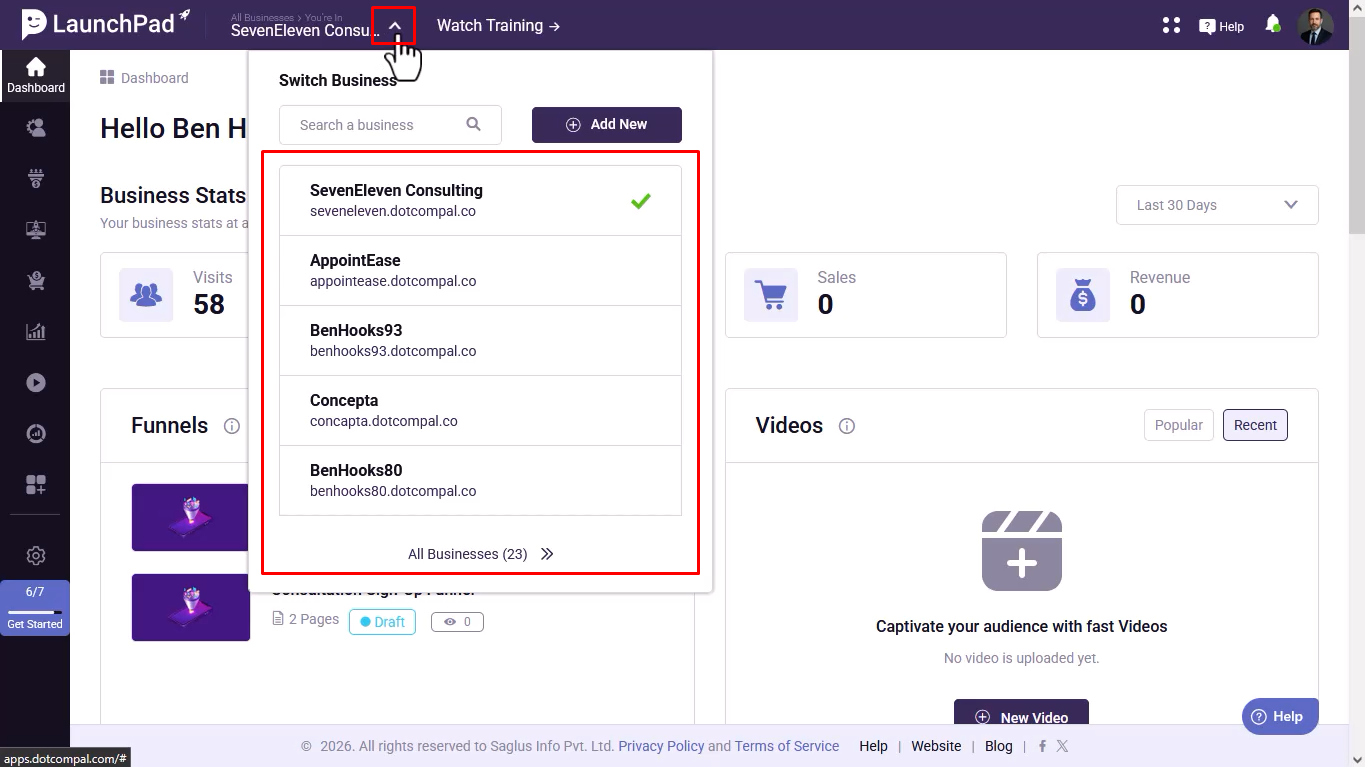
Step 4: Select a Business
Locate the business you want to work with and click the Switch button.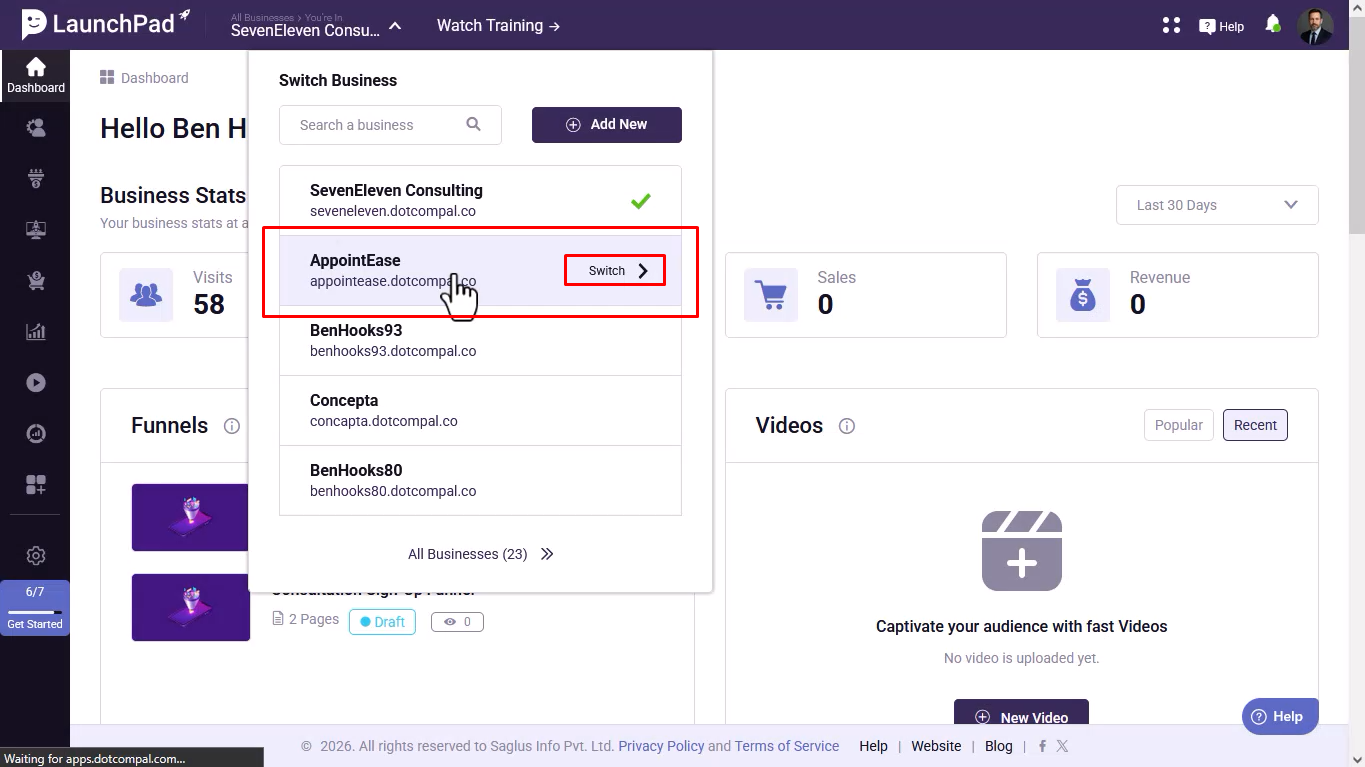
Step 5: Verify the Business Change
Confirm that the dashboard has switched to the selected business.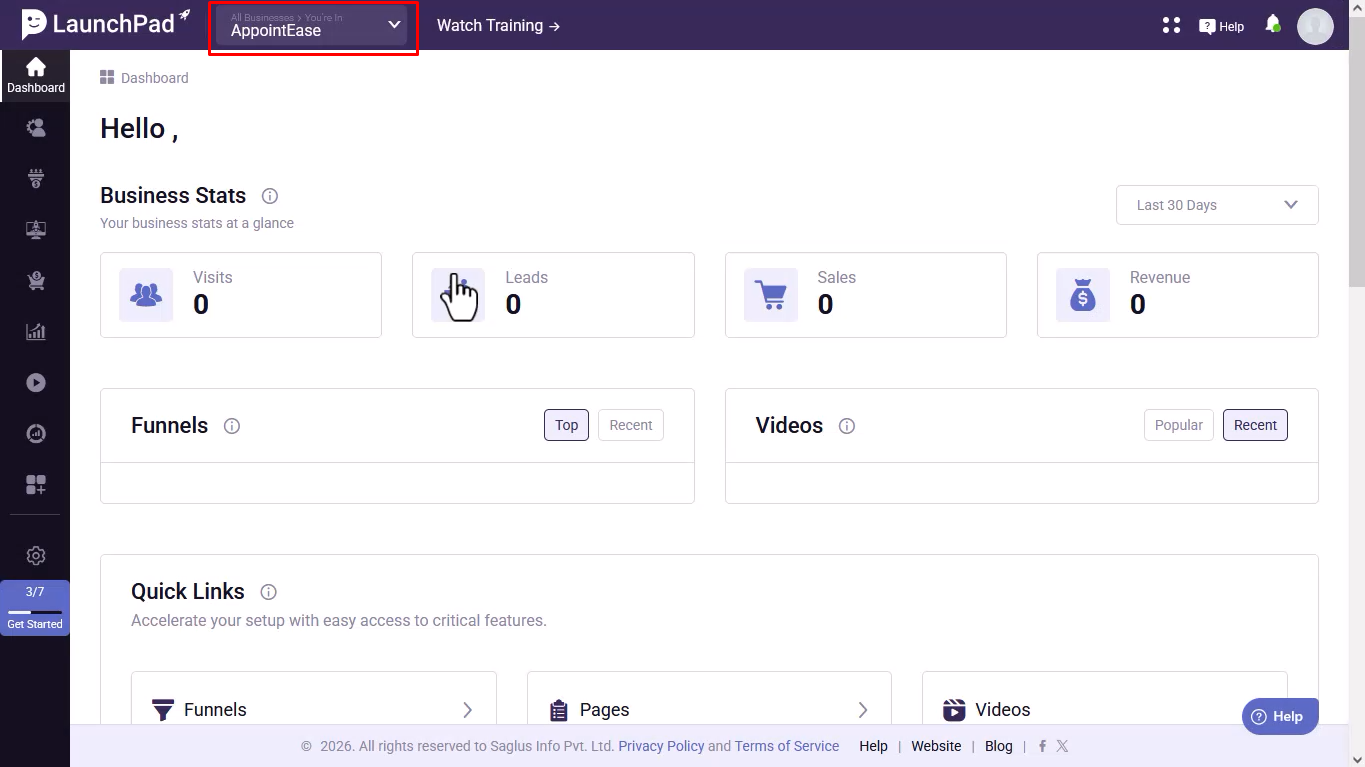
Step 6: Access Solution Navigation
Click the Four Dots icon in the header to view all available solutions.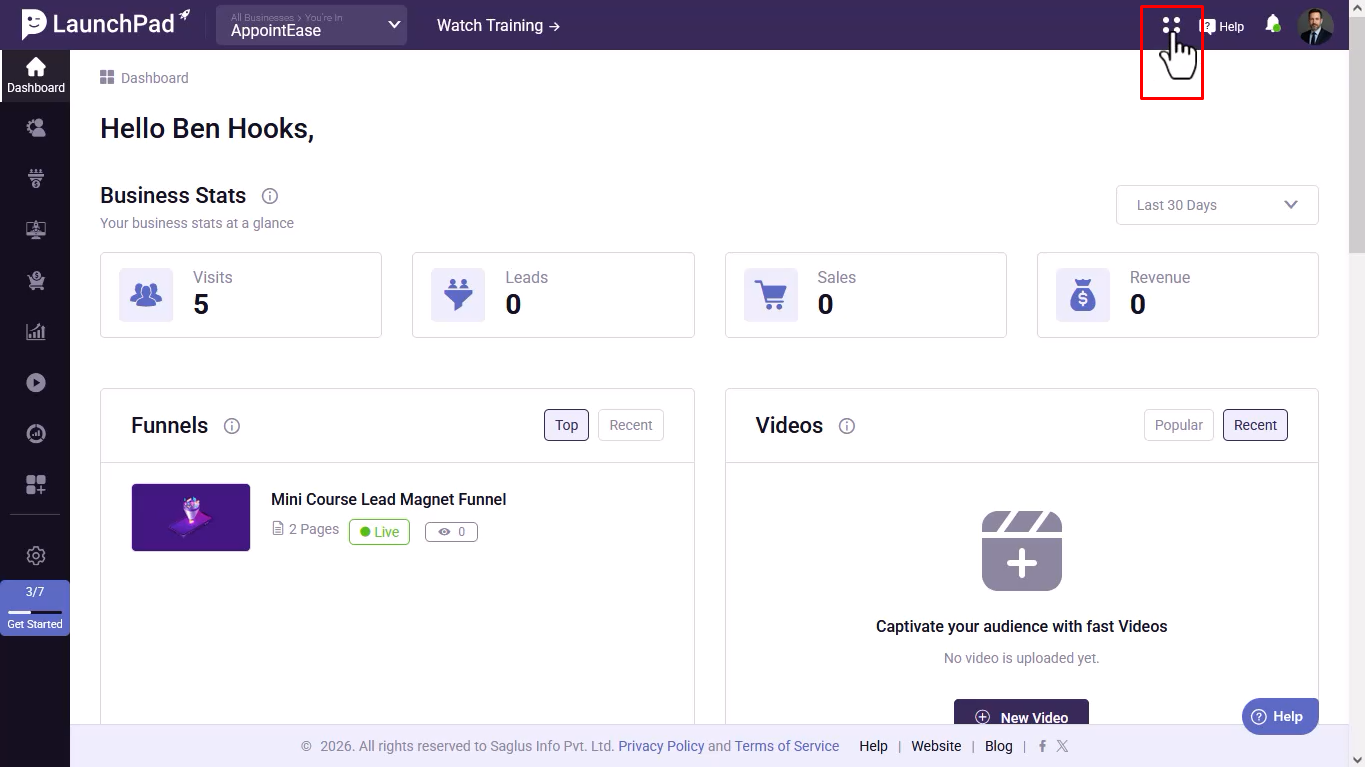
Step 7: Browse Available Solutions
Review the list of solutions associated with your account.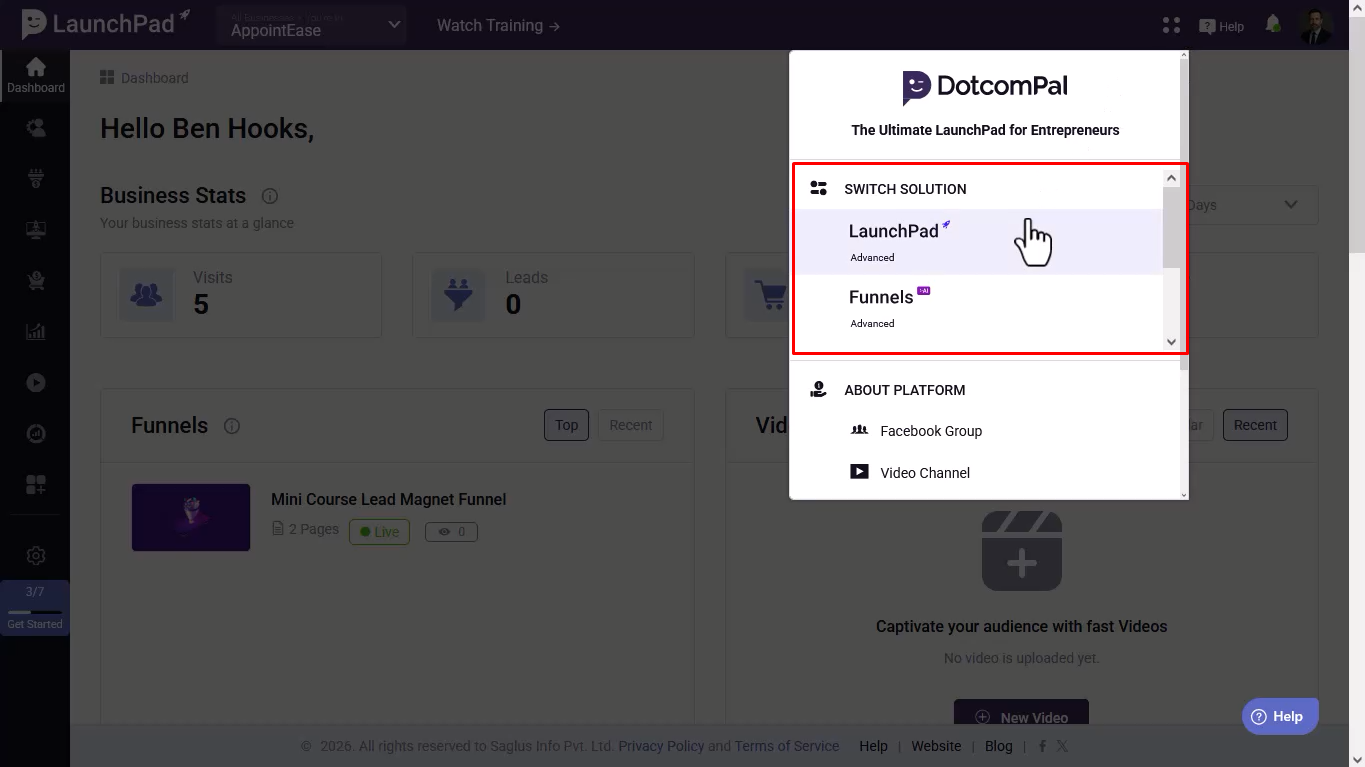
Step 8: Select a Solution
Click on the solution you want to access.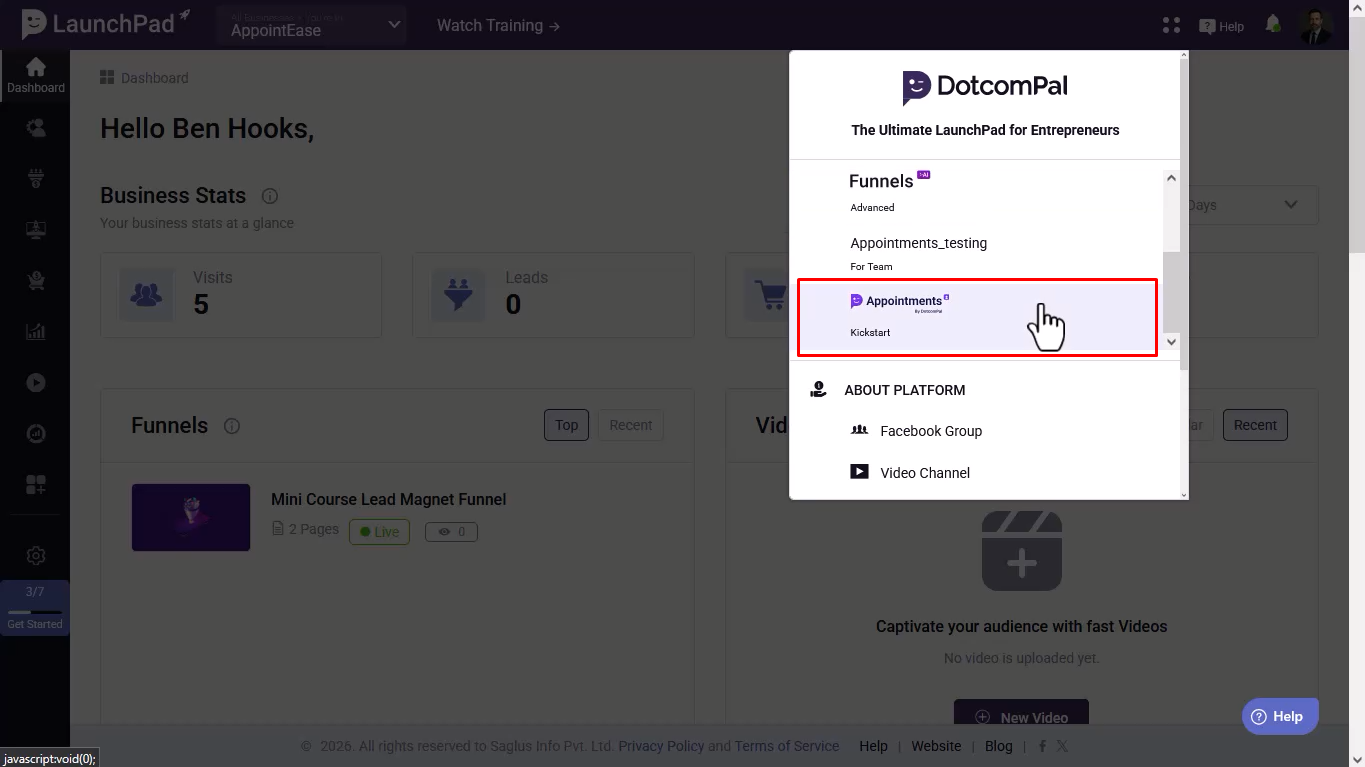
Step 9: Confirm the Solution Switch
Verify that the solution name in the dashboard header has been updated.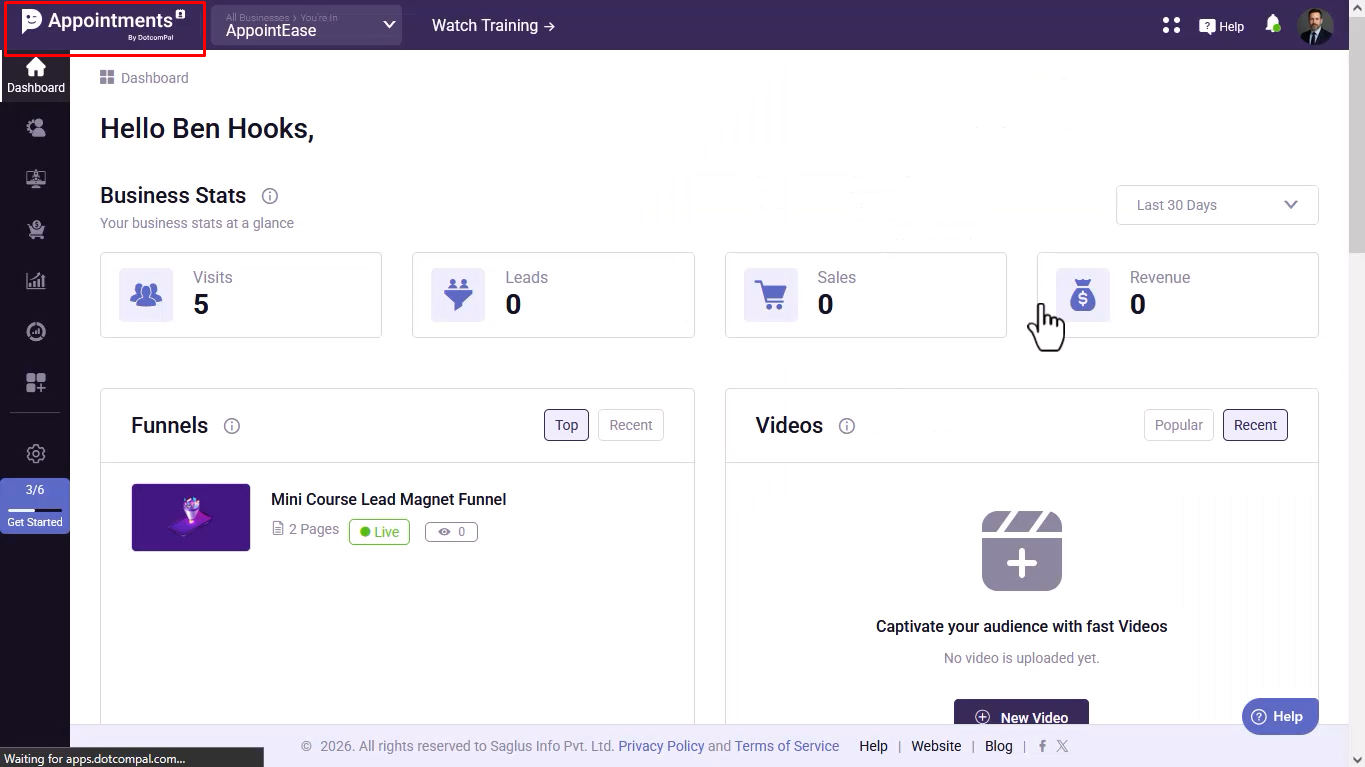
Was this article helpful?
That’s Great!
Thank you for your feedback
Sorry! We couldn't be helpful
Thank you for your feedback
Feedback sent
We appreciate your effort and will try to fix the article